Works catalogue

Work you can actually
open.

Nine projects, and all nine are running: eight you can open from here, one lives inside Telegram. Six of them include not just a site but an app the owner runs the business in: clients, visits, bookings, payments and orders. Each comes with a breakdown of what was actually built by hand, and numbers you can verify. Press “Details” to open the frames.

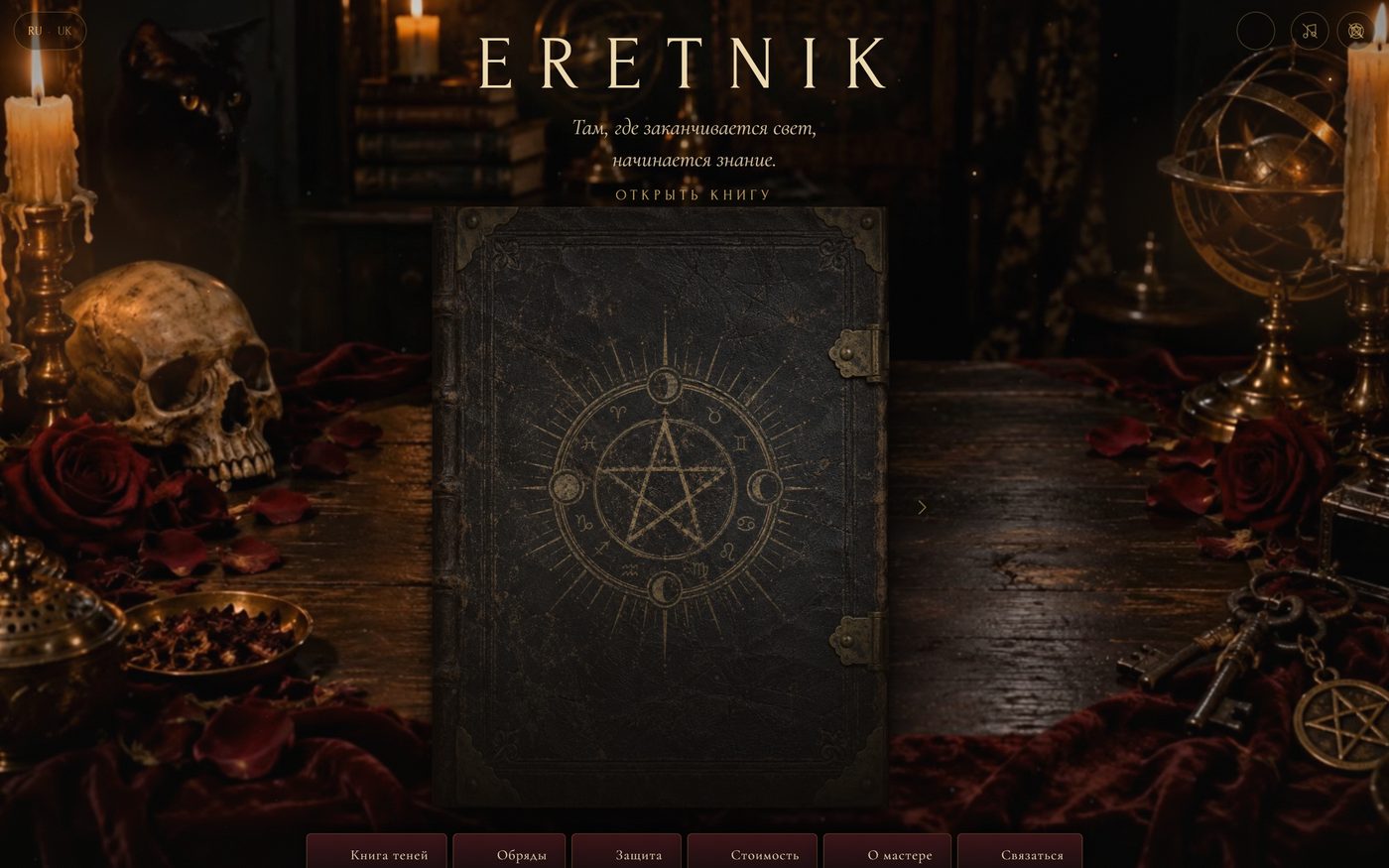
ERETNIK: a closed book with a pentagram on an oak table, a skull, candles, an armillary sphere LIVE · VERCEL
Project 01 · Esoterica · Book-site

ERETNIK — a site people don’t scroll, they leaf through

For a practising tarot reader we built a grimoire instead of a page: a closed book on the table, one tap and it opens, then you leaf through it like the real thing. Every spread is live HTML on parchment texture, not an image. Letters catch fire and vanish, ash drifts out from under the cover, and a muted ambient track plays alongside.

A book on StPageFlip · live HTMLLetters burn away grapheme by graphemeAsh and embers on canvasRU / UKSound you can switch off
Spreads of the book · swipe through
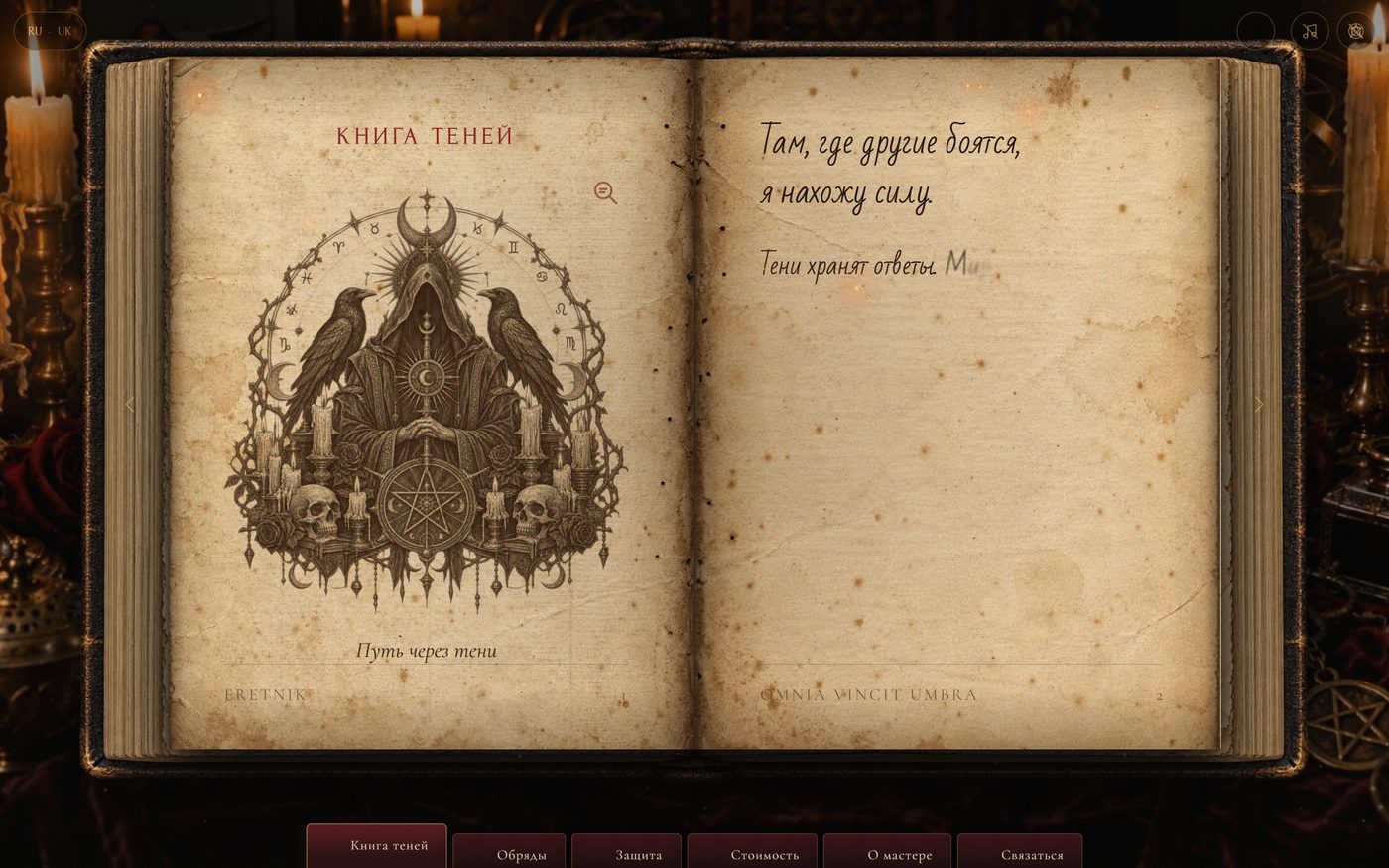
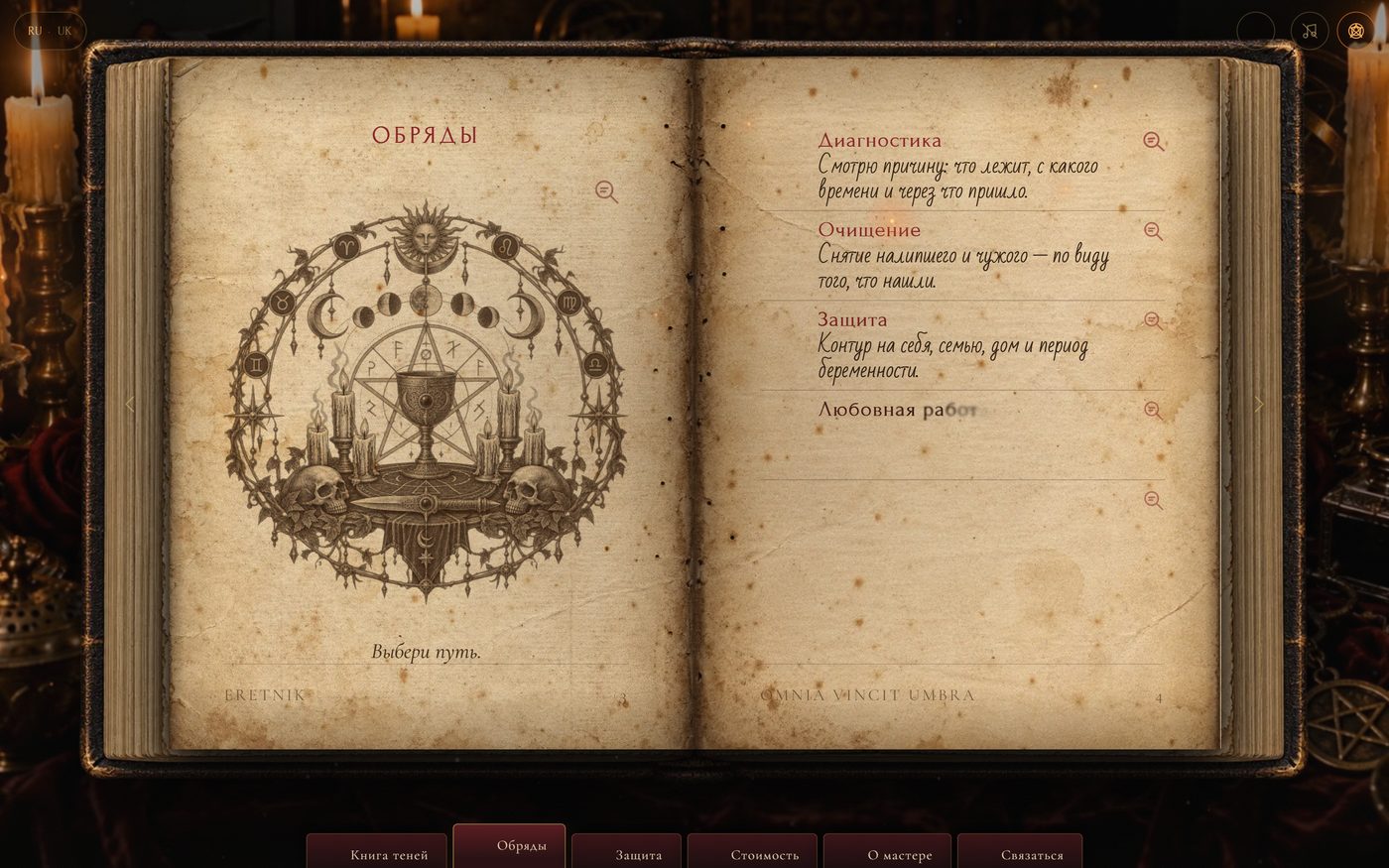
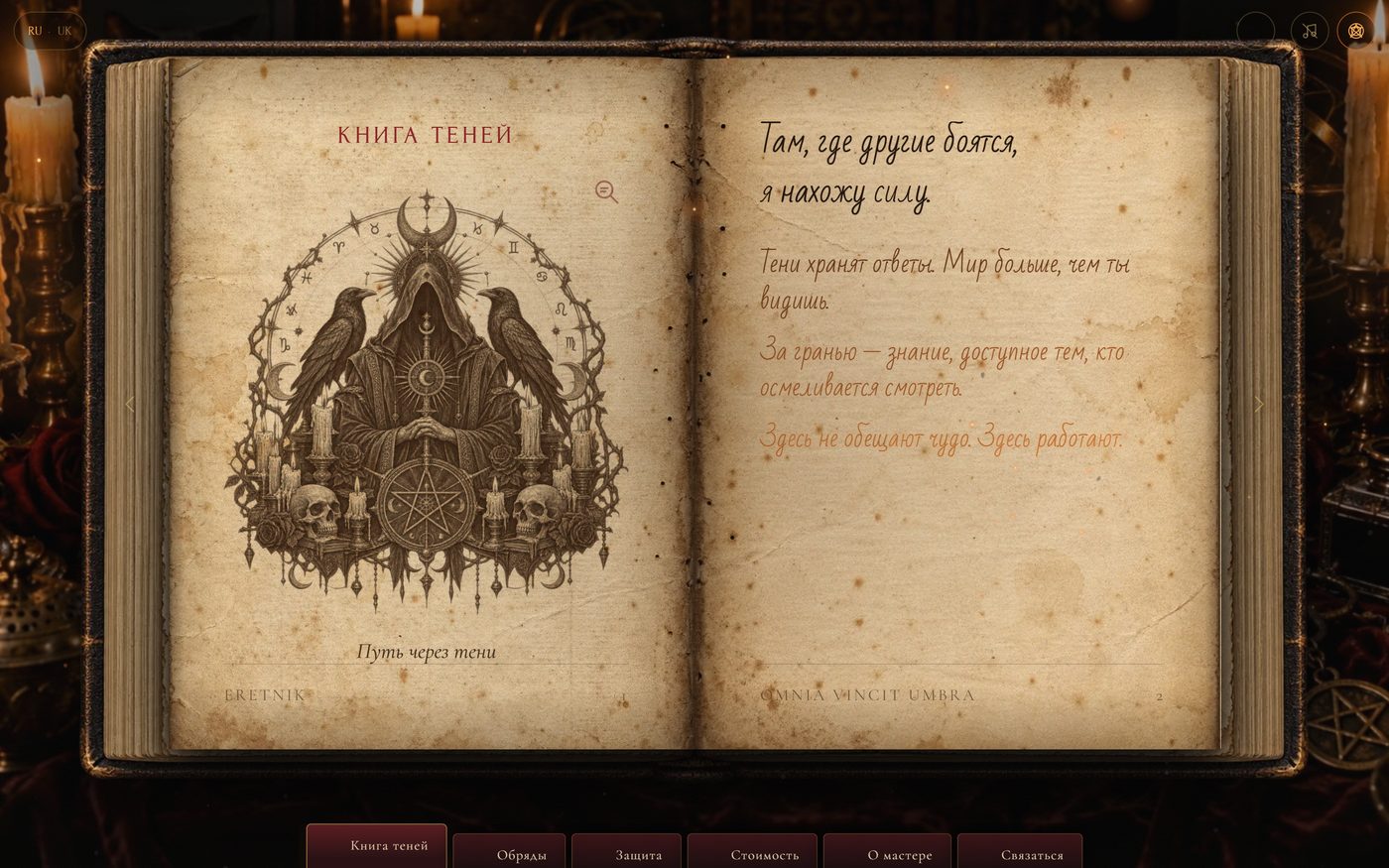
An open spread: an engraving with ravens and a chalice, a handwritten epigraph
01 The book has opened — the “Book of Shadows” section
The text writes itself on the page “by hand”, line by line
02 The text writes itself “by hand” — letter by letter
The lower lines of the page catch fire and burn away from the bottom up
03 Before the page turns, the text burns away — bottom up, with sparks
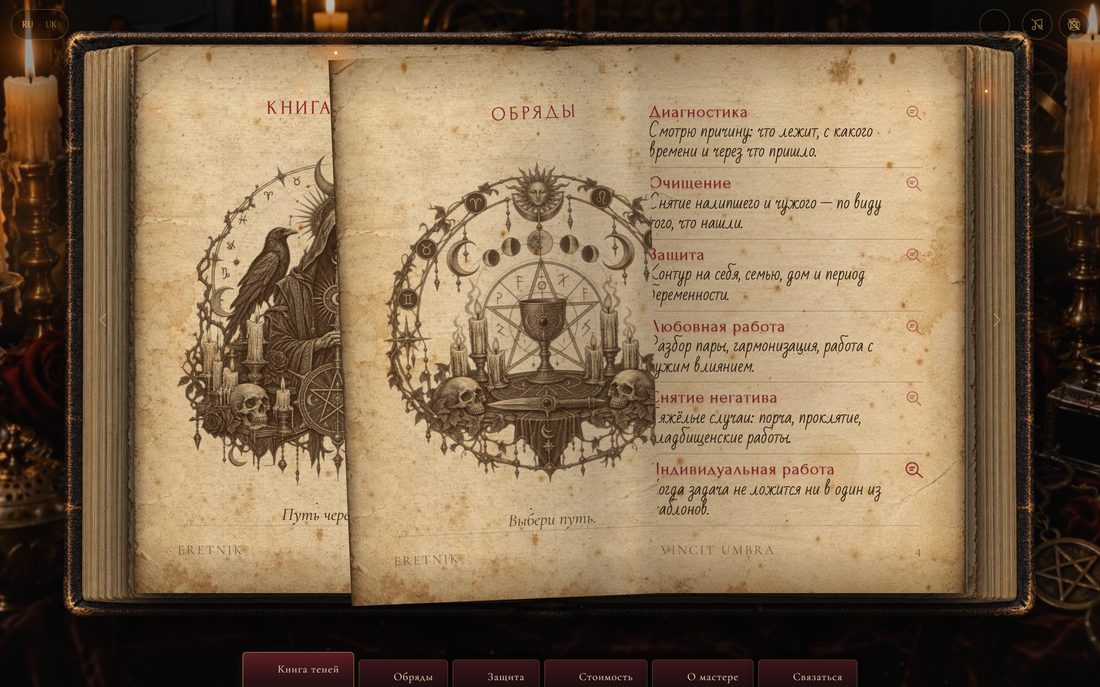
A page mid-turn: the “Rituals” section
04 Turning — a page in motion
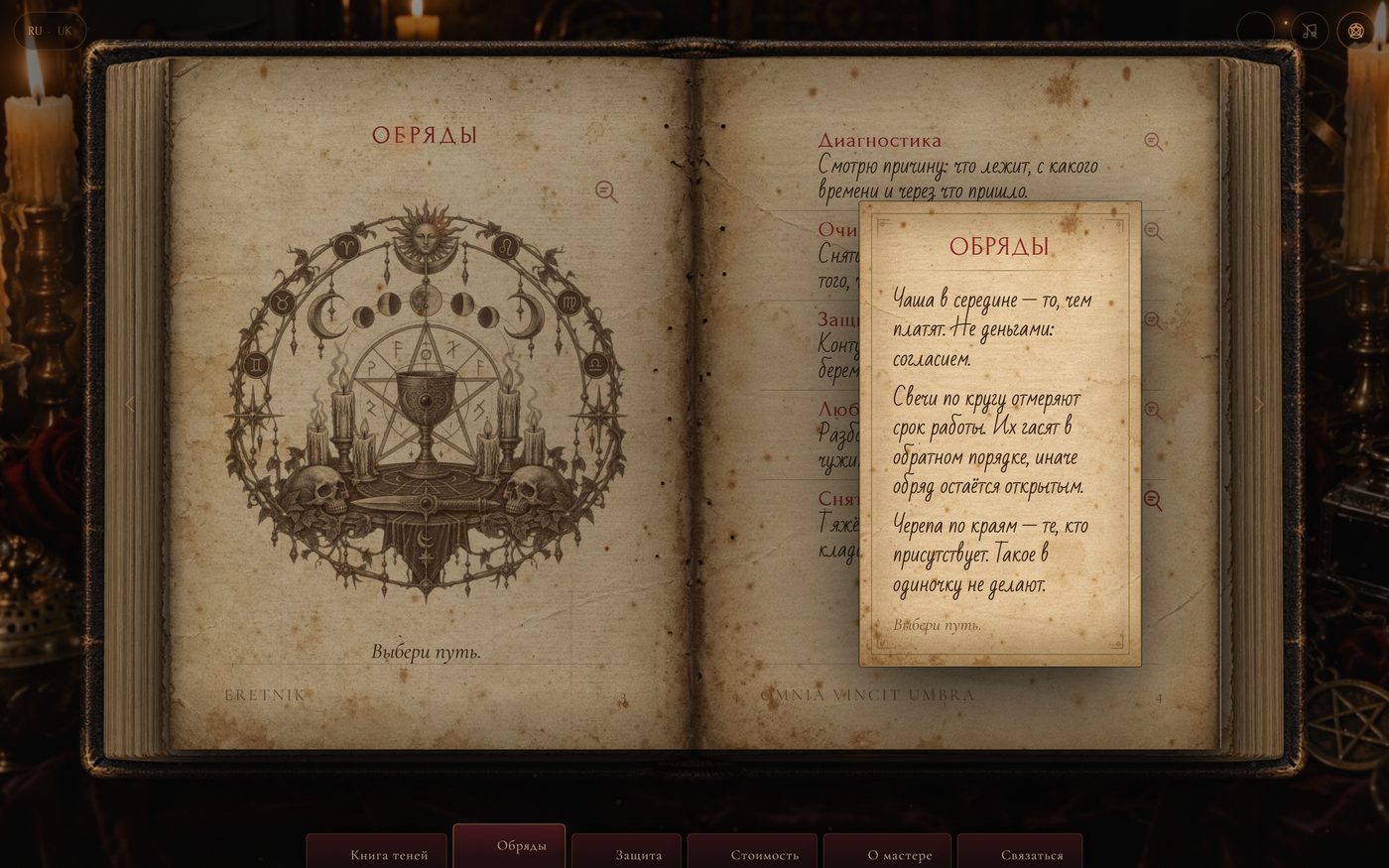
Magnifier: a “Rituals” panel with detailed text over the dimmed book
05 Magnifier — tap an engraving and the interpretation slides out
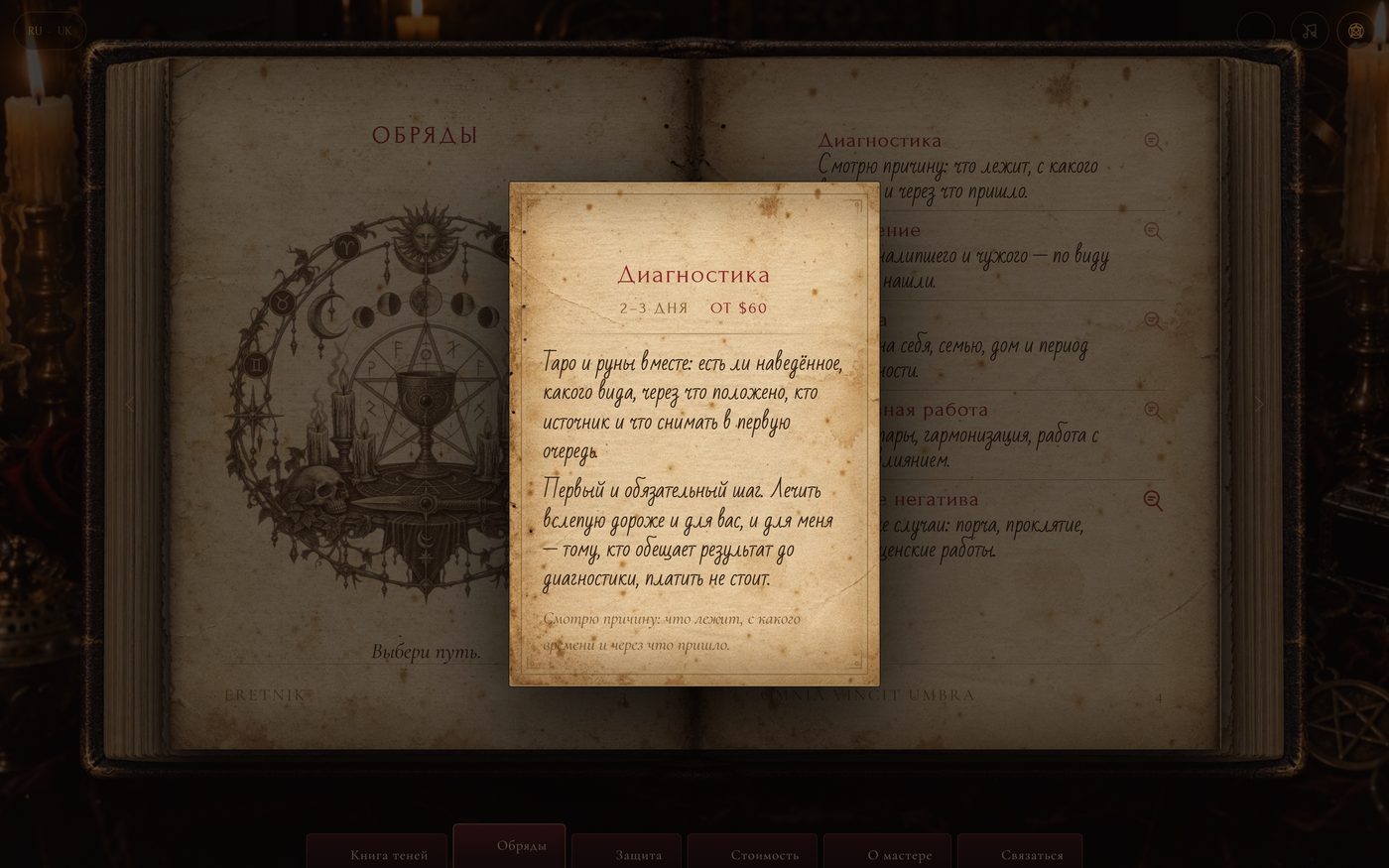
Magnifier: a “Diagnostics” panel with a description and a price
06 Magnifier on a service — description, duration and price
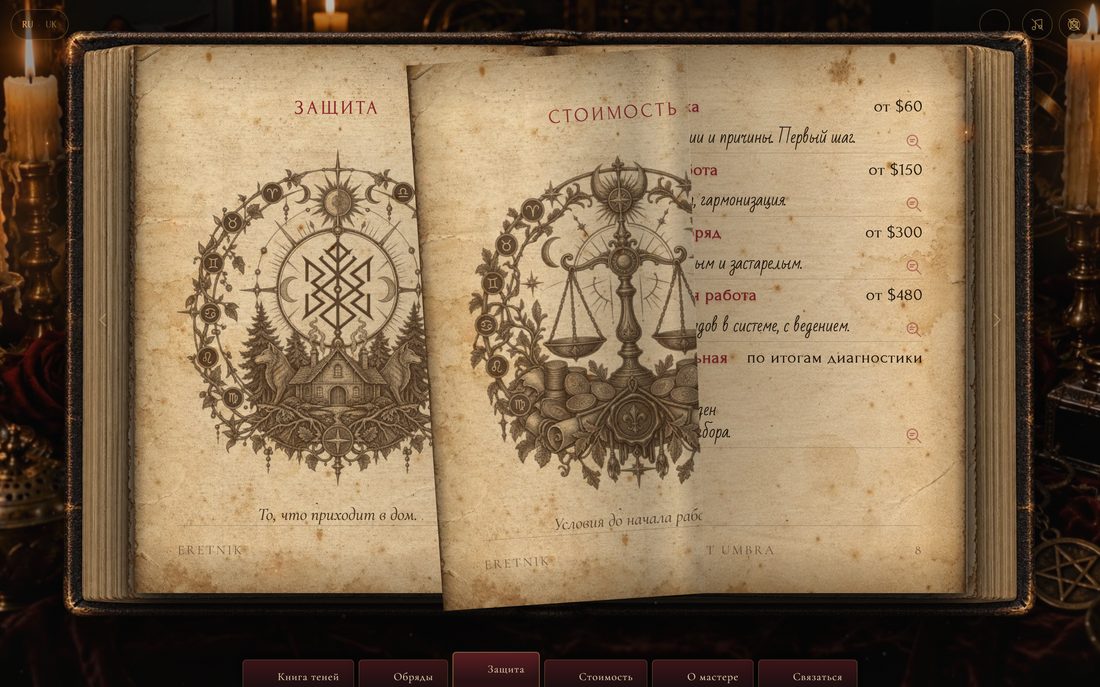
The “Protection” and “Pricing” spread, an engraving of the scales
07 “Pricing” — the scales and the prices
0sections in the book: rituals, protection, pricing, about the reader, contact
0languages — RU and UK, a switcher in the header, the choice is remembered
0Cyrillic typefaces: Forum, Cormorant, EB Garamond, Bad Script
0images of text — everything readable stays HTML

Things you won’t find in a template

  • Parchment without Photoshop. The page textures come from a real photograph of the book through an inverse homography — the pages are “flattened” into a rectangle, so the text sits in the plane of the sheet instead of on top of it.
  • Burning letter by letter. Each word is split into graphemes with Intl.Segmenter, every one burns with its own delay, and a separate canvas draws the sparks. The parchment stays intact — only the text burns.
  • Magnifier panel. Tap an engraving and an explanation slides over the book; tap again and it goes. It never appears from a stray cursor movement.

Built by hand

  • Typography scales from the page height (em, not vh) — the book does not drift on a phone
  • Section navigation, arrows, swipe; your position is remembered
  • Ash and embers on a separate canvas, thinned out on the phone
  • Ambient sound and page turns — with a mute button
  • The content is the reader’s real texts from their Instagram
  • Requests fly to Telegram through a Cloudflare Worker: the bot token is never in the page

Where it sits in the calculator

This is a “film-like site” at full stretch: $2500–3000+, two weeks. The prices on the site itself are a draft still being agreed with the reader. Price up something similar →
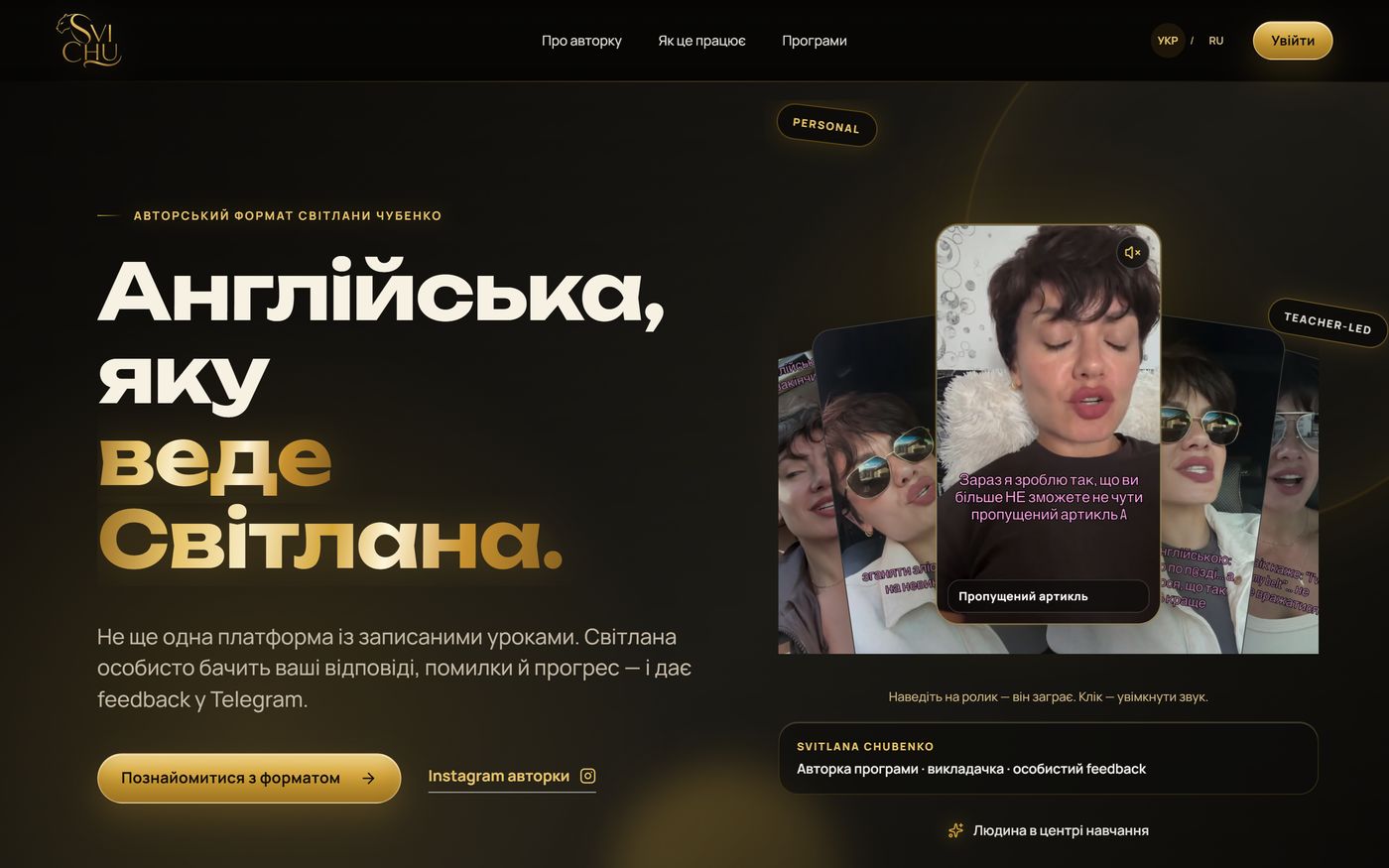
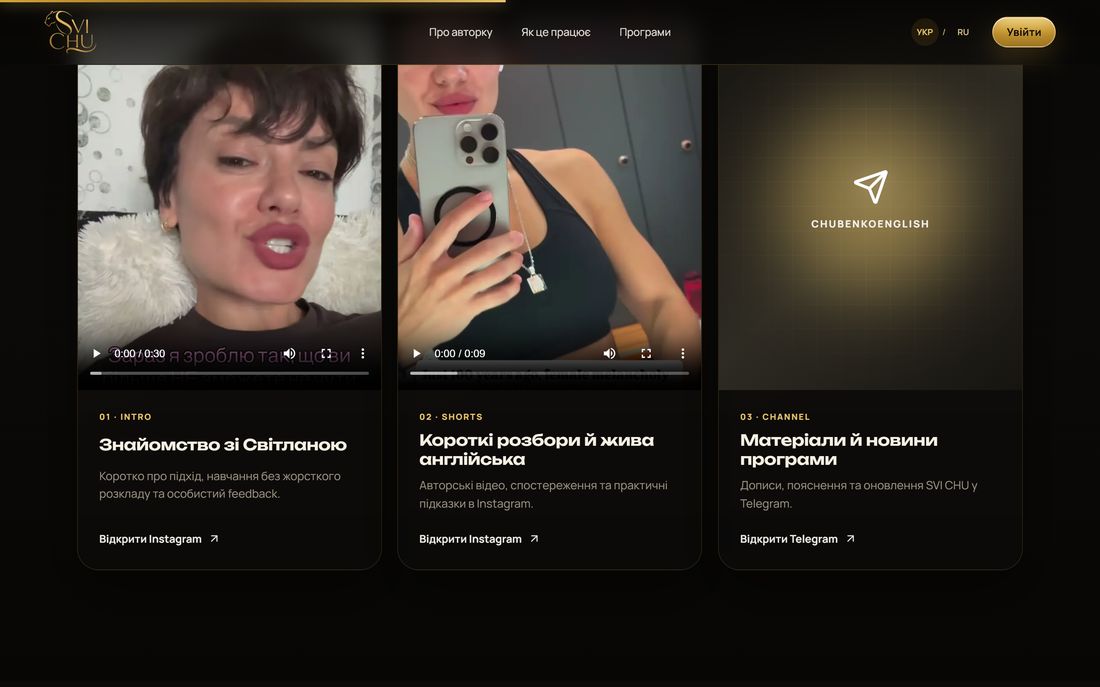
The first screen of SVI CHU English: black-and-gold design, the headline and cards with the founder’s videos LIVE · VERCEL
Project 02 · Education · Site + CRM

SVI CHU English — site, dashboard and bot for an English school

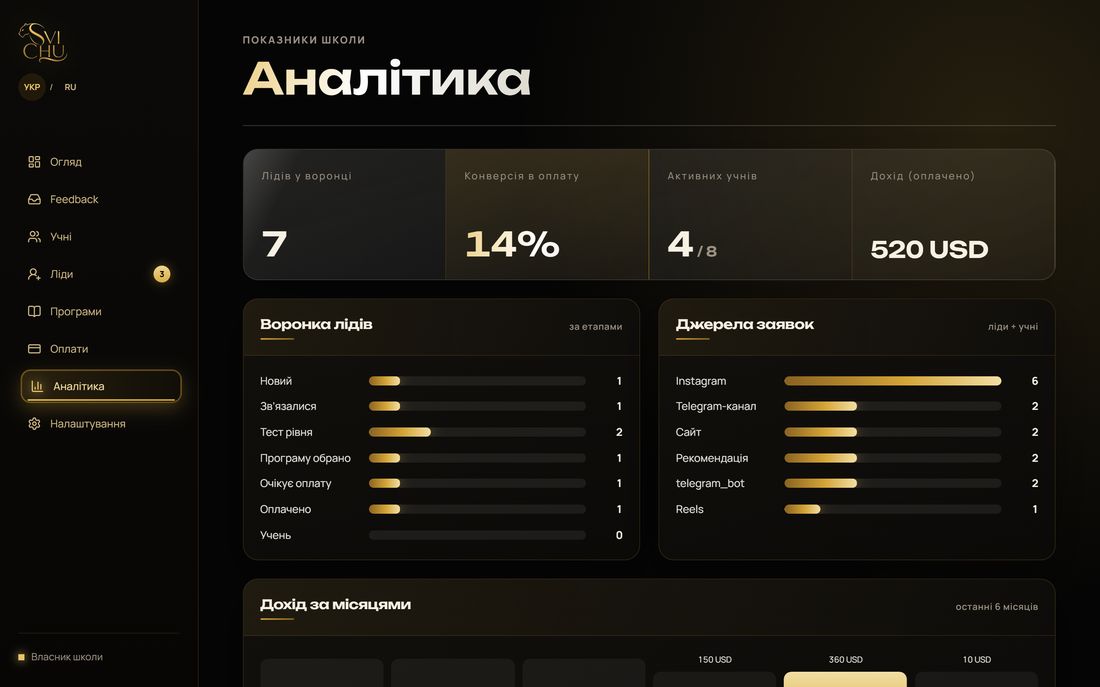
This is where “we made a page” ends. The site and the dashboard share one and the same design, instead of a generic admin panel bolted onto a pretty landing page. A lead from the site or the Telegram bot lands in the database immediately, and the dashboard shows the funnel, the students, payments and revenue by month.

Next.js + SupabaseA CRM with analyticsA Telegram bot takes the leadsA PWA — installs on a phoneUK / RU
Site and dashboard · swipe through
First screen: black-and-gold design, cards with the founder’s videos
01 Hero — black-and-gold design, cards with the founder’s live reels
Video cards “Meet Svitlana” and “Short breakdowns” on the home page
02 Video right inside the page — introductions and breakdowns, no trip to Instagram
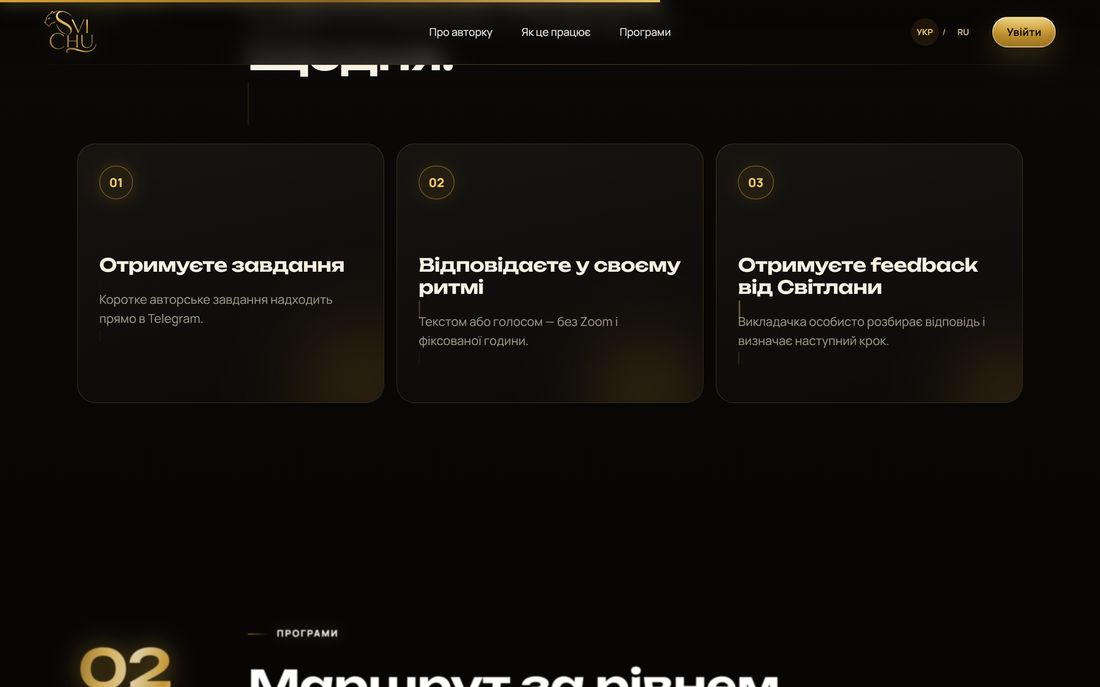
Three steps: you get the assignment, you answer at your own pace, you get feedback
03 How it works — three steps at a glance
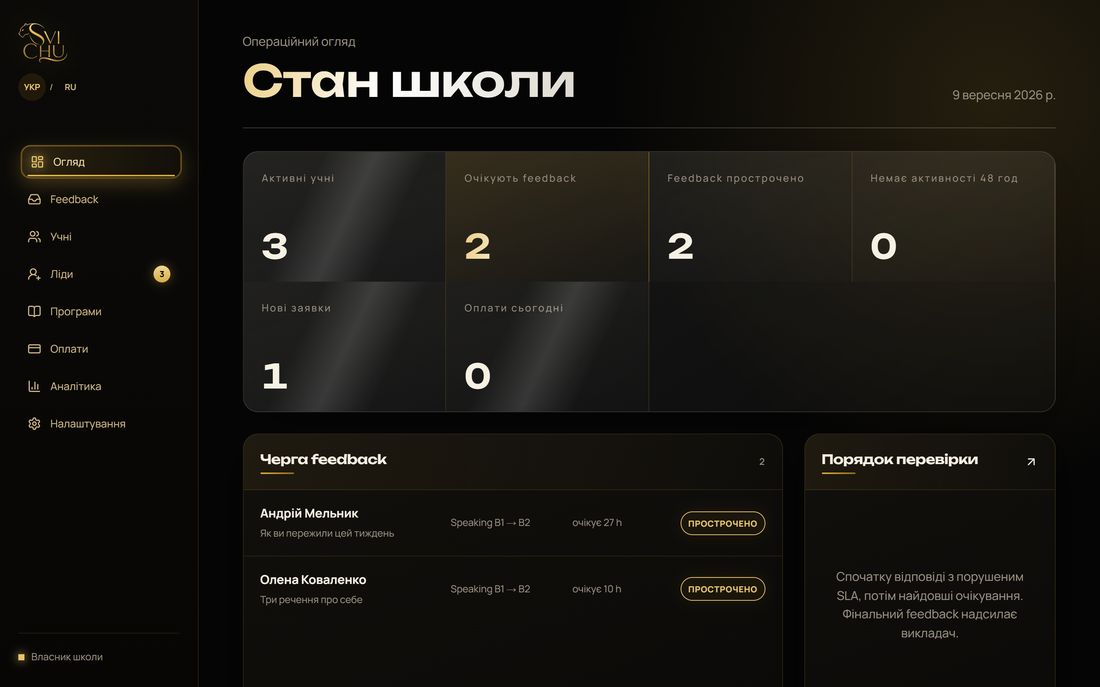
The dashboard in the same black-and-gold style as the site
04 The dashboard — the same style as the site, not a generic admin panel
Analytics: the lead funnel, lead sources, revenue by month
05 Analytics — funnel, lead sources, revenue by month
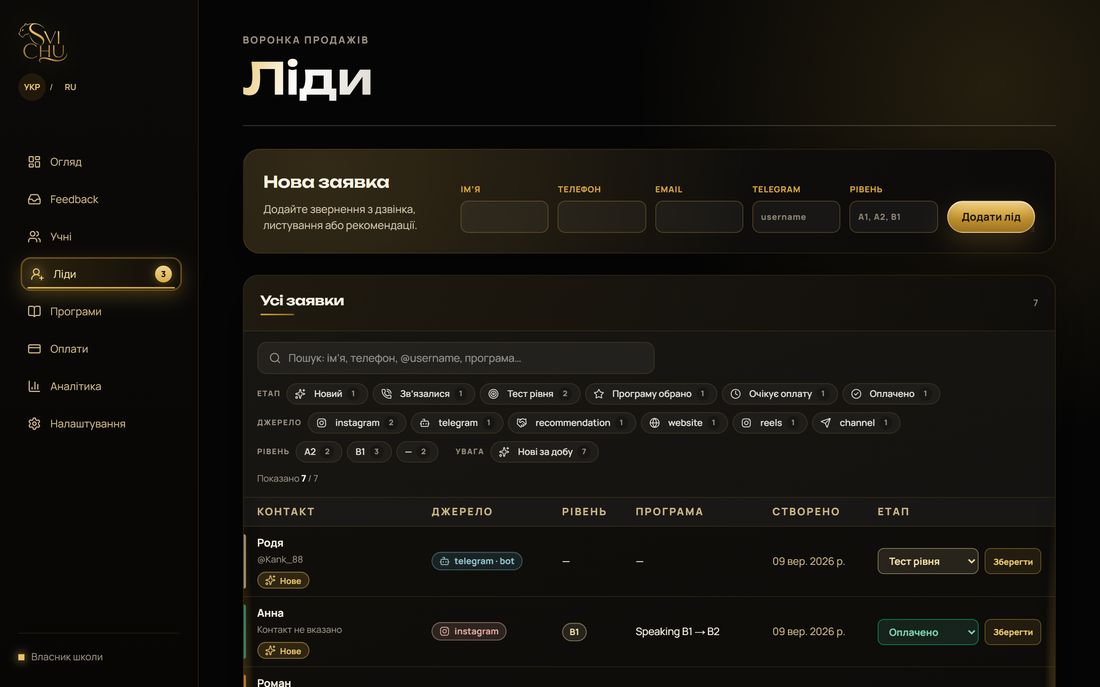
The leads section: a table of enquiries with filters, in the owner’s dashboard
06 Leads — search, filters, statuses, add an enquiry by hand
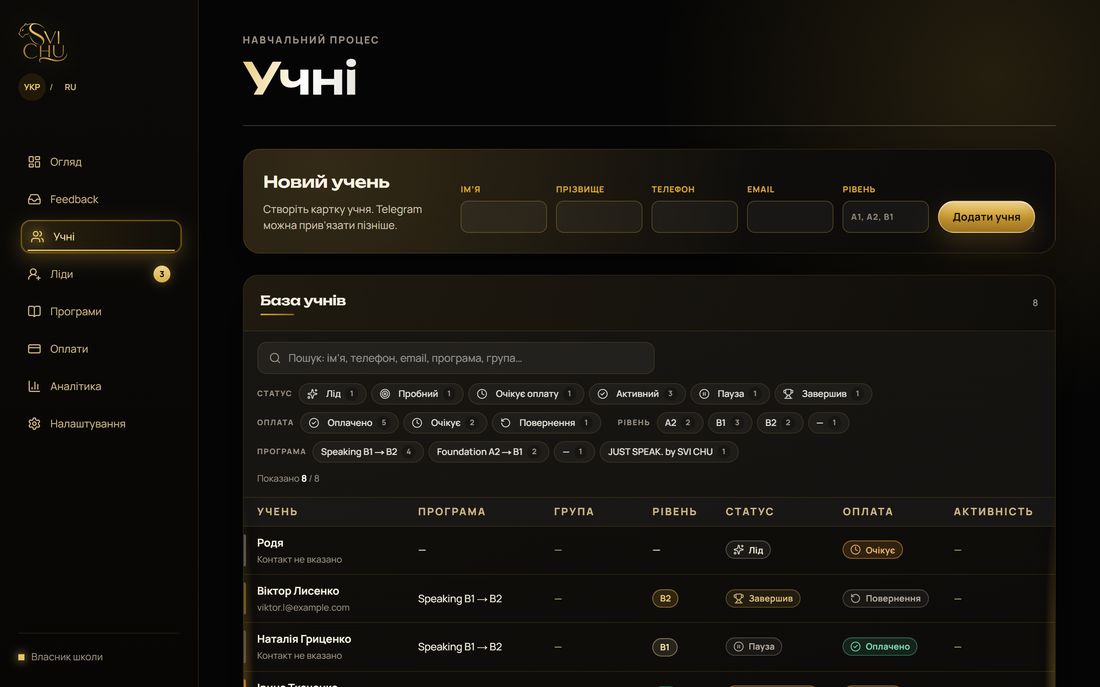
The students section: a database with programmes and payments, in the owner’s dashboard
07 Students — programme, level, payment, last activity
0Lighthouse on desktop — and 100 for SEO, accessibility and best practices
0reels in the fan on the first screen — from her live Instagram
0interface languages: Ukrainian and Russian
0third-party services for leads — our own bot and our own database

What the system does

  • No lead gets lost. From the form, from the bot or entered by hand — all in one database with statuses and a response SLA
  • Analytics without Excel. Funnel, sources, revenue by month, activity over 14 days — calculated automatically
  • An admin bot. It answers /start, asks about level, quotes prices and creates a lead straight away, tagged with where it came from
  • Installs like an app — a PWA with an icon on the phone’s home screen

Built by hand

  • A fan of five vertical videos: hover selects, click turns the sound on
  • Text across the landing page types itself in as it comes into view
  • A separate mobile view of the CRM: table rows become cards
  • Two languages via cookie, Ukrainian by default
  • Legal pages, SEO files, security headers, rate limiting on the bot

Where it sits in the calculator

This is no longer a site but a site + system: $3000–6000, 14–21 days. The scope of this project was roughly 150–220 hours of work. Price up something similar →
LIVE · VERCEL
Project 03 · Medicine · Zaporizhzhia

My Doctor — a walk-through-the-practice dental site

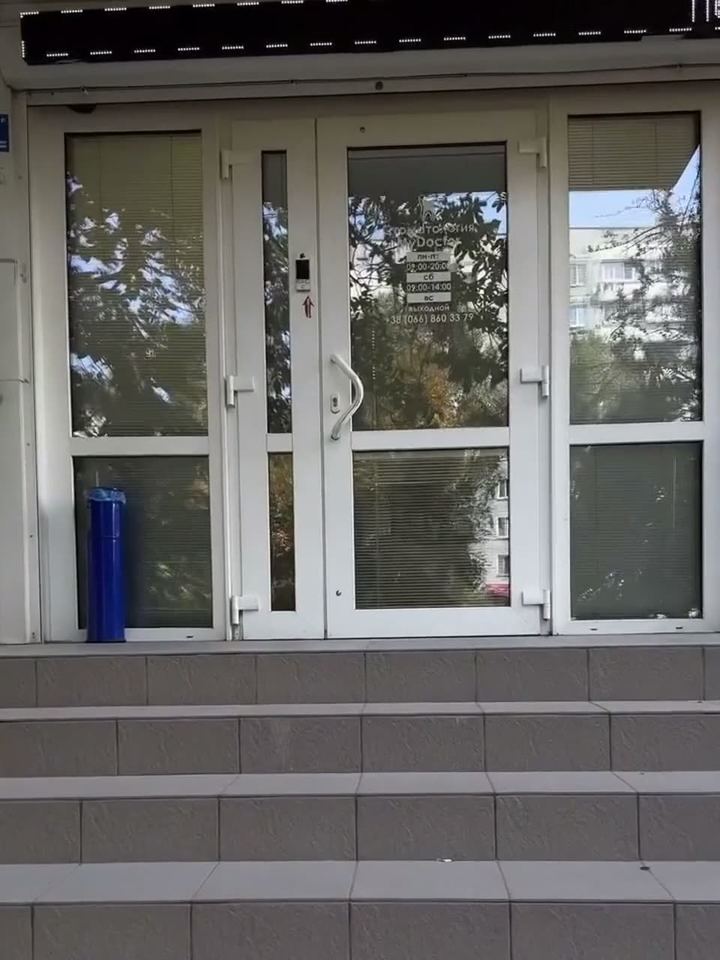
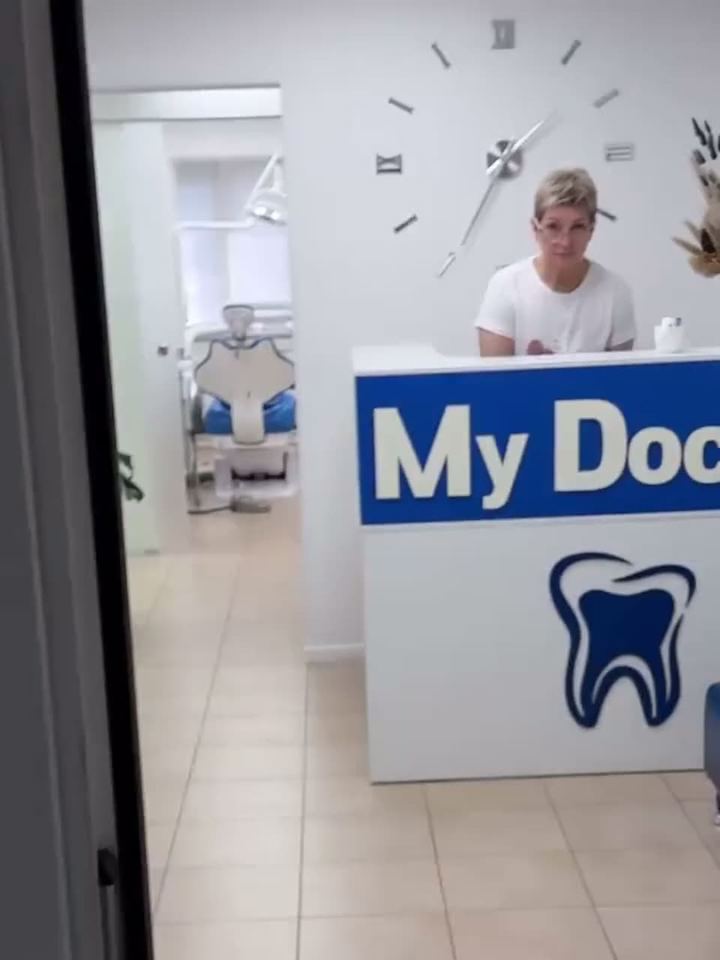
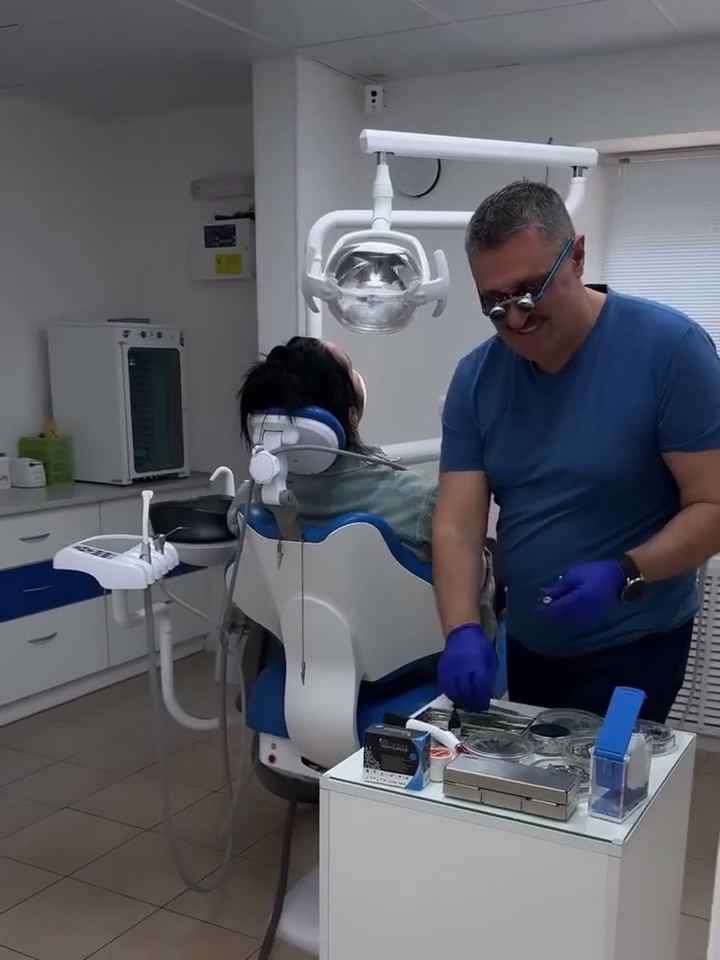
Instead of “services — prices — form”, the visitor scrolls the page and walks down the corridor: entrance, reception, treatment room, result. The video was shot in the clinic and storyboarded to the scroll; prices appear exactly where the procedure happens.

33 s of video → a storyboardDesktop and mobile built separatelyUA / RUA price list by procedure
Frames from the storyboard
The clinic entrance
01 Entrance00:02
Reception
02 Reception00:06
Treatment room
03 Treatment room00:10
Result
04 Result00:31

Built by hand

A storyboard tied to scroll positions, a separate edit for the phone, a price list from JSON, a custom cursor, doctor cards with video on hover, privacy page, sitemap, robots.

Why a clinic needs it

Patients fear the unknown. Once someone has “walked” the rooms and seen the doctor at work, making the call gets easier. The site sells trust.

Where it sits in the calculator

This is a “film-like site”: $1800–3000+, 10–14 days. Price up something similar →

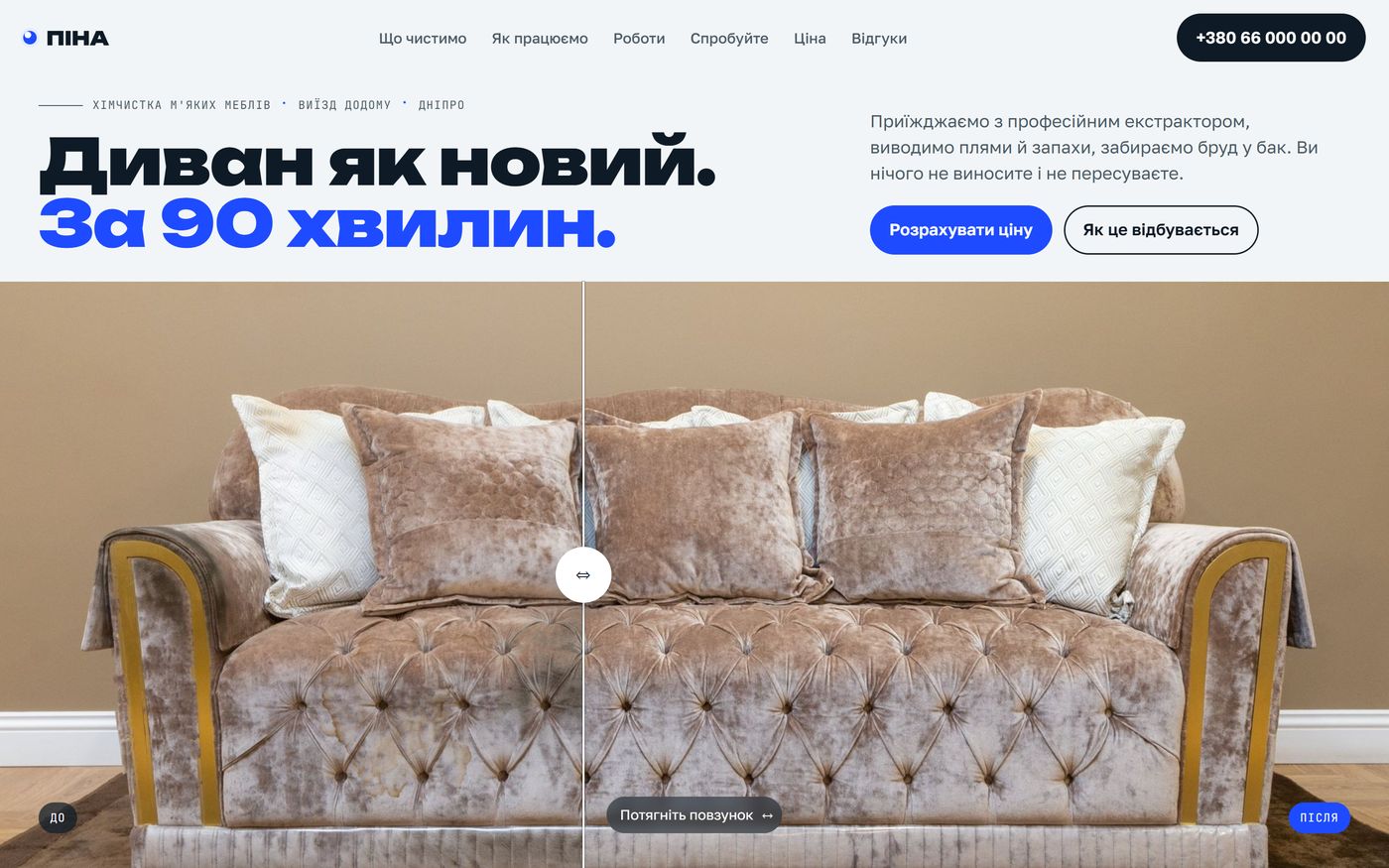
The first screen of the PINA site: “Your sofa like new. In 90 minutes” and a before/after slider LIVE · VERCEL
Project 04 · Services · Dnipro

PINA — furniture dry cleaning you can try on screen

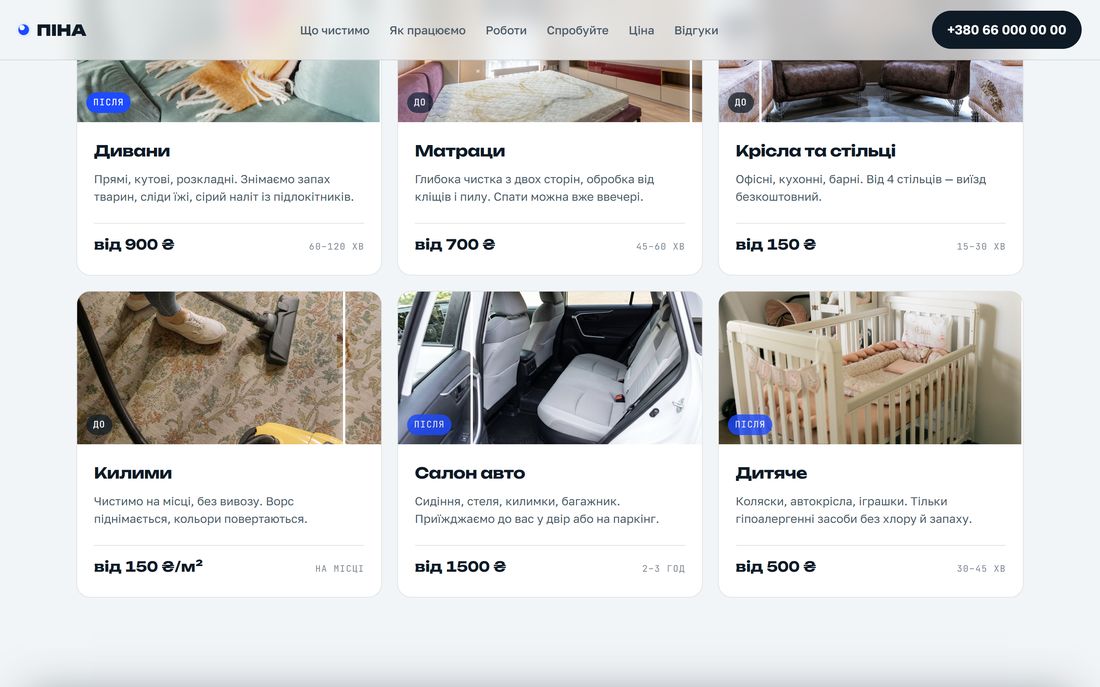
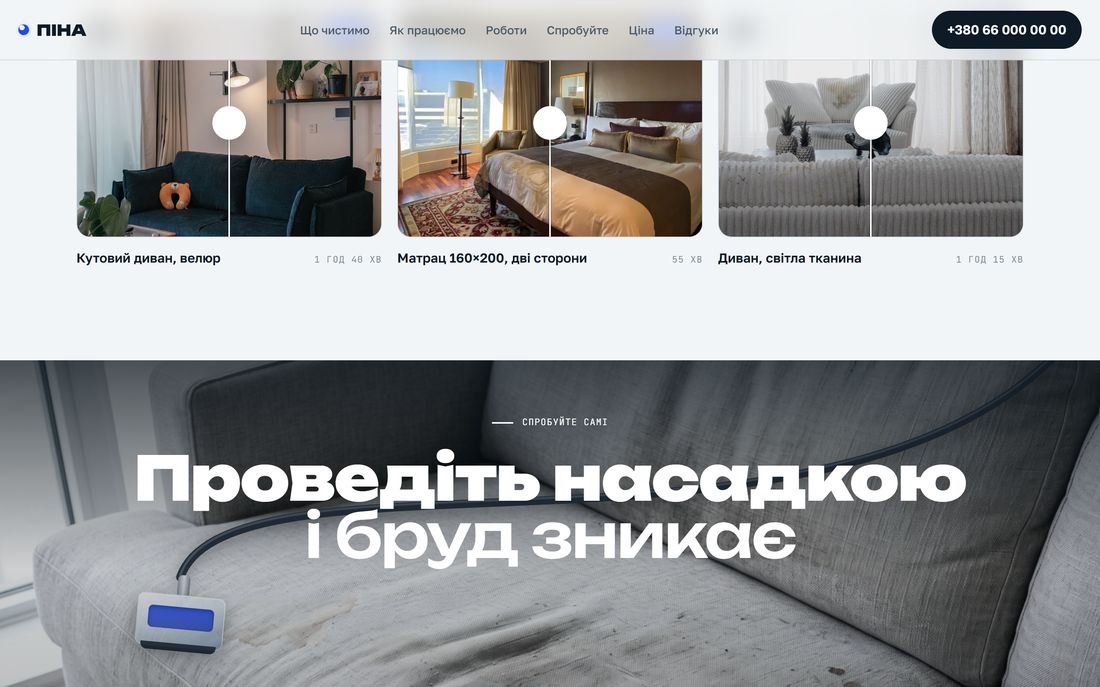
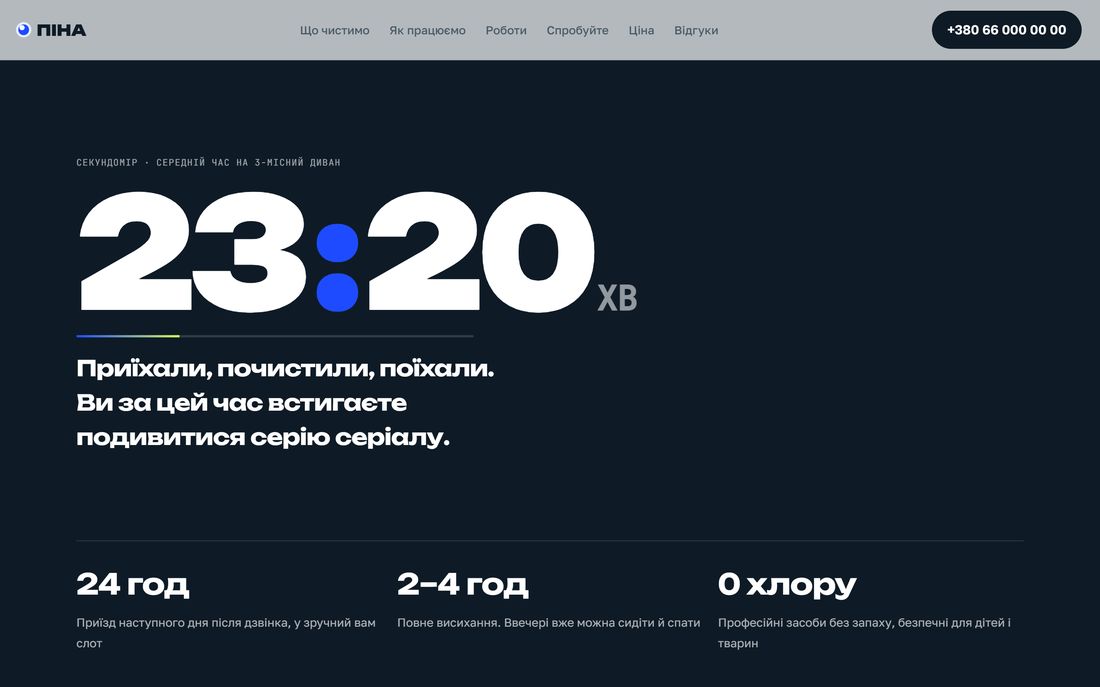
The site does not describe the cleaning — it lets you do it: you wipe dirt off the sofa with your finger, sweep a “spotlight” across a dark room with the cursor, and a stopwatch counts down 90 minutes as you scroll. Every service card moves from “before” to “after” on its own.

Canvas: you wipe the dirt away with a fingerA spotlight following the cursor12 video insertsA calculator in hryvnia
Screens from the live site
Service cards · before → afterPINA service cards with prices: sofas, mattresses, armchairs, rugs
A spotlight following the cursorA dark section: a spotlight beam reveals the clean sofa
A stopwatch tied to the scrollA dark section with a 23:20 timer and three facts
0before/after pairs on real photographs of the items
0short video inserts in the page
0minutes — the stopwatch runs along with the scroll
0blockers in the pre-launch audit: SEO, CSP, JSON-LD

Built by hand

Two canvas layers and finger erasing, a spotlight mask following the cursor, before/after sliders, sticky stages with video, a per-item calculator, JSON-LD LocalBusiness + FAQ, CSP, sitemap, privacy.

Why a business needs it

A cleaning client does not believe the words “we’ll get it out”. Once they have wiped the stain away themselves on screen, the doubt is gone — all that is left is to press “Calculate”.

Where it sits in the calculator

This is a “custom scenario”: $1000–1800, 7–10 days. Price up something similar →
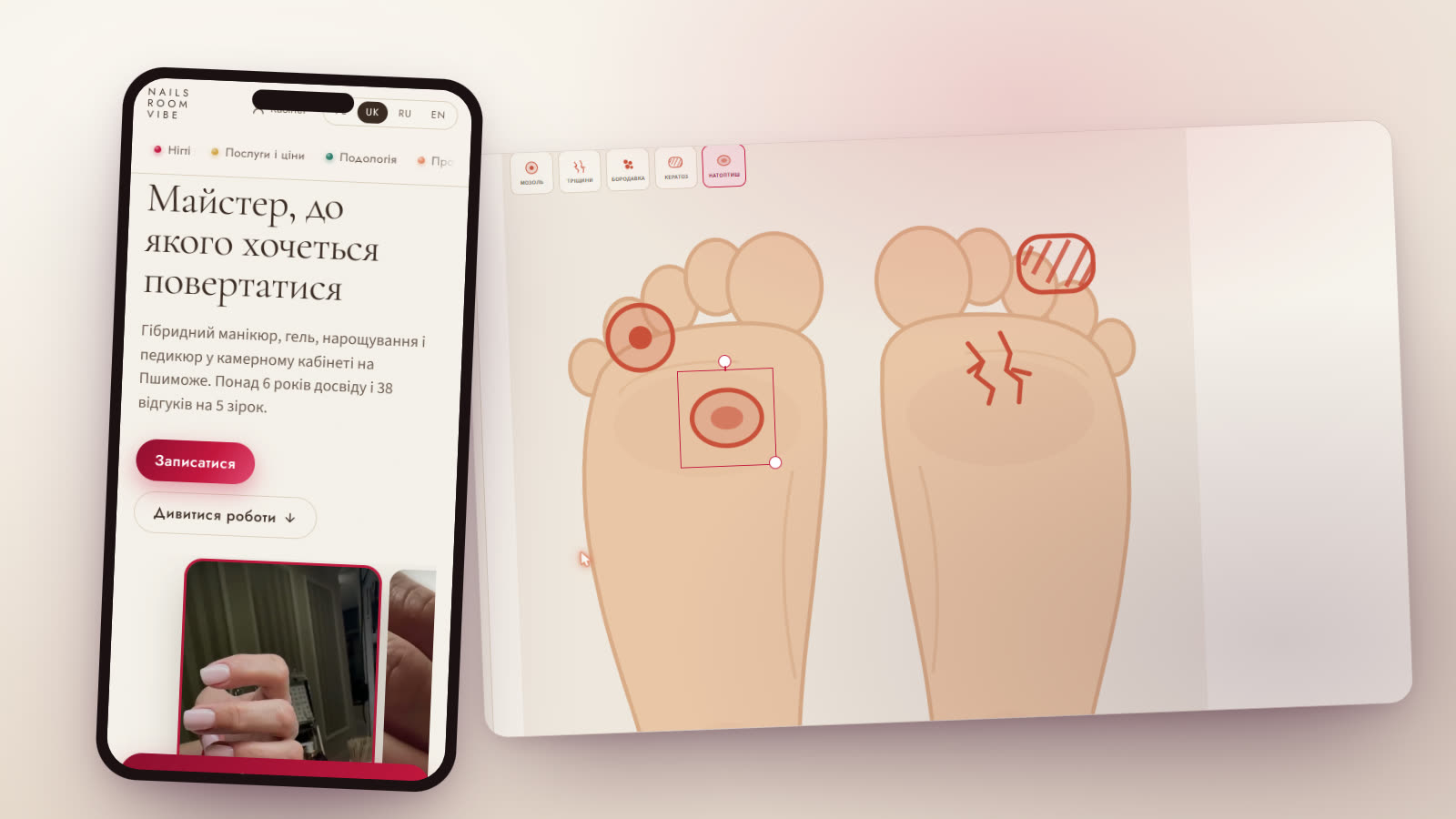
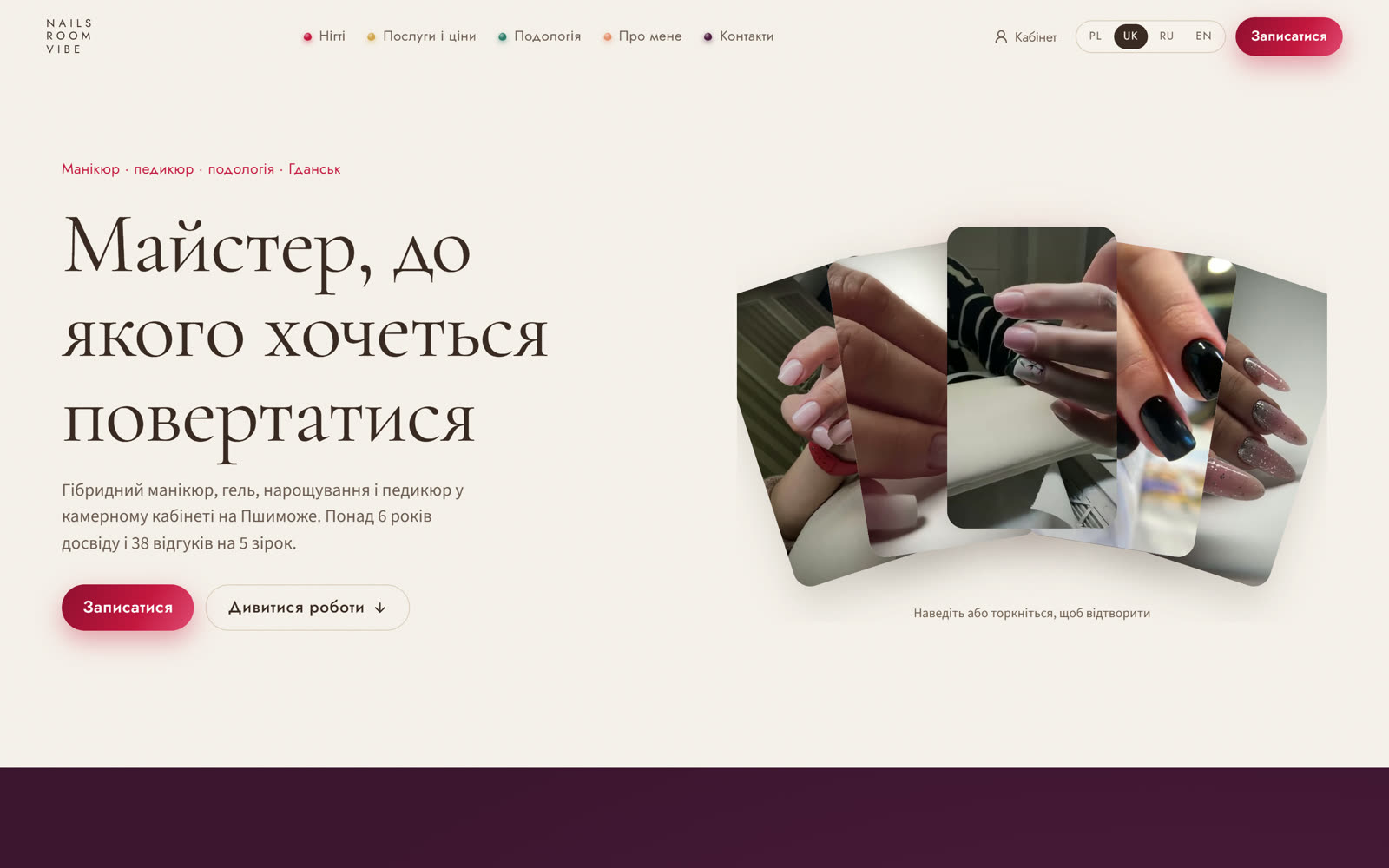
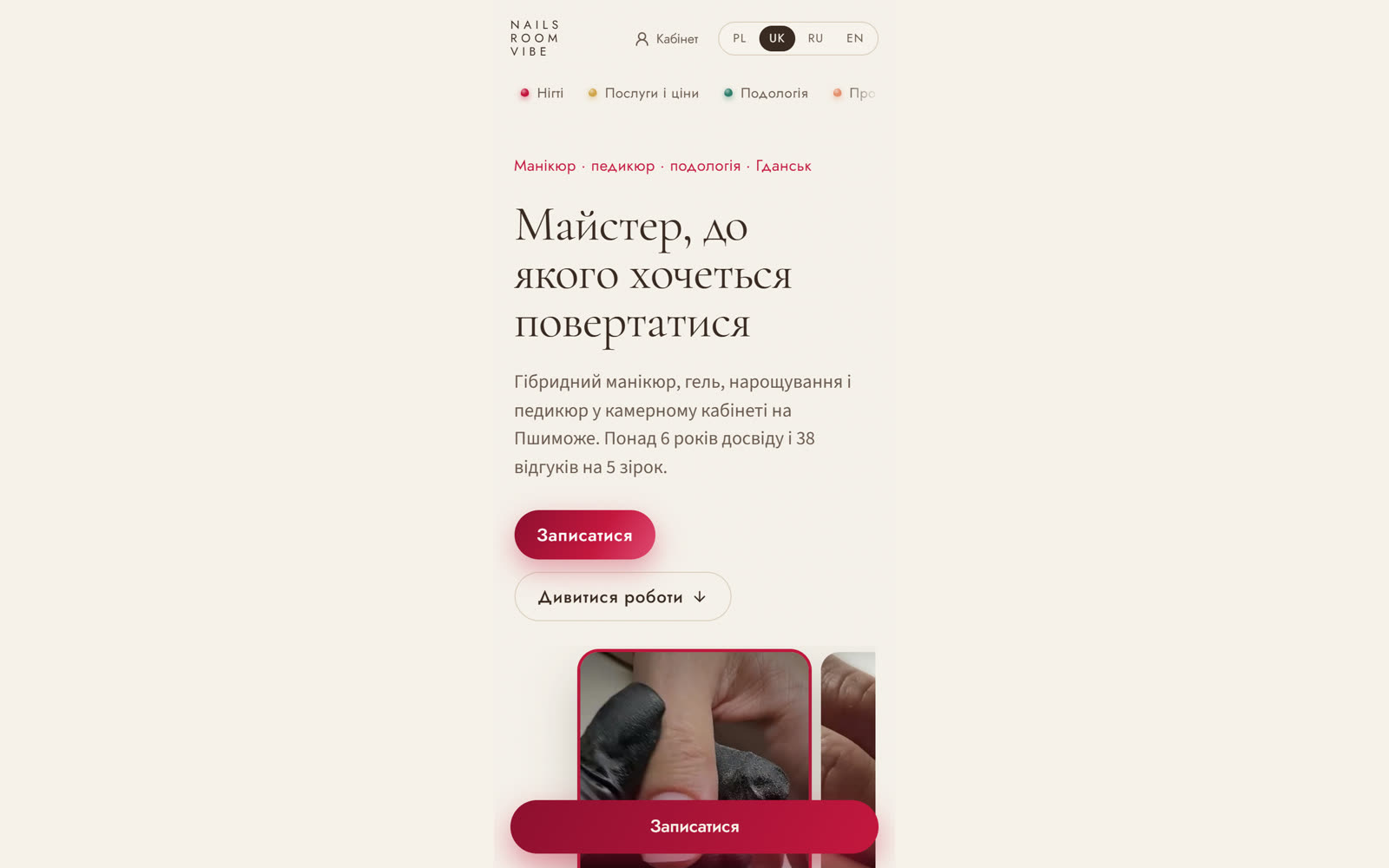
The Nails Room Vibe dashboard with the foot map, and the studio site on a phone LIVE · VERCEL
Project 06 · Beauty and podology · Site + accounting app

Nails Room Vibe — a site and the app the specialist keeps her records in

The heart of this project is not the site but the accounting app. A manicure and podology specialist in Gdańsk worked the way most do: bookings in Booksy, client history in her head and in notes, before/after photos in her phone gallery. We built her own dashboard: a client card, a card for every visit with six tabs, photos in private storage, a signed consent form, a calendar and service accounting. The booking is hers too — on the site and in a Telegram bot, with no marketplace and no commission. The business is in Poland; the site and the dashboard speak four languages.

A visit-tracking appIts own online booking instead of BooksyTelegram bot: booking and remindersNext.js + Supabase4 languages: PL / UK / RU / ENA PWA — installs on a phoneA business abroad
Dashboard and site · swipe through
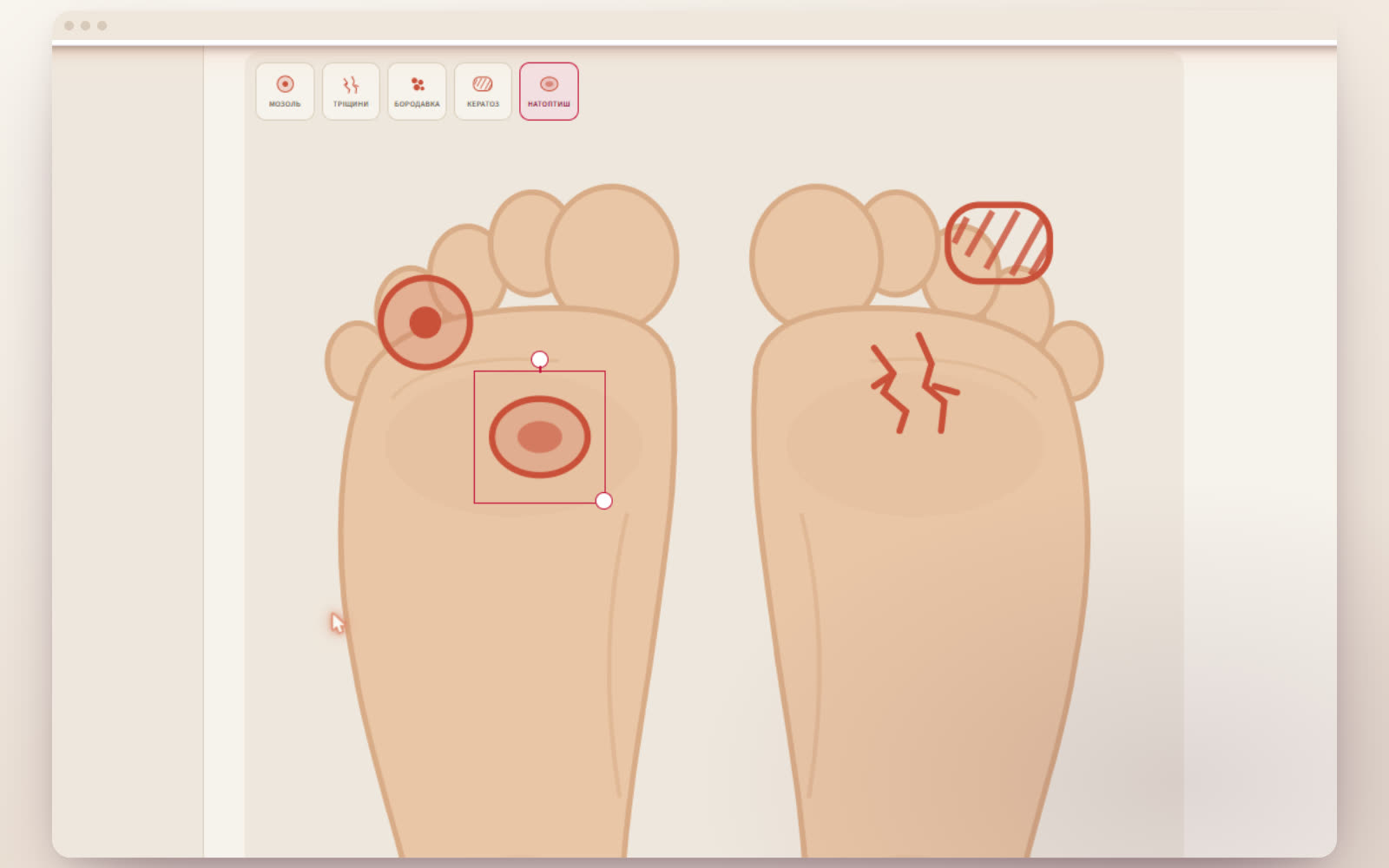
The foot map in the dashboard: markers for corns, fissures and keratosis
01 Foot map — a marker is placed with a touch and can be dragged, scaled and rotated. Types: corn, fissures, wart, keratosis, callus
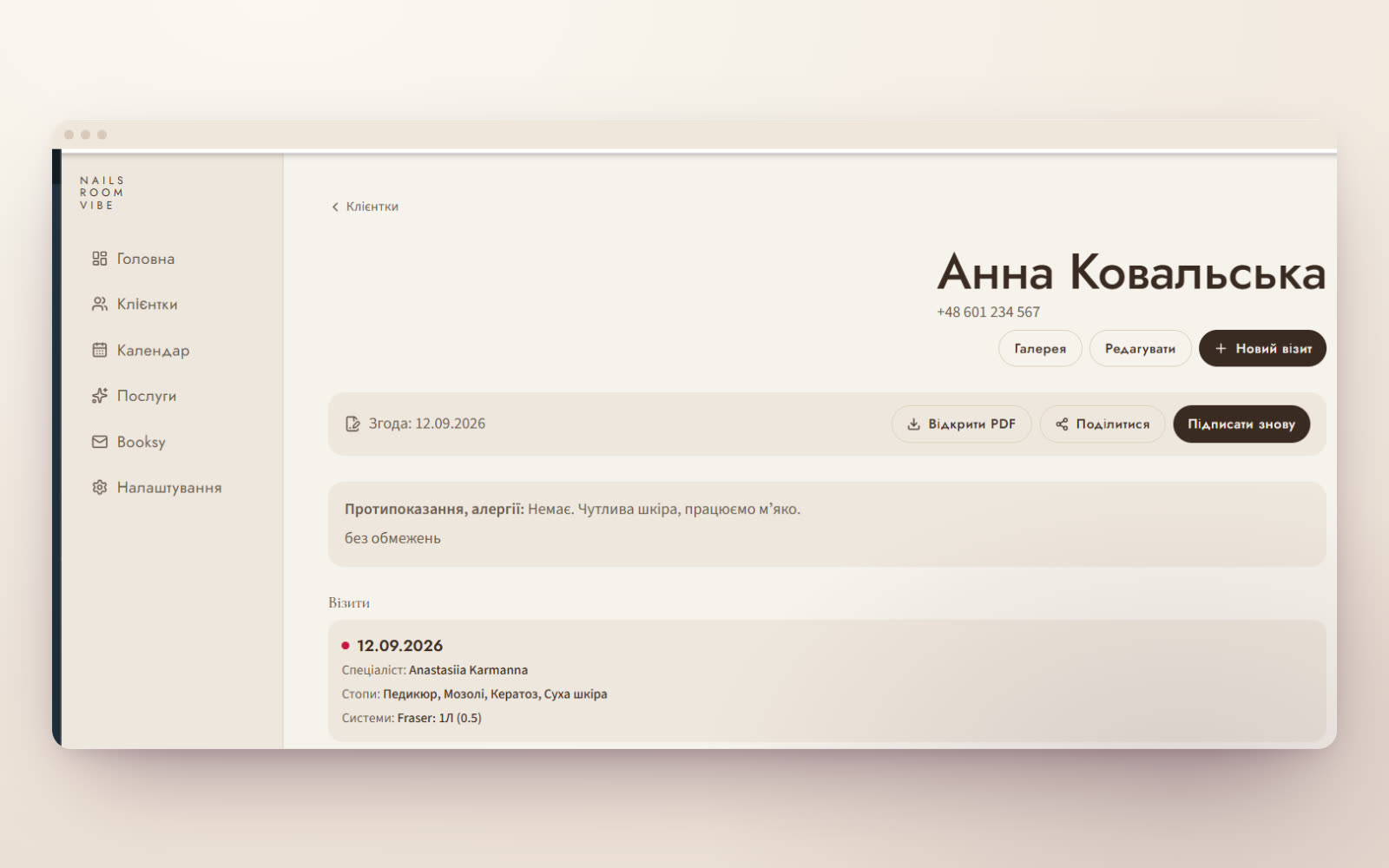
A client card: consent as PDF, contraindications and the visit history
02 Client card — a signed consent form as PDF, contraindications and the full history of visits with conclusions and foot condition
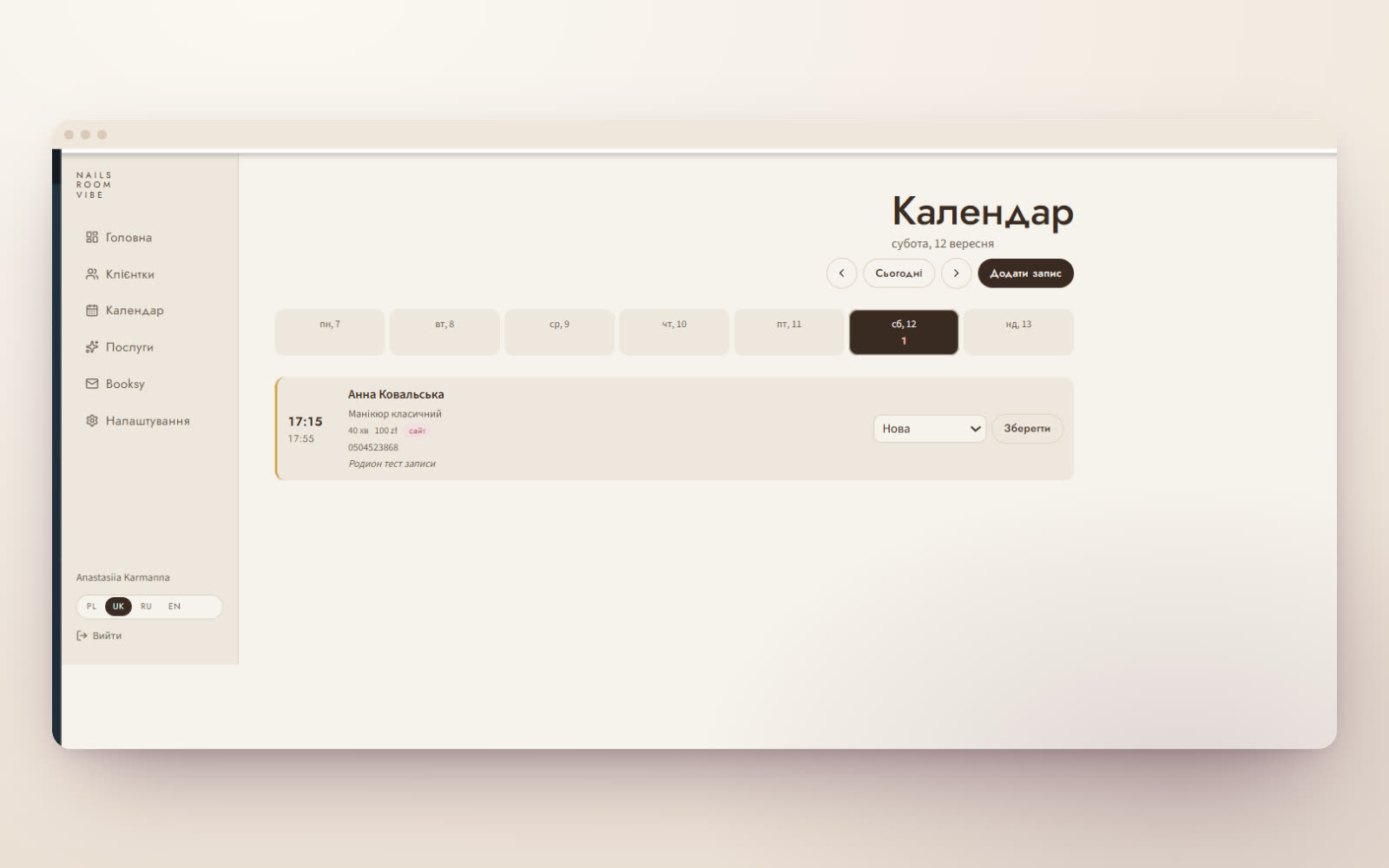
The week calendar in the dashboard with its bookings
03 Calendar — a week of bookings, manual entry and statuses. Time is counted in the Warsaw time zone
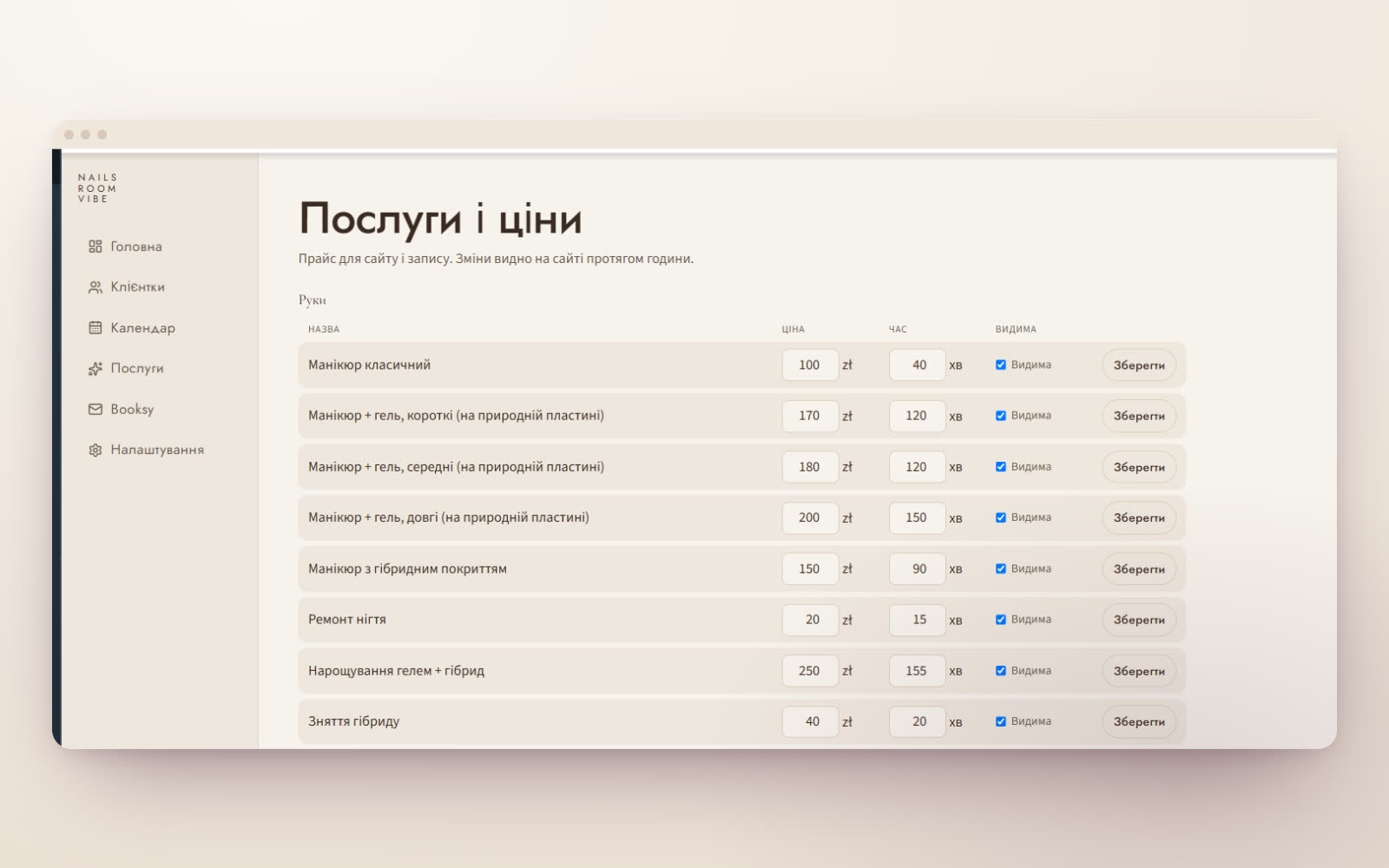
The services section in the dashboard: prices, duration, visibility on the site
04 Services — the specialist changes price, duration and visibility herself; the site and the booking follow immediately
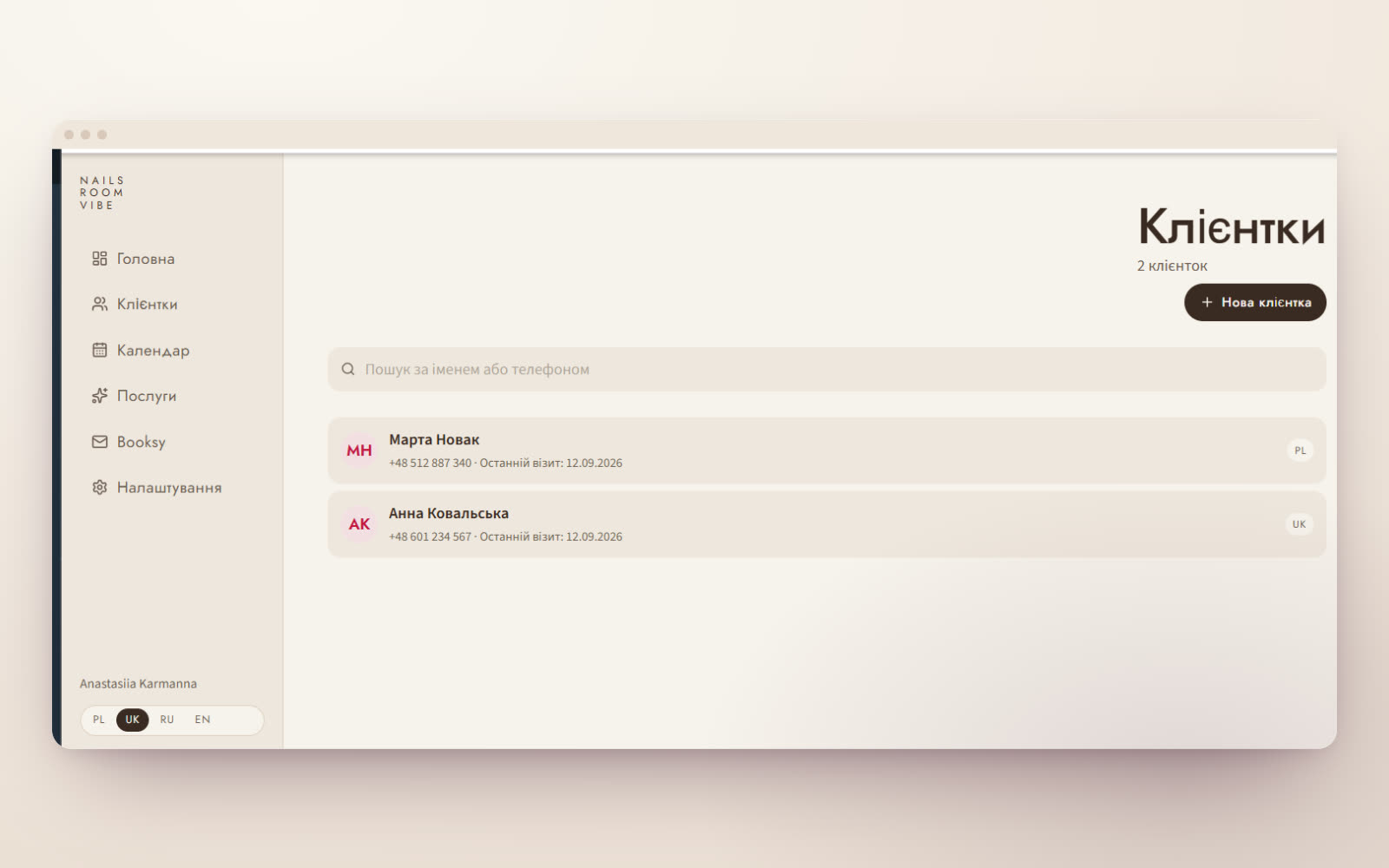
The client list in the dashboard with search
05 Clients — search by name and phone, the client’s language, the date of the last visit
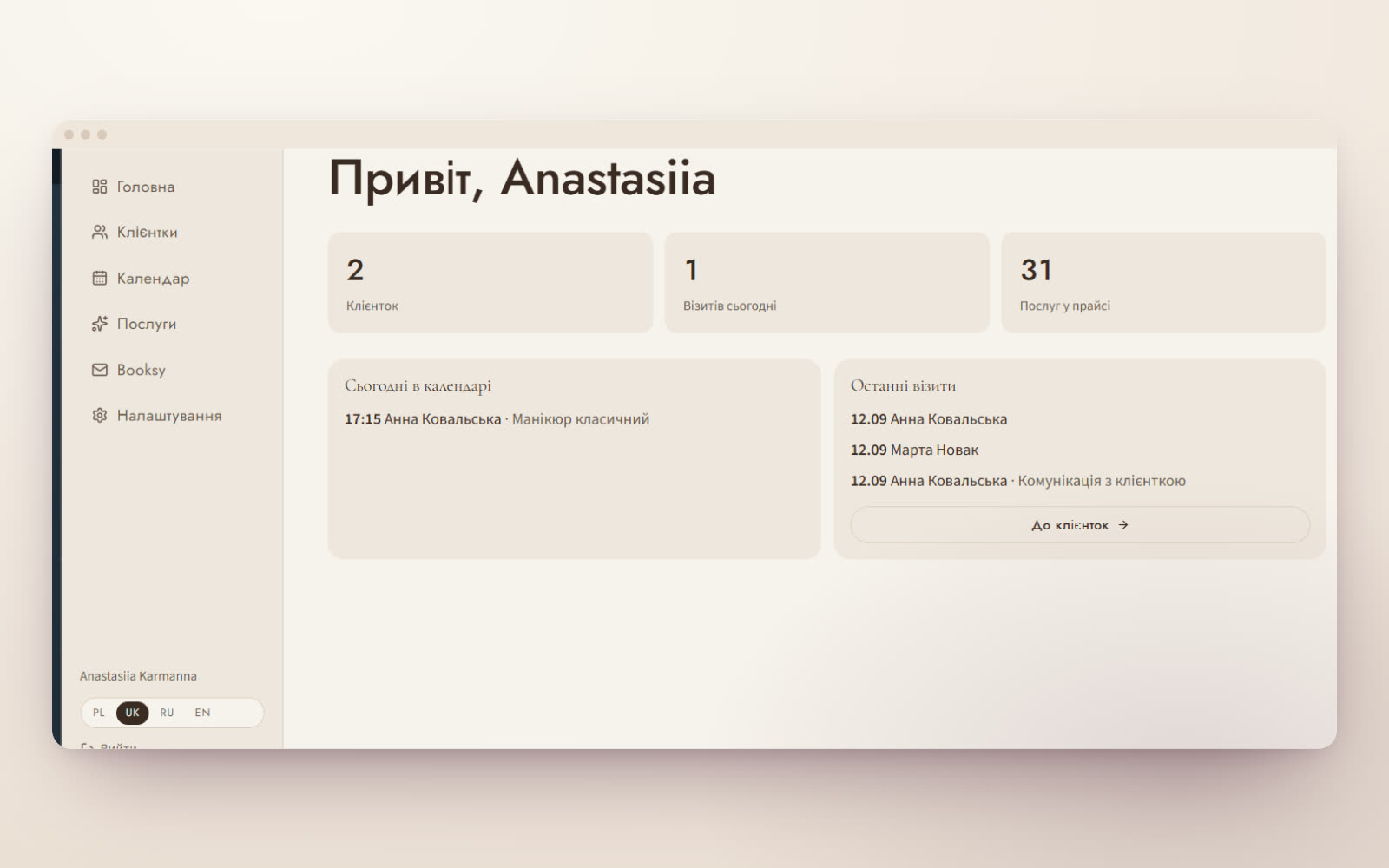
Dashboard home: clients, today’s visits, services in the price list
06 Dashboard home — who is coming today, recent visits and the numbers at hand. Installs on a phone like an app
The site’s first screen: a fan of videos of the specialist’s work
07 The site — a fan of the specialist’s own videos, hover starts playback
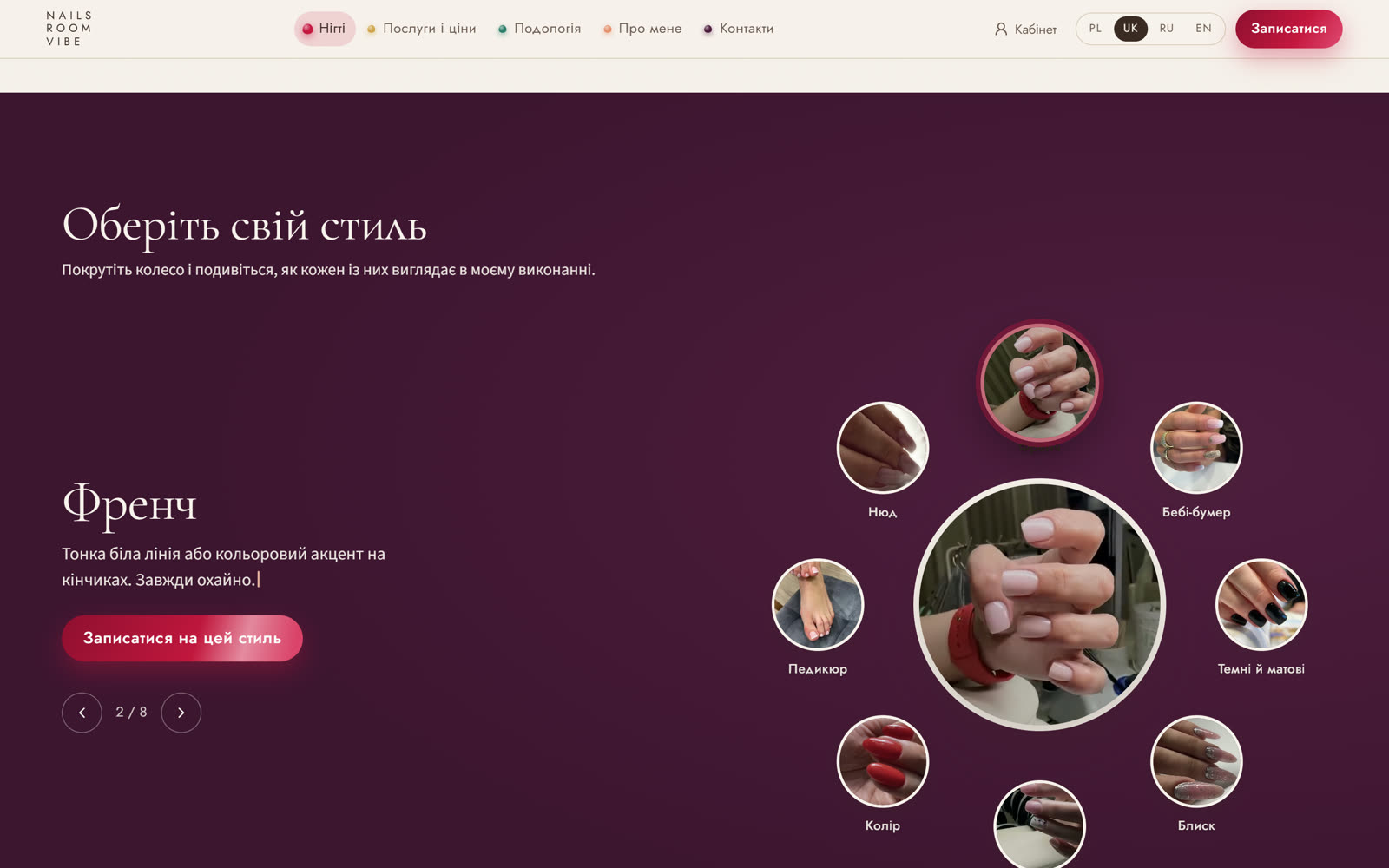
The style wheel: a ring of thumbnails with the selected style’s video at its centre
08 Style wheel — eight manicure styles, each with its own video and a “book this style” button
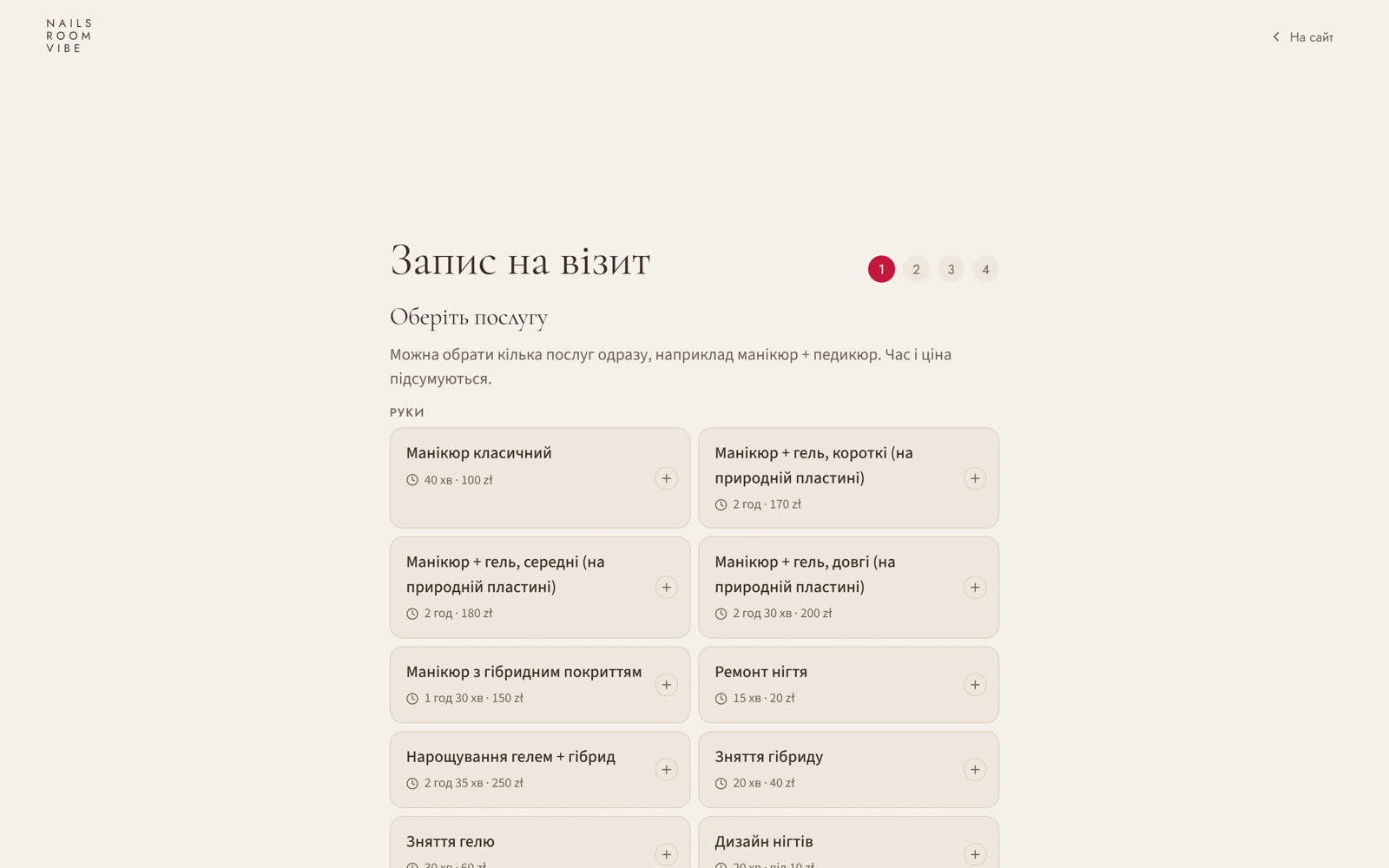
Online booking: step 1 of 4, choosing the service
09 Booking in four steps — free slots are calculated from the specialist’s working hours, with no Booksy
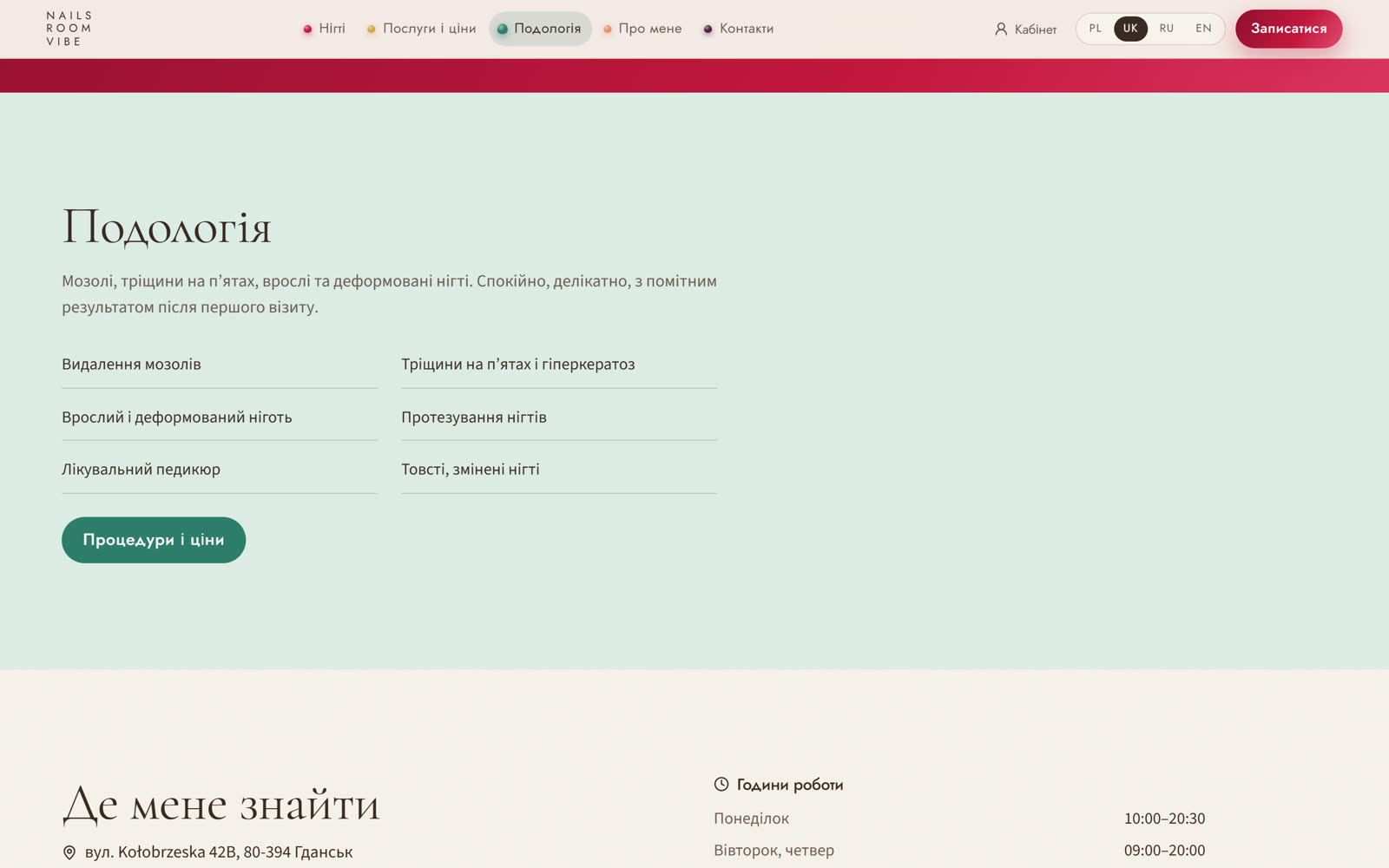
The podology section in sage tones
10 Podology — a separate section in a clinical tone with its own booking
The site on a phone: a scrolling feed of work
11 Phone — a separate first-screen scenario: not a shrunken fan but a scrolling feed
0tabs in the visit card: feet, toes, hands, corrective systems, photos, conclusion
0services with prices and durations — the specialist edits them herself
0languages across the site, dashboard and bot: Polish, Ukrainian, Russian, English
0marketplace fees or subscriptions — the booking is her own

The accounting app is the heart of the project

  • A visit card with six tabs. Feet with an interactive sole map and markers, a row of ten nails, hands, corrective systems with their number, photos, the conclusion and the date of the next visit
  • A new visit copies the previous one. If a corn and a nail have changed, you edit two fields instead of filling in a card from scratch
  • Before and after photos. Every photo sits in private storage, with a gallery by date and a grid collage that can be saved or sent to the client
  • Consent with a signature. The client signs with a finger on the screen, the PDF is assembled at once and stored privately
  • Calendar and payments. A week of bookings, manual entry, statuses; the home screen shows who is coming today and the recent visits
  • Voice dictation. The conclusion and notes can be spoken instead of typed between procedures
  • Installs on a phone. The dashboard is a PWA: an icon on the home screen, working like an app rather than a bookmark

Booking without a marketplace

  • Our own availability engine. A 15-minute step, a buffer between visits, a 30-day horizon; free slots are computed from working hours and existing bookings
  • Four steps and done. Service (several can be combined, with time and price adding up), day, time, contacts
  • A Telegram bot. Booking right in the chat, a reminder a day ahead, a notification to the specialist about every new booking, cancellation with one button
  • It works for a business abroad. Time is counted in the Warsaw time zone, the interface defaults to Polish and prices are in złoty. It can be set up the same way for any country
  • Booksy is no longer required. Bookings, clients and history live in her own database, not in someone else’s service with its commission and its rules

Where it sits in the calculator

This is a site + app: $3000–6000, 14–21 days. The site alone, without the dashboard, starts at $1000. Price up your own version →

The dashboard is behind a login, so there are no frames of it here — we show it during a demo.

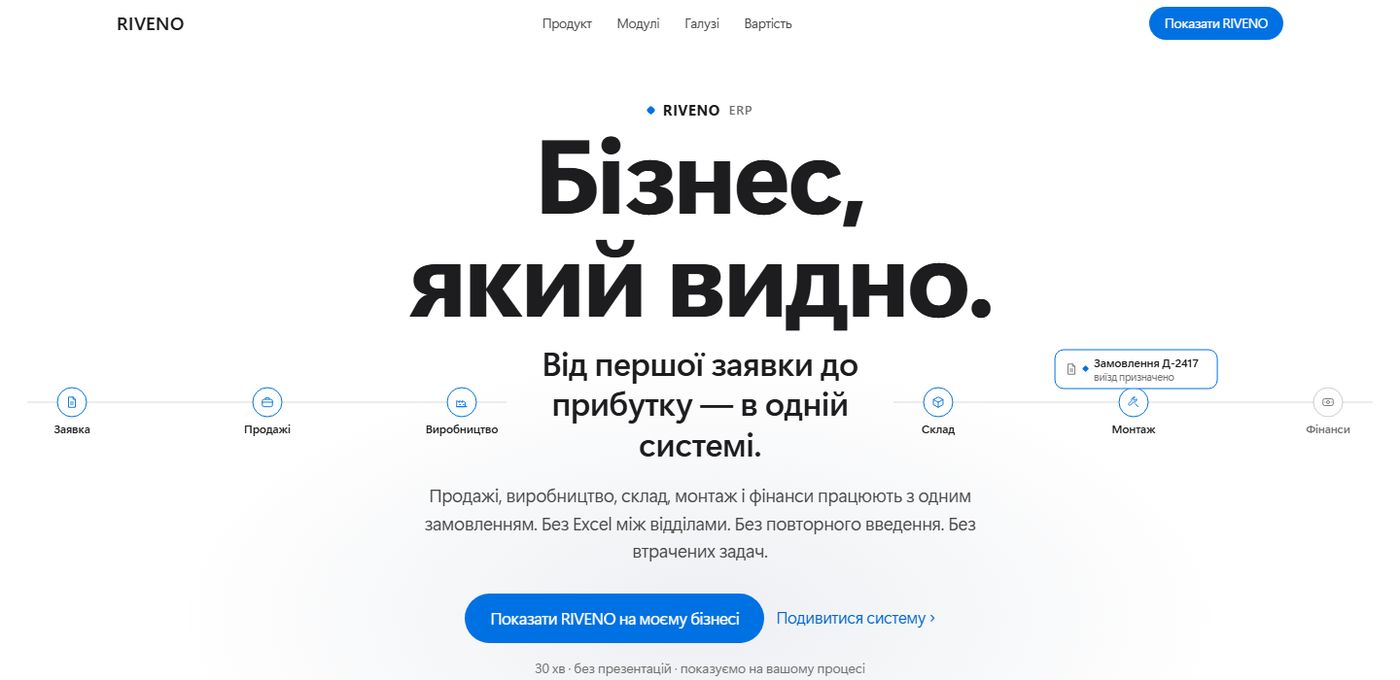
The first screen of the RIVENO ERP site LIVE · VERCEL
Project 05 · B2B / SaaS

RIVENO ERP — a site with a live system built into it

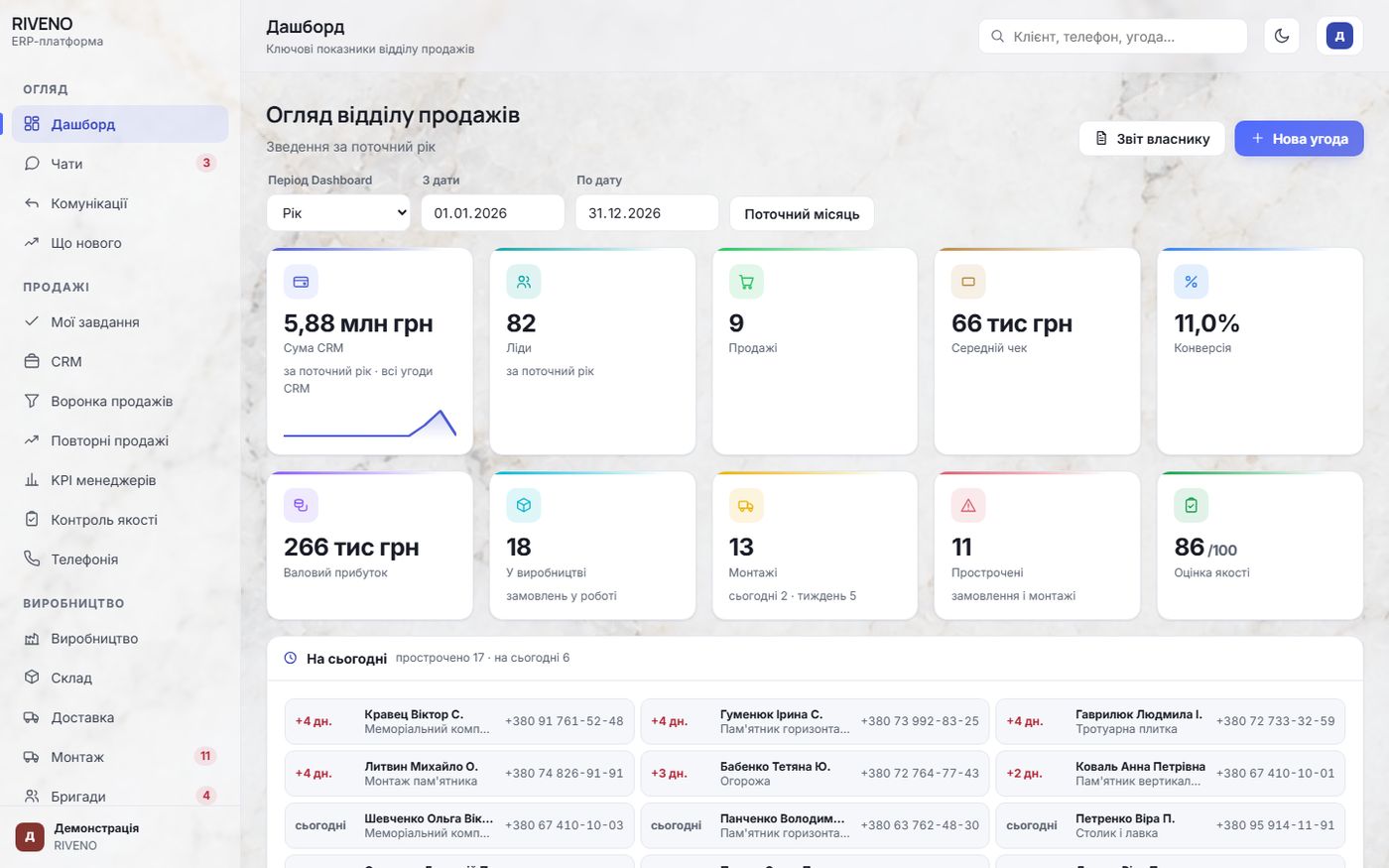
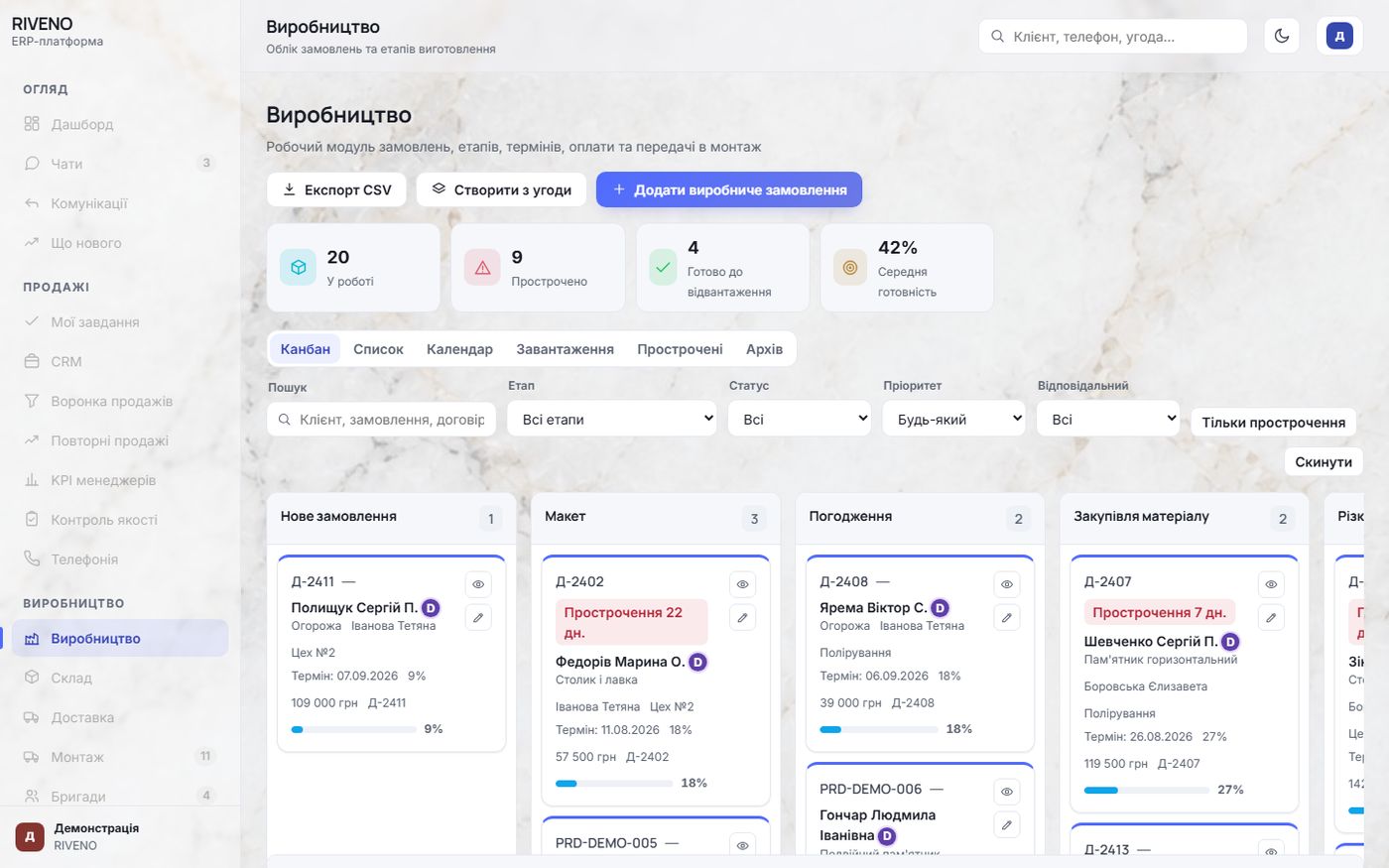
Nine pages in a clean, Apple-like presentation. Instead of pictures of the system there is the system itself in a window inside the page: you can click, scroll and open its sections. The order route on the first screen moves along the real process diagram.

9 pages · 3 industriesA live ERP in an iframeA calculator with a printoutA GSAP route
Screens of the system inside the site
ERP · Sales dashboardThe RIVENO ERP dashboard
ERP · Production kanbanThe RIVENO ERP production kanban
0sections of the system open right on the site
0order stages in the animated route
0roles — owner, manager, specialist
0screenshots: everything is clickable
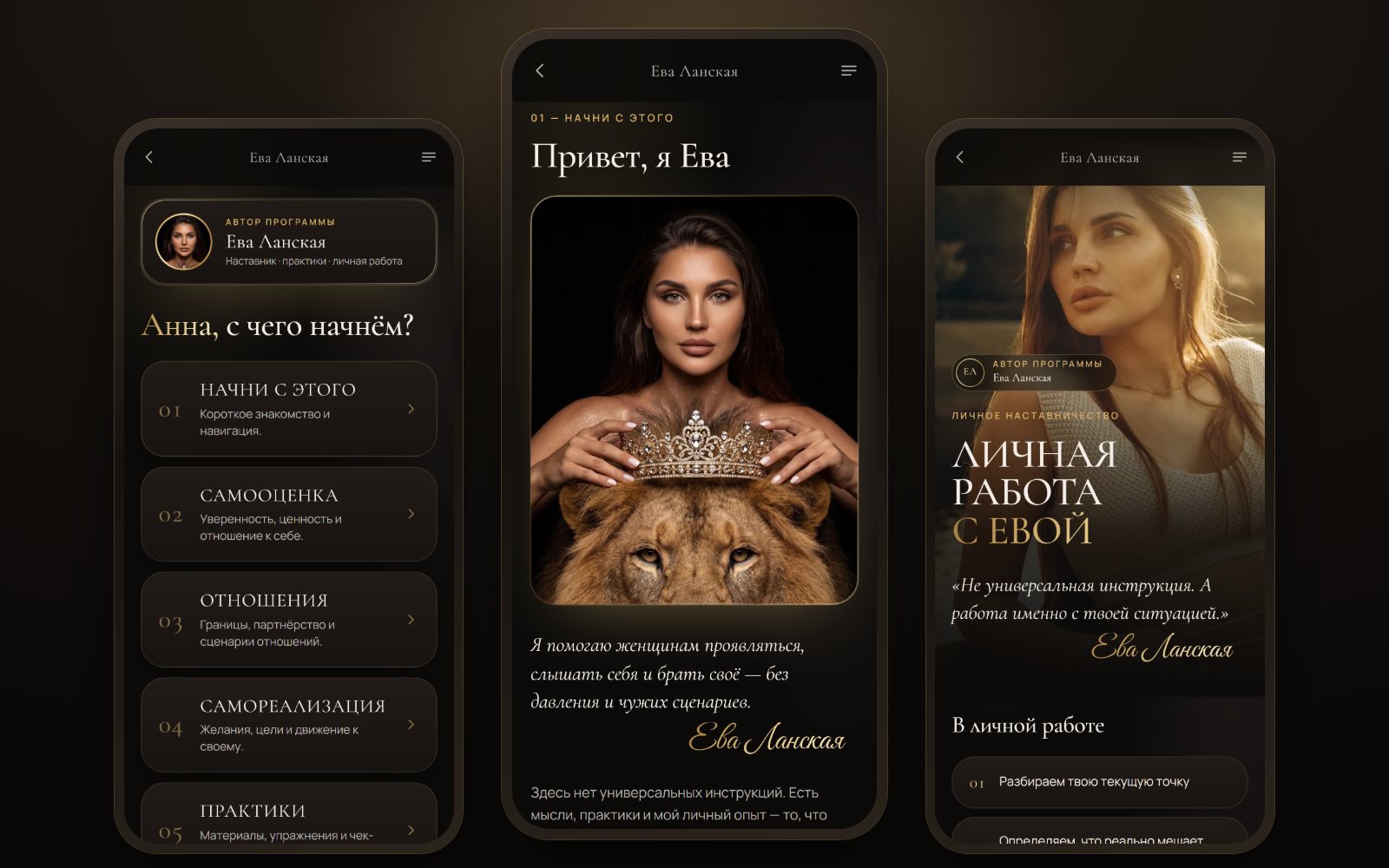
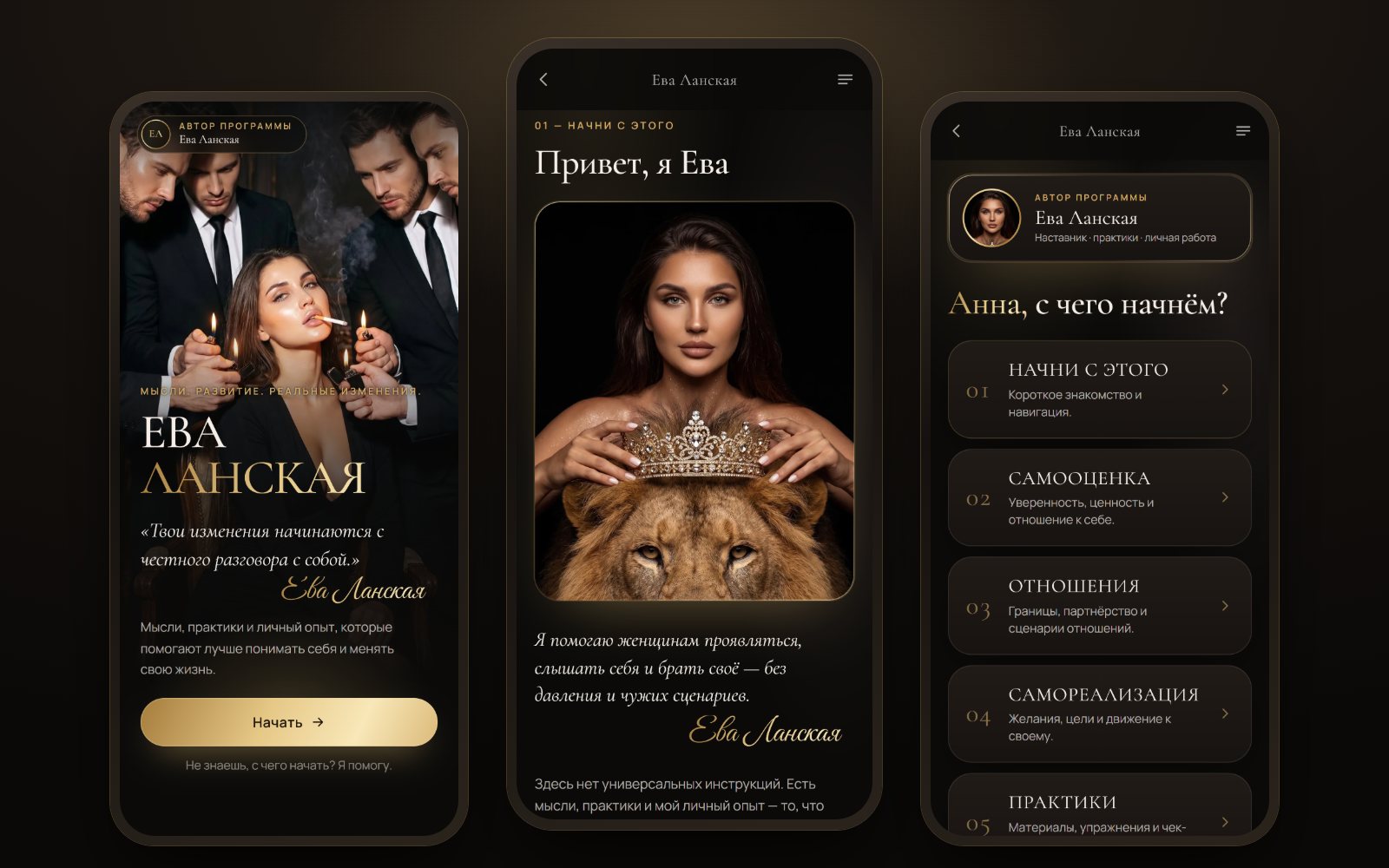
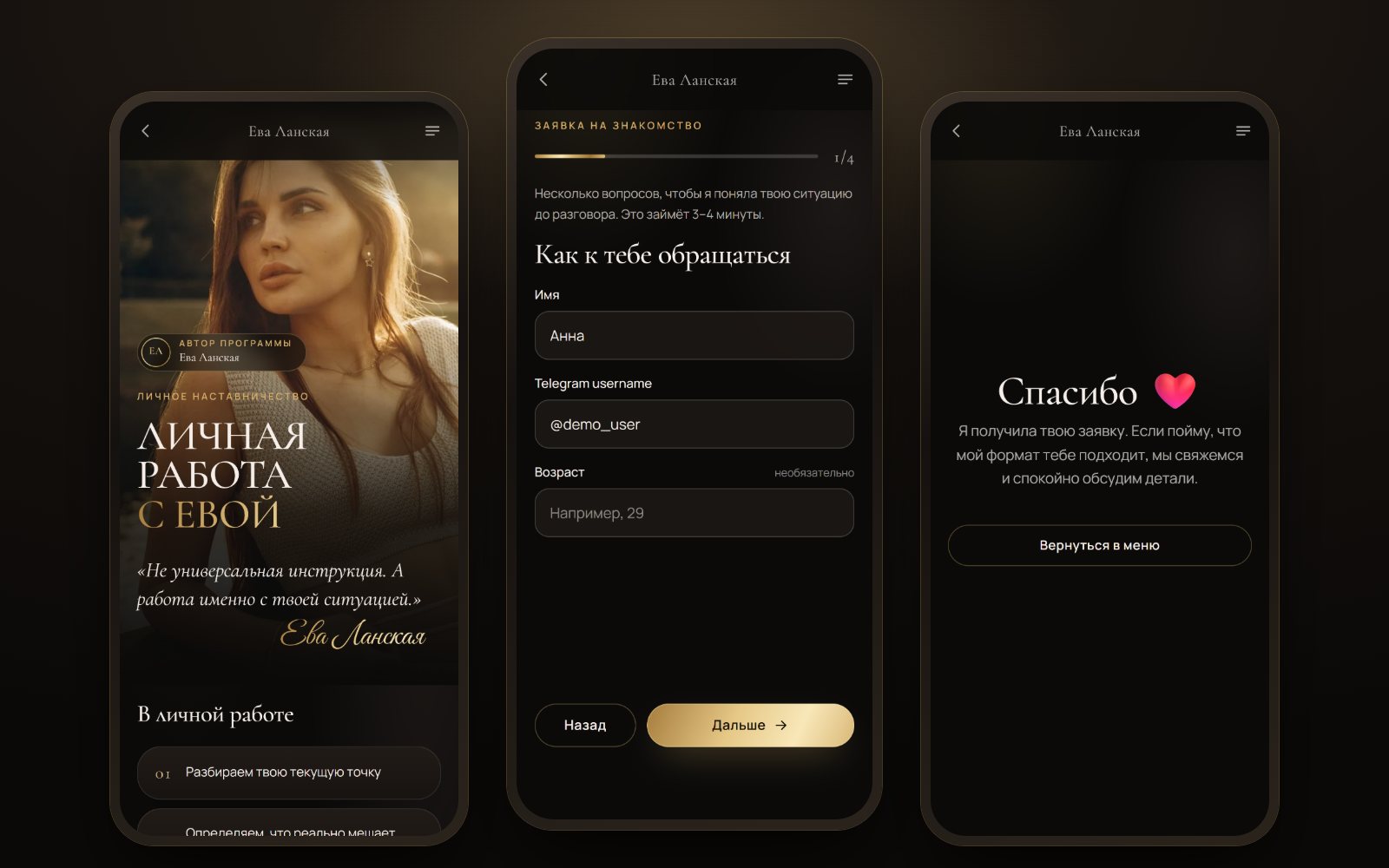
Three screens of Eva Lanska’s Telegram app: the menu, meeting Eva and the one-to-one work page LIVE · TELEGRAM
Project 07 · Mentoring · Mini App + bot + CRM

Eva Lanska — a Telegram app, a bot and a CRM for a mentor

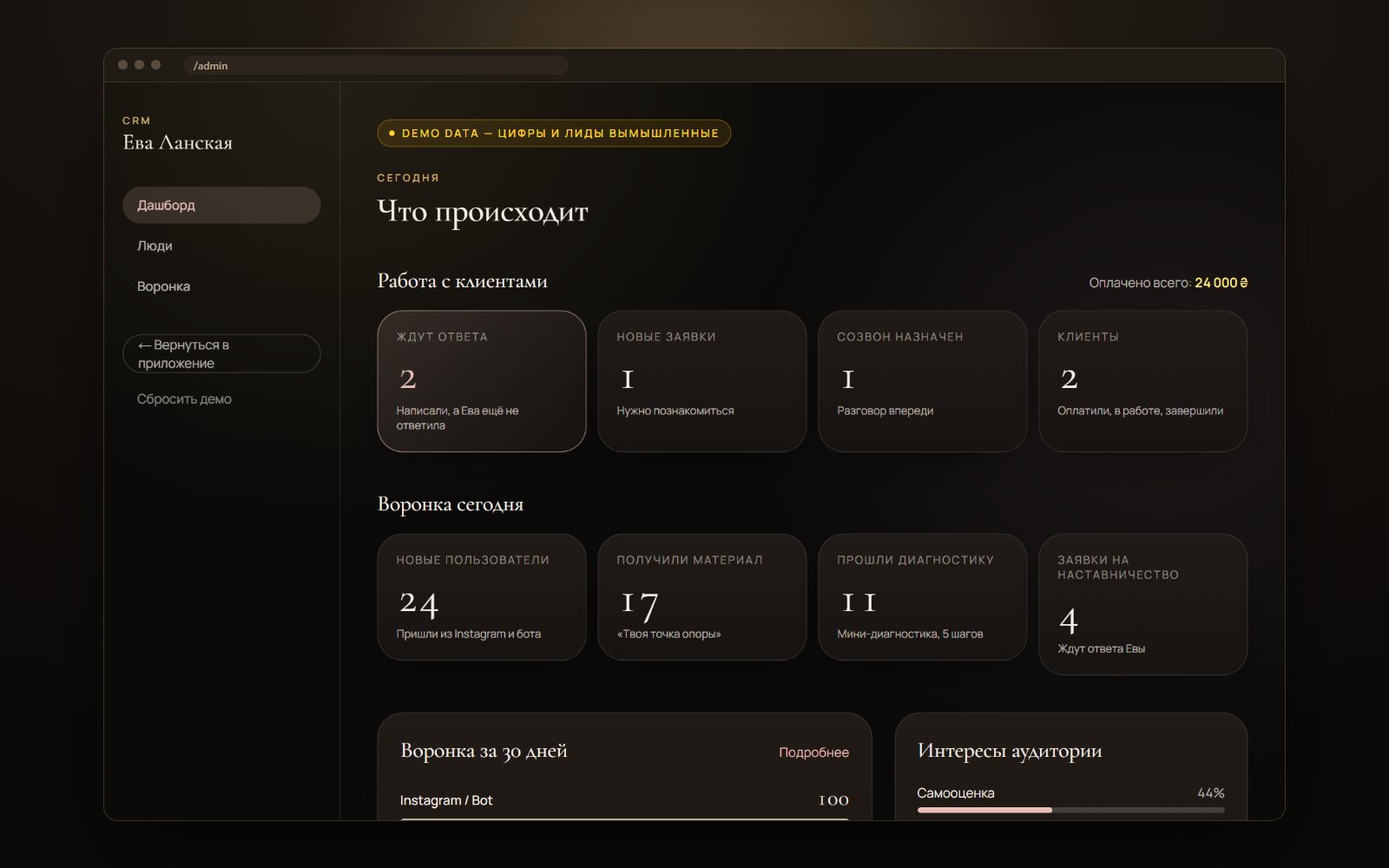
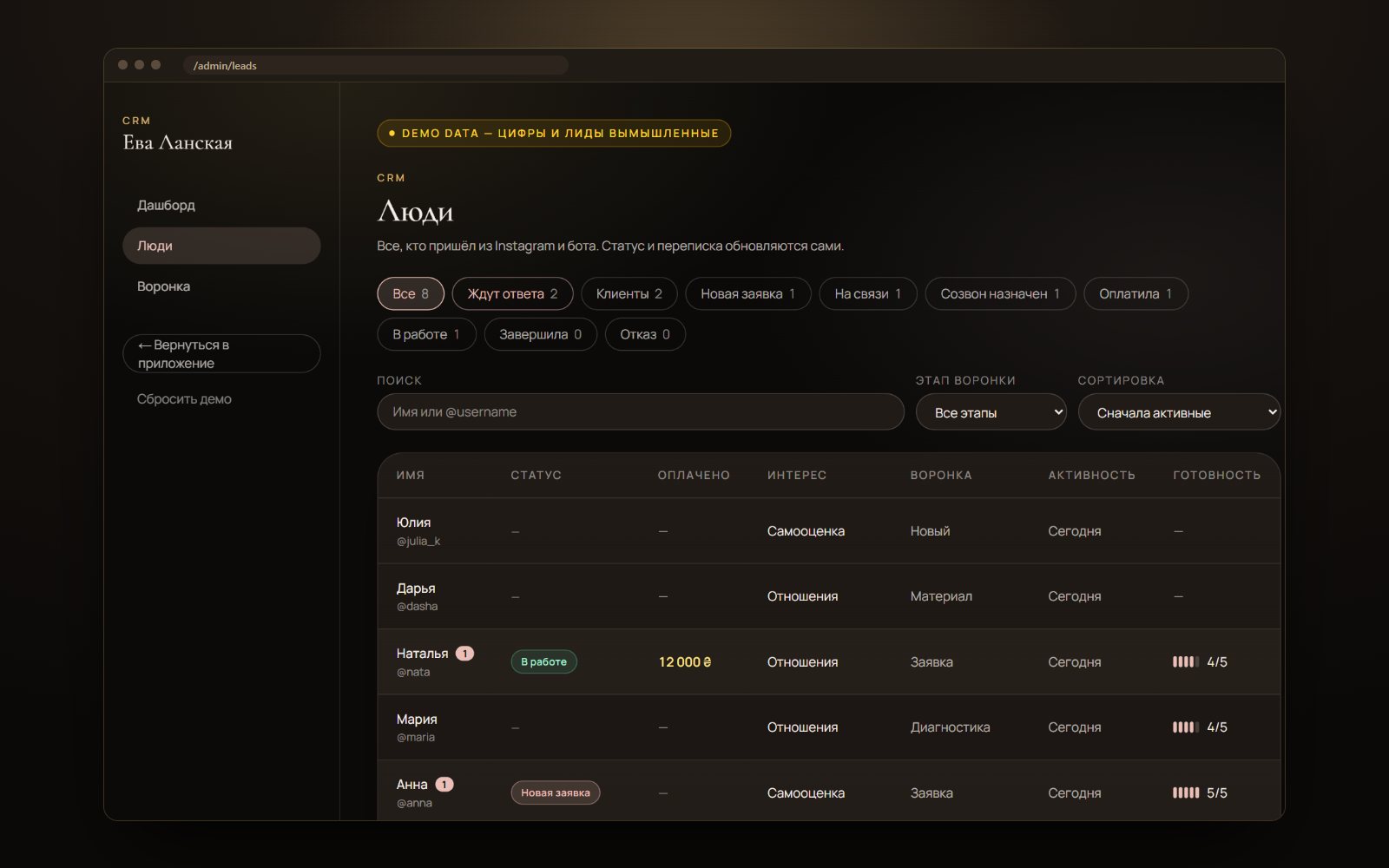
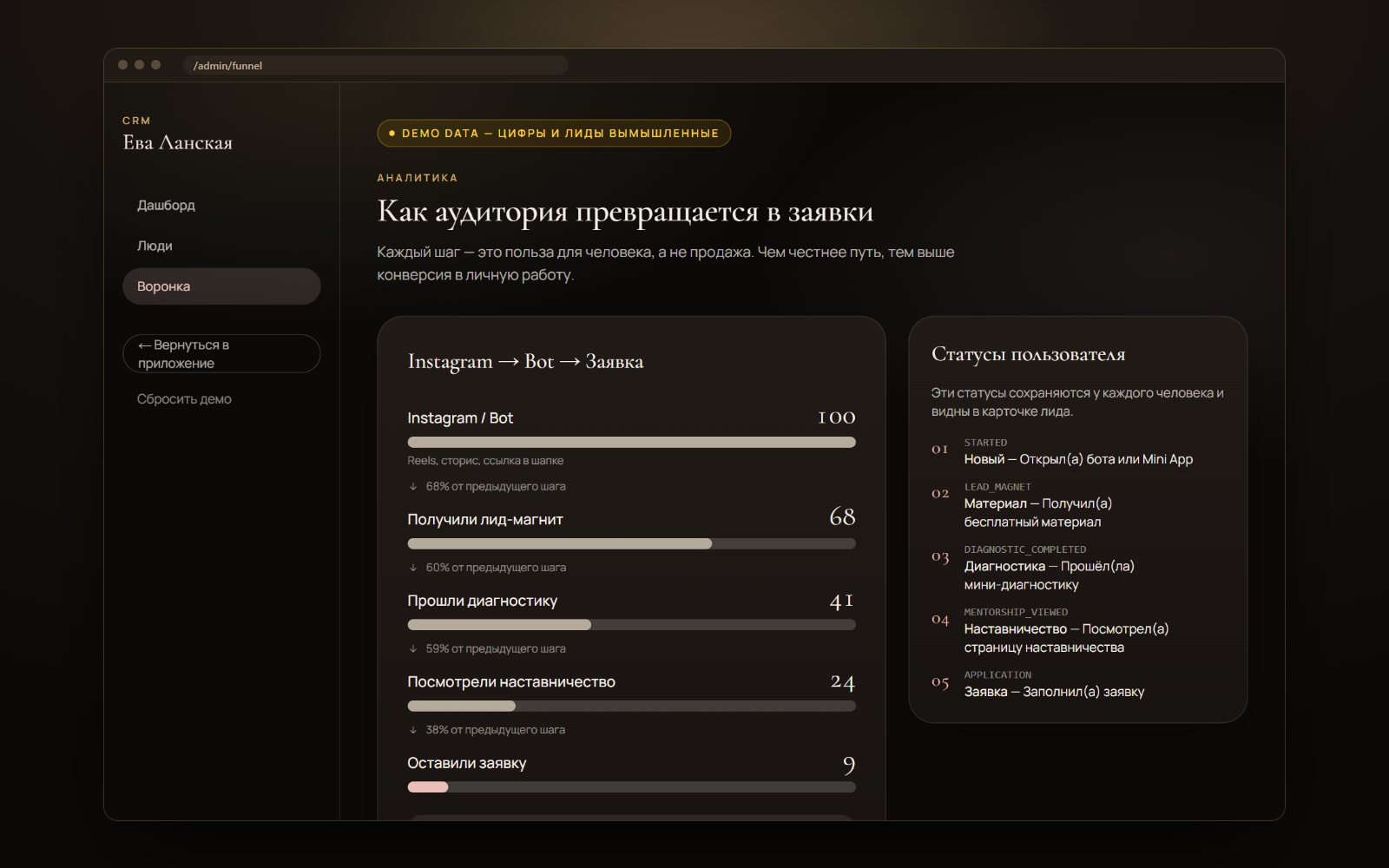
Eva (name changed) is the author of a programme on self-esteem, relationships and self-realisation; her audience comes from Instagram. We turned the path Instagram → Telegram → value → diagnostic → one-to-one work into one system: the app opens right inside Telegram, the bot holds a conversation, and in the CRM Eva sees every person, writes to them from their card and issues invoices.

Telegram Mini App on Next.jsBot on grammYCRM: messages, statuses, invoicesSupabase with RLSSign-in via Telegram signature
App and CRM · the people and numbers in the CRM frames are demo data · swipe through
The app’s first screen, meeting Eva and the menu of topics
01 Open the bot and the app is right there: meeting Eva and a menu of topics
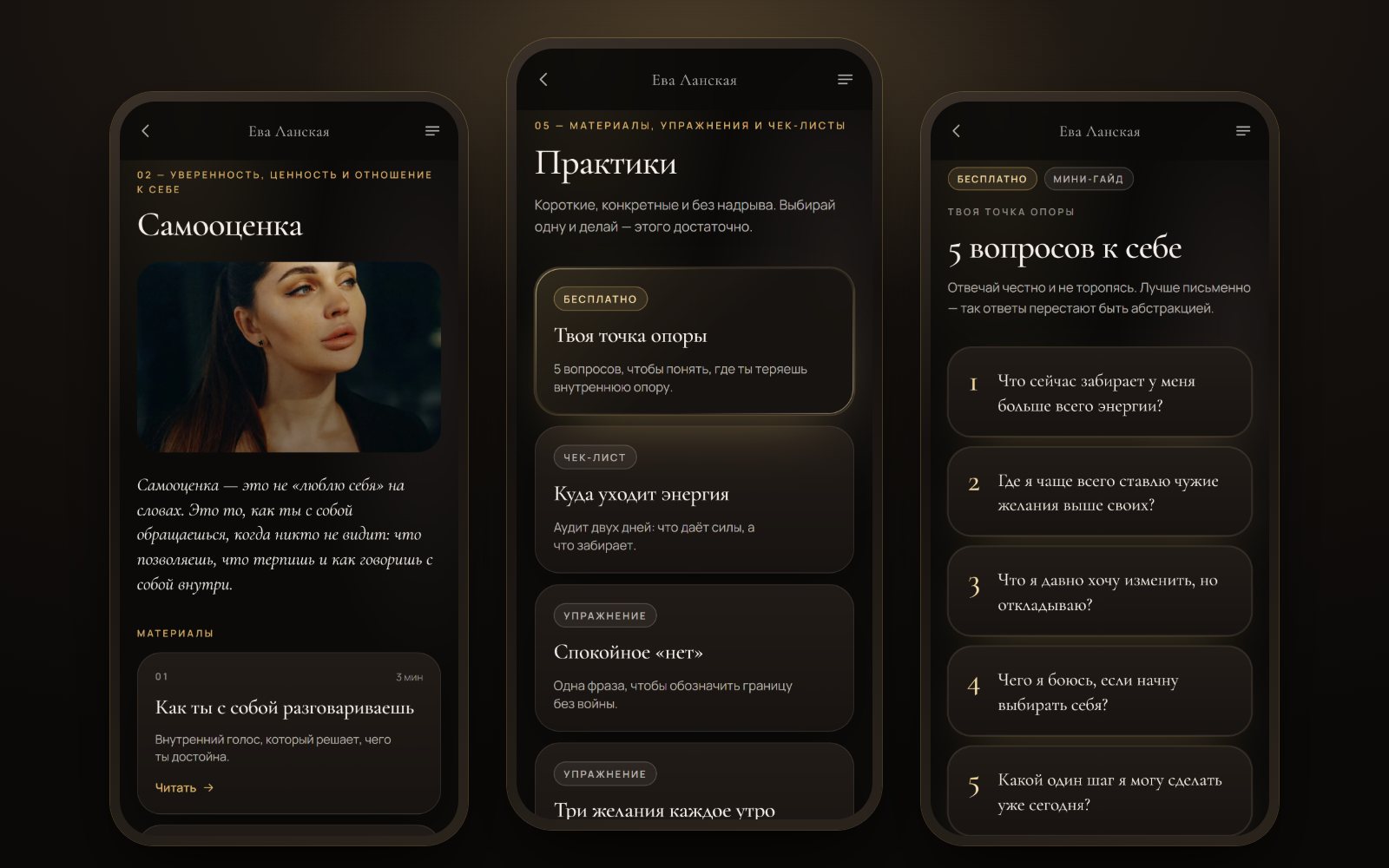
The “Self-esteem” topic page, the practices section and a guide with five questions to ask yourself
02 Three topics — self-esteem, relationships, self-realisation; each with short materials and practices
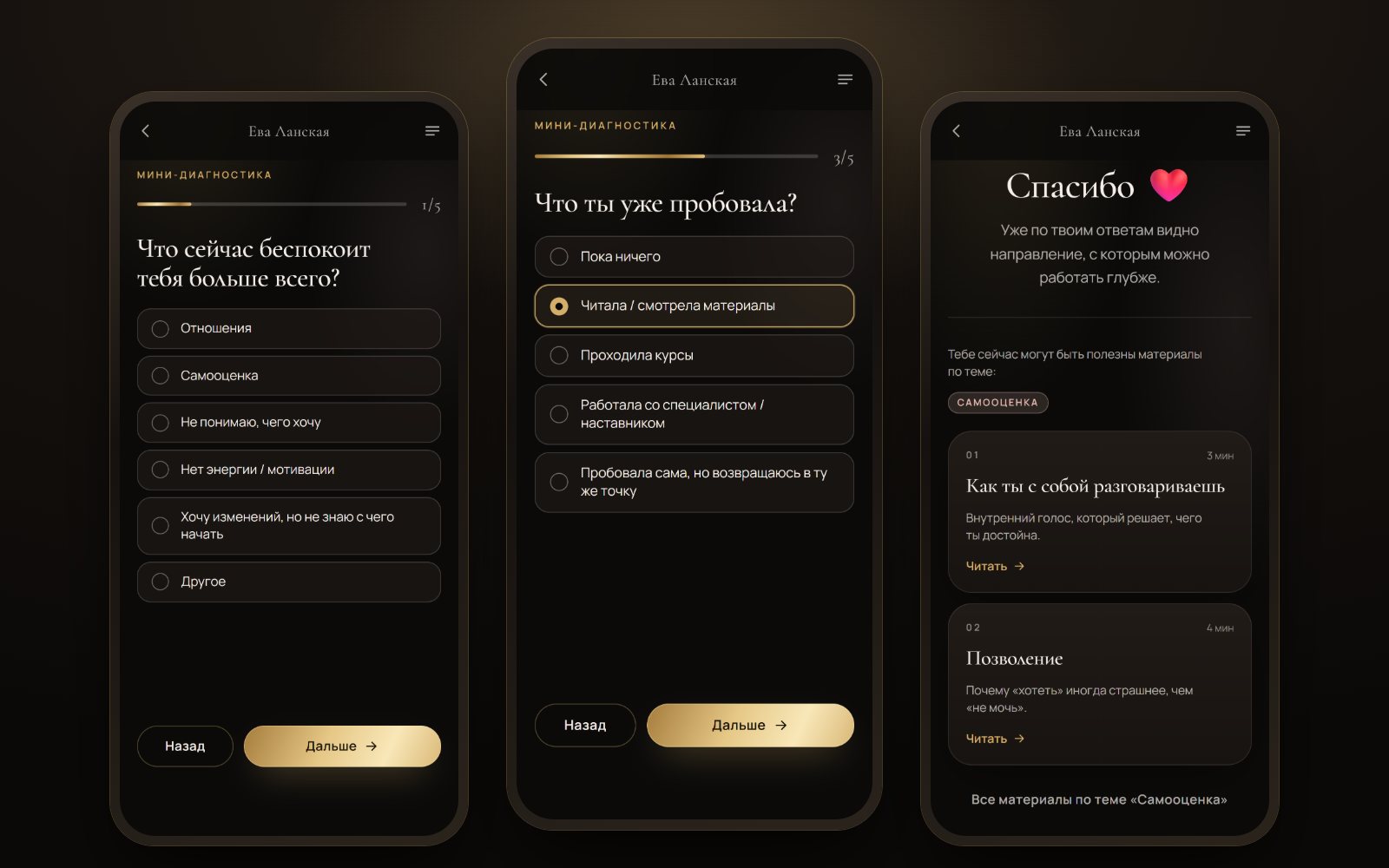
The mini diagnostic: step one, step three and the result with a topic and materials
03 Mini diagnostic — five steps, ending with a topic and materials picked for it
The one-to-one work page, the application form and the thank-you screen
04 One-to-one work — a four-step application that lands straight in the CRM
Eva’s CRM dashboard: who is waiting for a reply, new applications, calls, clients and today’s funnel
05 CRM — where the day starts: who is waiting for a reply, new applications, scheduled calls
CRM: the list of people with status filters, search and a table
06 People — status filters and search; on a phone the table turns into cards
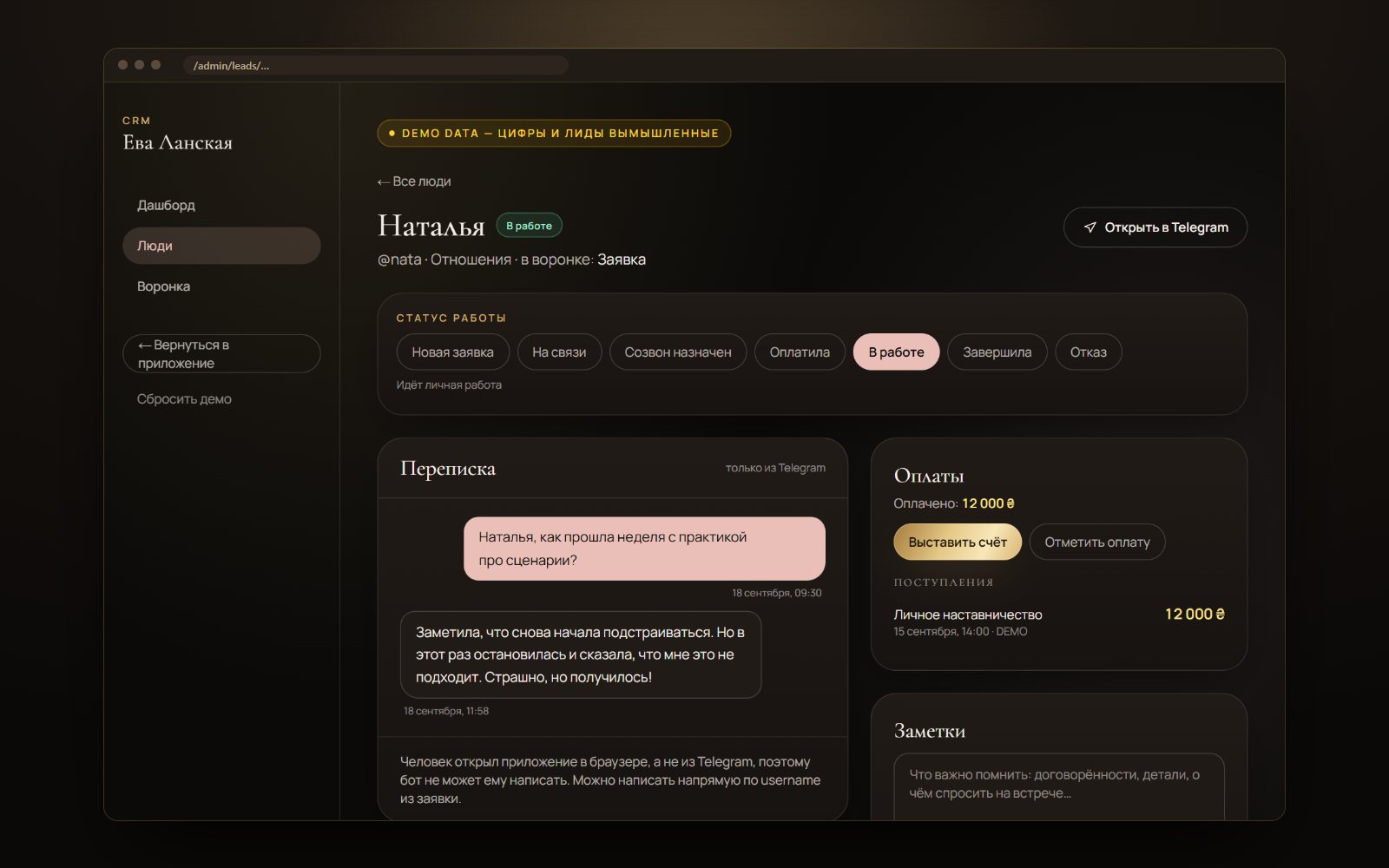
A person’s card in the CRM: work status, the Telegram conversation, payments and notes
07 A person’s card — status, the Telegram conversation right in the CRM, invoices and notes
The funnel: how many people got from Instagram to an application at each step
08 Funnel — how many people get from Instagram to an application at each step
0parts — app, bot and CRM — work on one database
0steps in the mini diagnostic, ending with a topic and materials for it
0statuses for working with a person — from new application to completion
0database access keys in the browser — data goes through the server only

What the system does

  • One person, one record. She messaged the bot, then opened the app — in the CRM it is the same person with the whole history of steps.
  • A bot that talks. Three questions with buttons, a short reply in Eva’s voice, a practice on the topic right in the chat — and links to materials in the app.
  • Messaging from the card. Eva writes to a person from the CRM — the message arrives from the bot in Telegram, and the reply shows up in the card.
  • Invoices. Format, amount, payment method — the person gets a “Pay” button in Telegram, and the status switches to “Paid” by itself. Card payments via WayForPay or monobank are already supported in the code; only the keys remain to be connected.

Built by hand

  • The app recognises a person by their Telegram signature — nobody can pose as someone else’s account
  • The database key lives only on the server; RLS is on for every table
  • The bot’s webhook checks Telegram’s secret
  • The bot answers on its own until Eva writes to the person herself — then it steps aside
  • A privacy policy and a separate consent; the consent is stored in the person’s history with the document version
  • An automated test runs the whole funnel on the live app and cleans up its test lead afterwards

Where it sits in the calculator

A simple Telegram Mini App starts at $250 in the calculator. Here a conversational bot and a CRM with messaging and invoices are added on top, so this is already a site + system: $3000–6000, 14–21 days. Price up something similar →
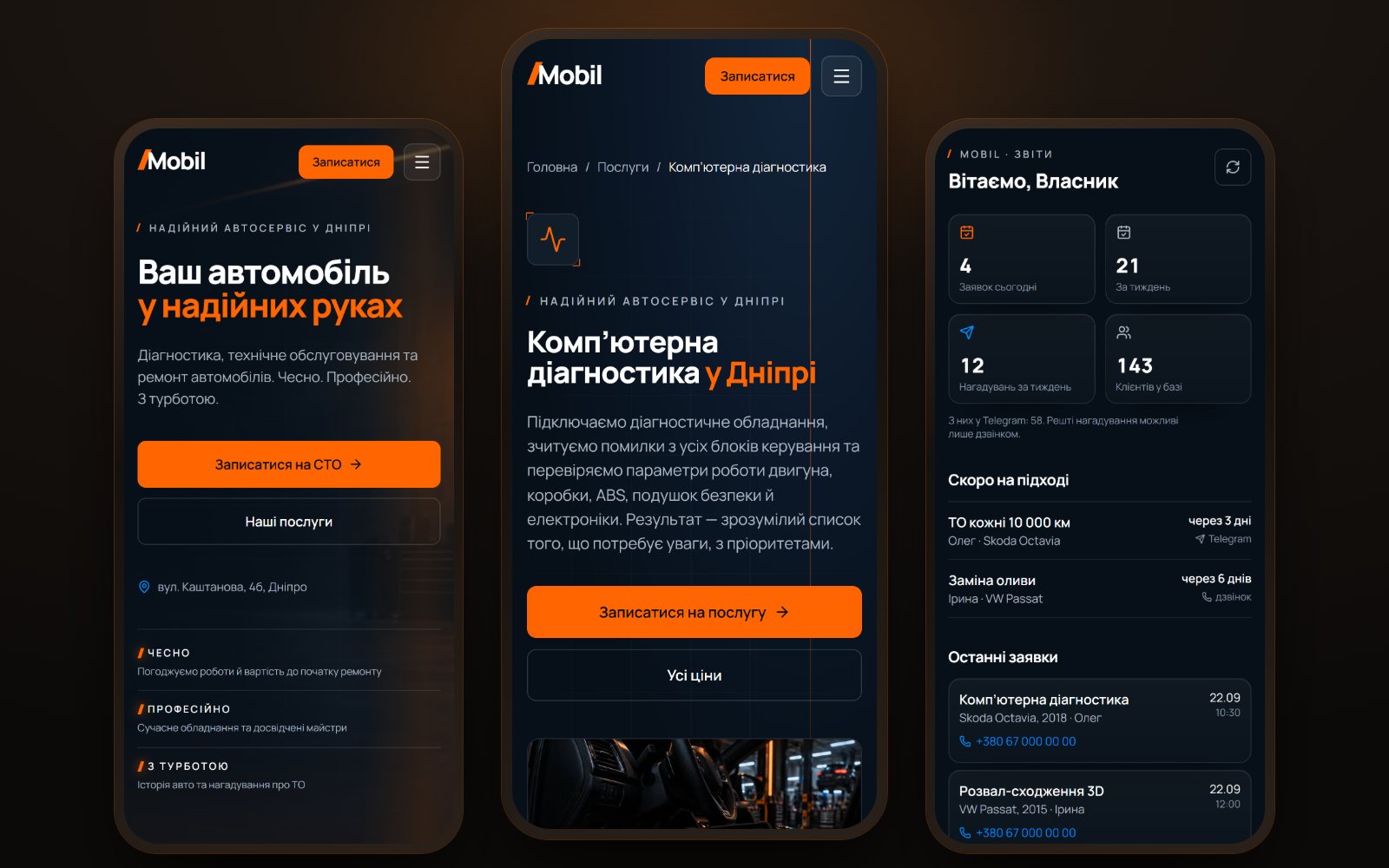
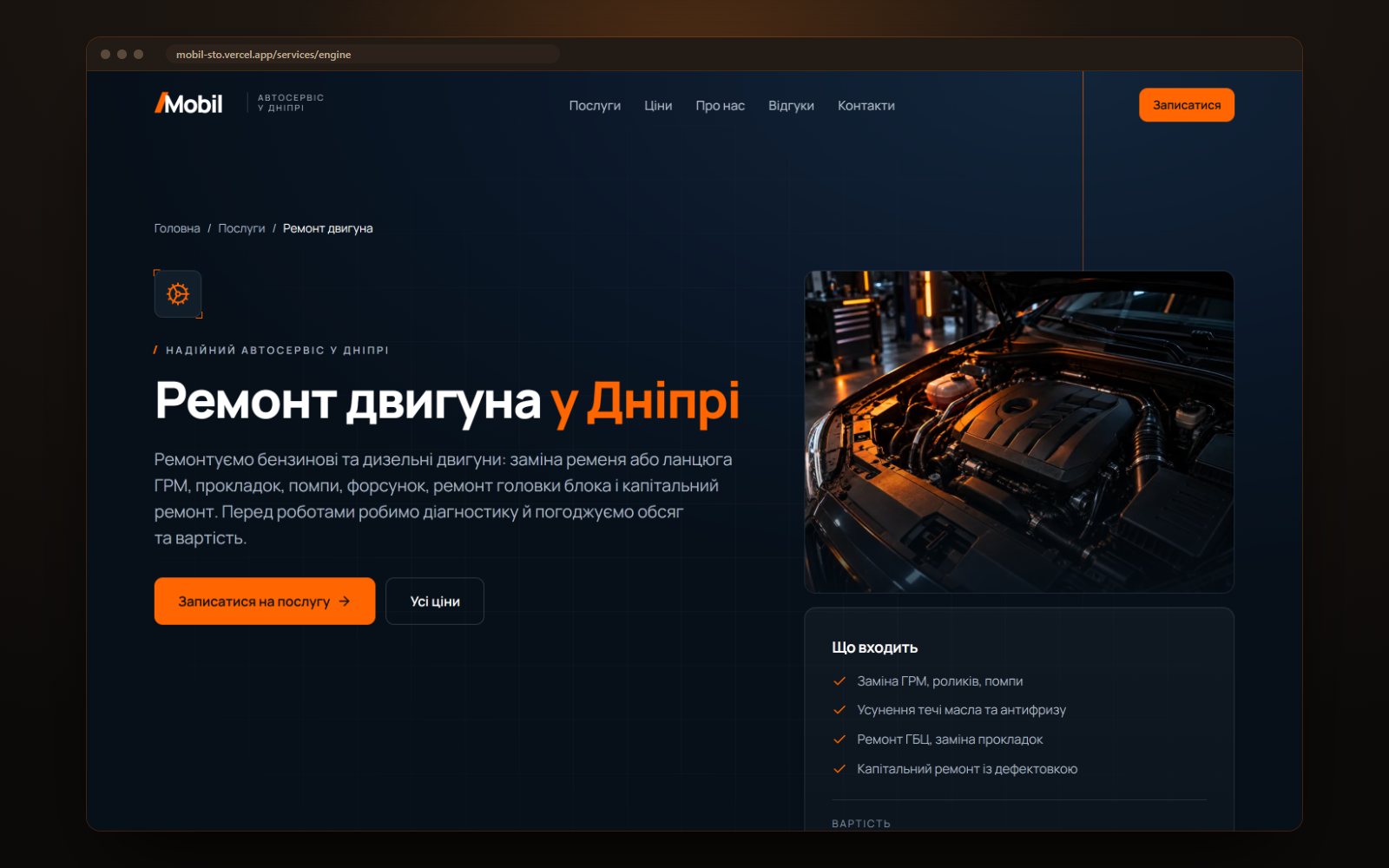
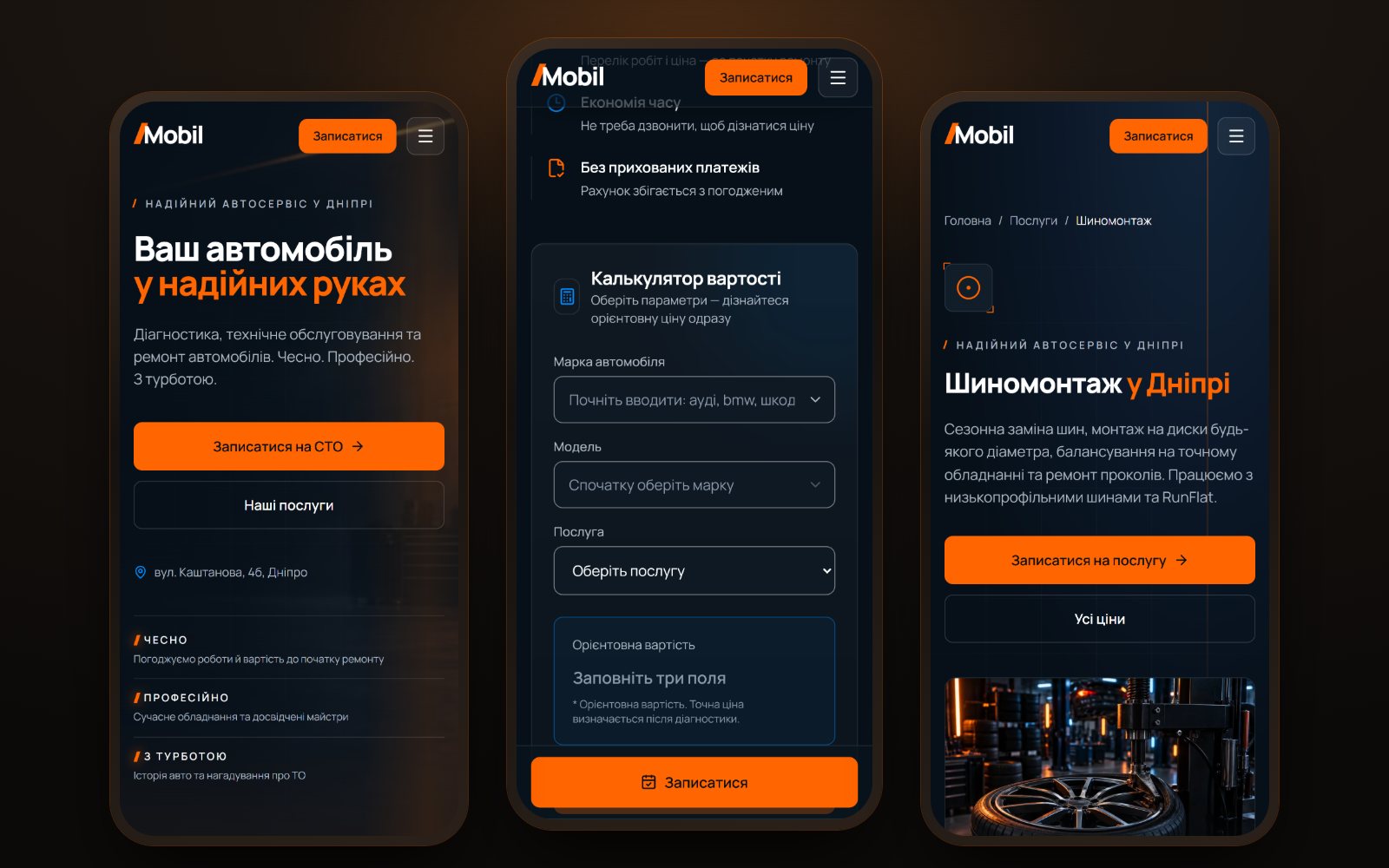
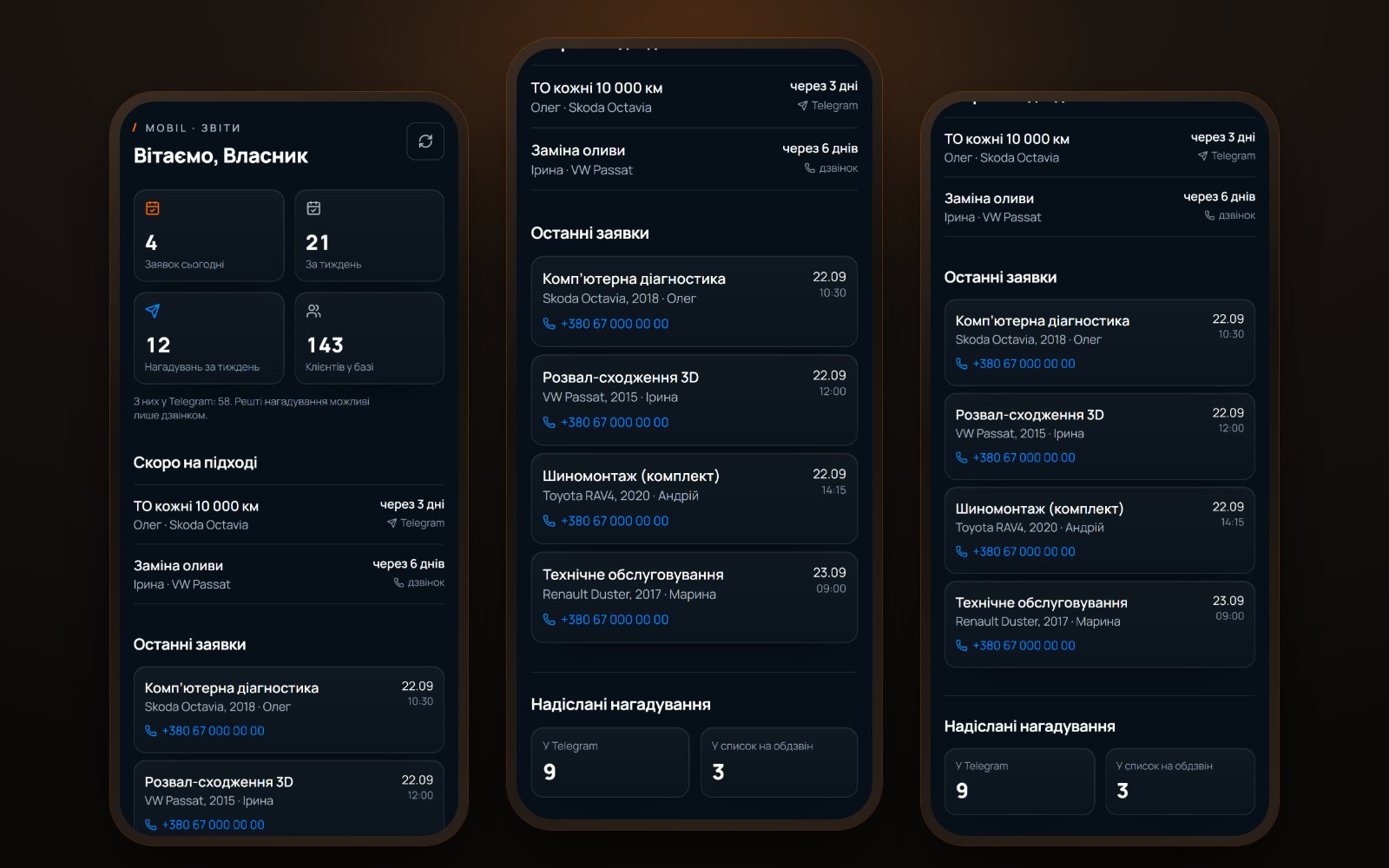
Three screens of the Mobil site: the home page, a service page and the Telegram reports app LIVE · VERCEL
Project 08 · Car service · Site + bot + app

Mobil — a car service site that reminds the client about the next service itself

A car service in Dnipro: twelve services, prices in plain sight and booking without a phone call. A request from the site lands in the administrator’s Telegram with buttons — “Confirmed”, “Calling back”, “Another time”, “Declined” — and the whole shift sees who has taken it. The system remembers when a client is due for service, and the owner reads the reports in an app right inside Telegram.

Next.js 1612 service pagesBooking without a phone callBot with confirmation buttonsService remindersOwner’s reports in Telegram
Site, booking and reports · the numbers in the report frames are demo data · swipe through
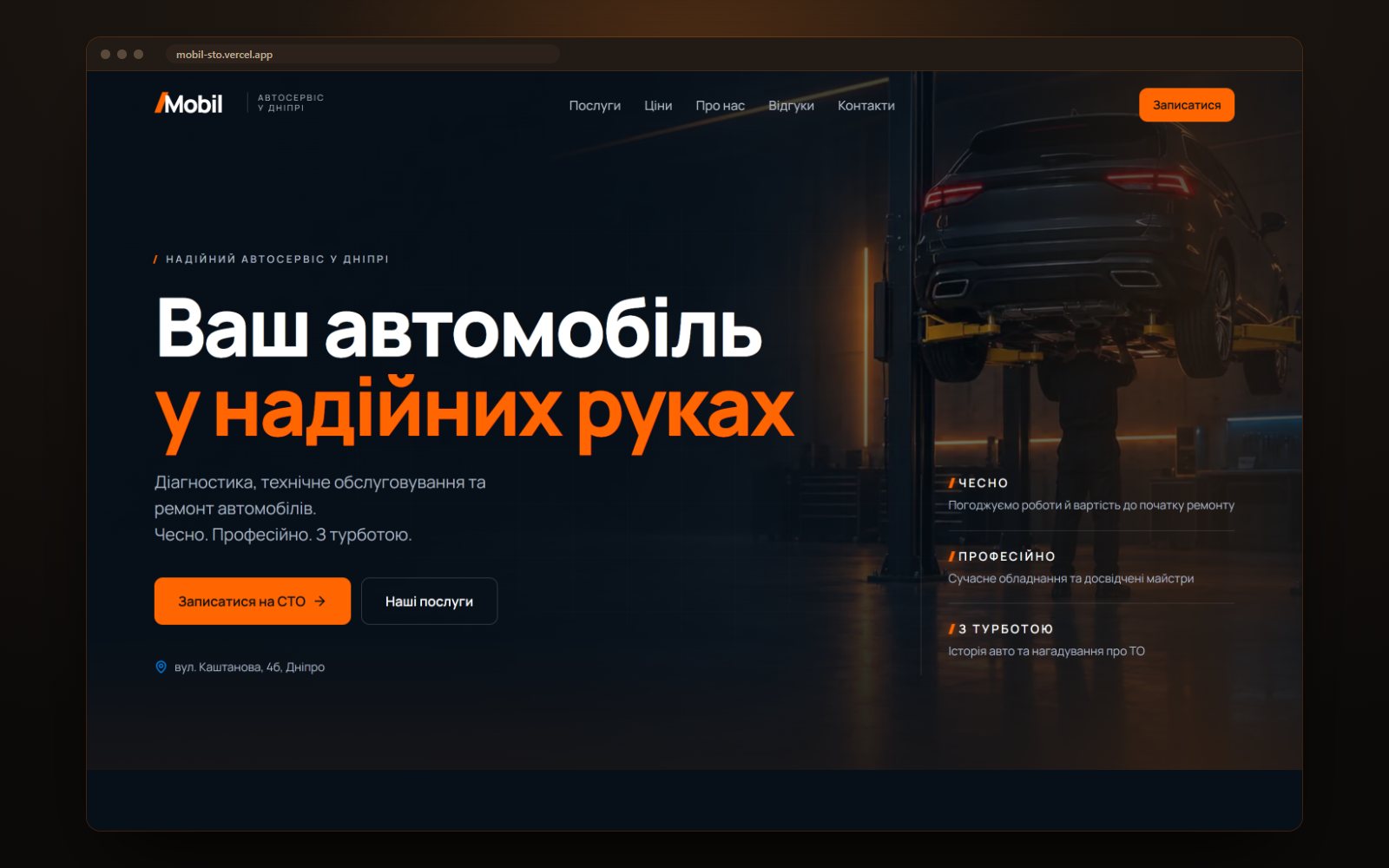
The Mobil home screen: a car on a lift, the headline and the booking button
01 The first screen — what they do, where they are and how to book
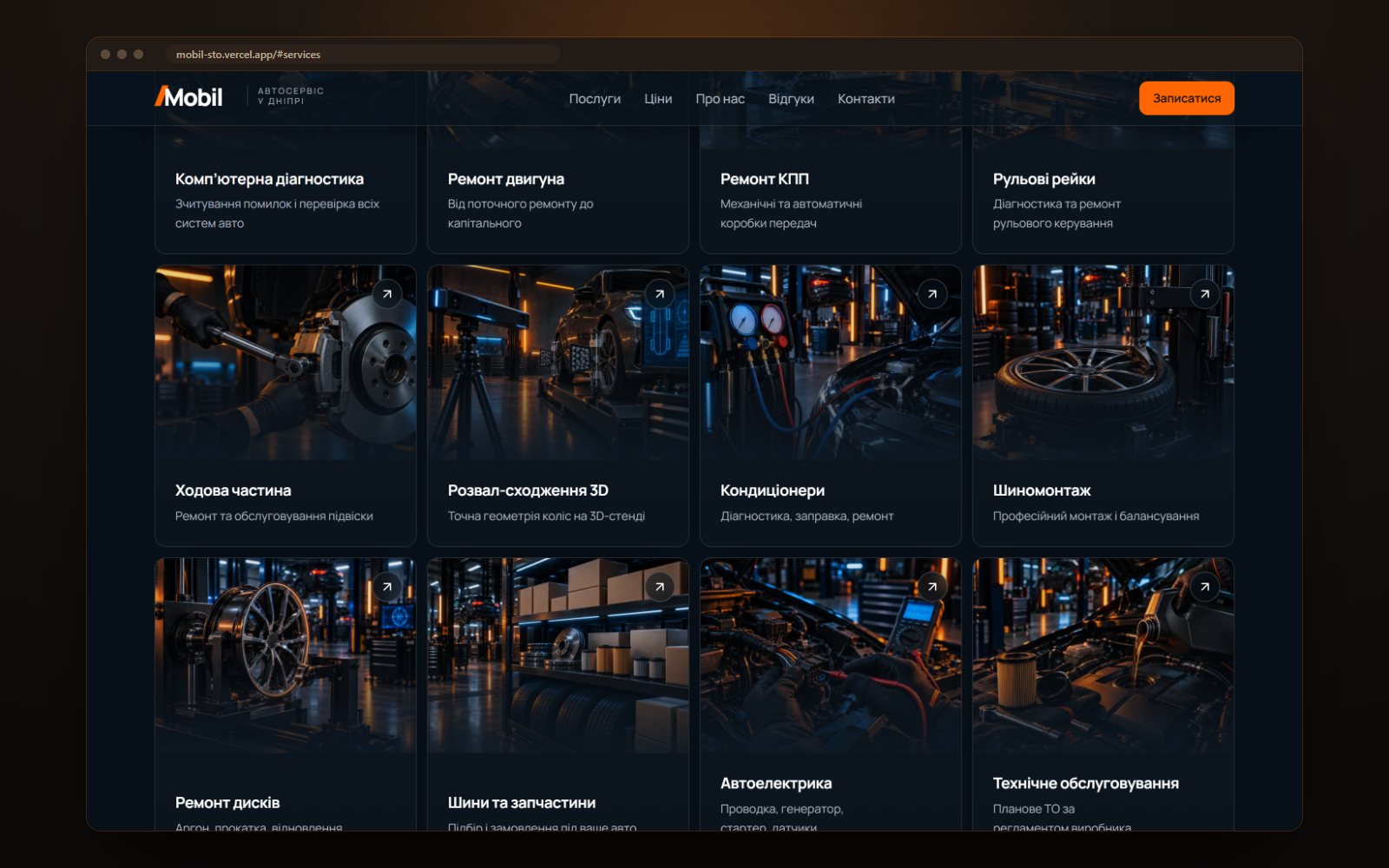
A grid of twelve services with photos: diagnostics, engine, gearbox, suspension, tyres
02 Twelve services — each with its own page, not just a line in a list
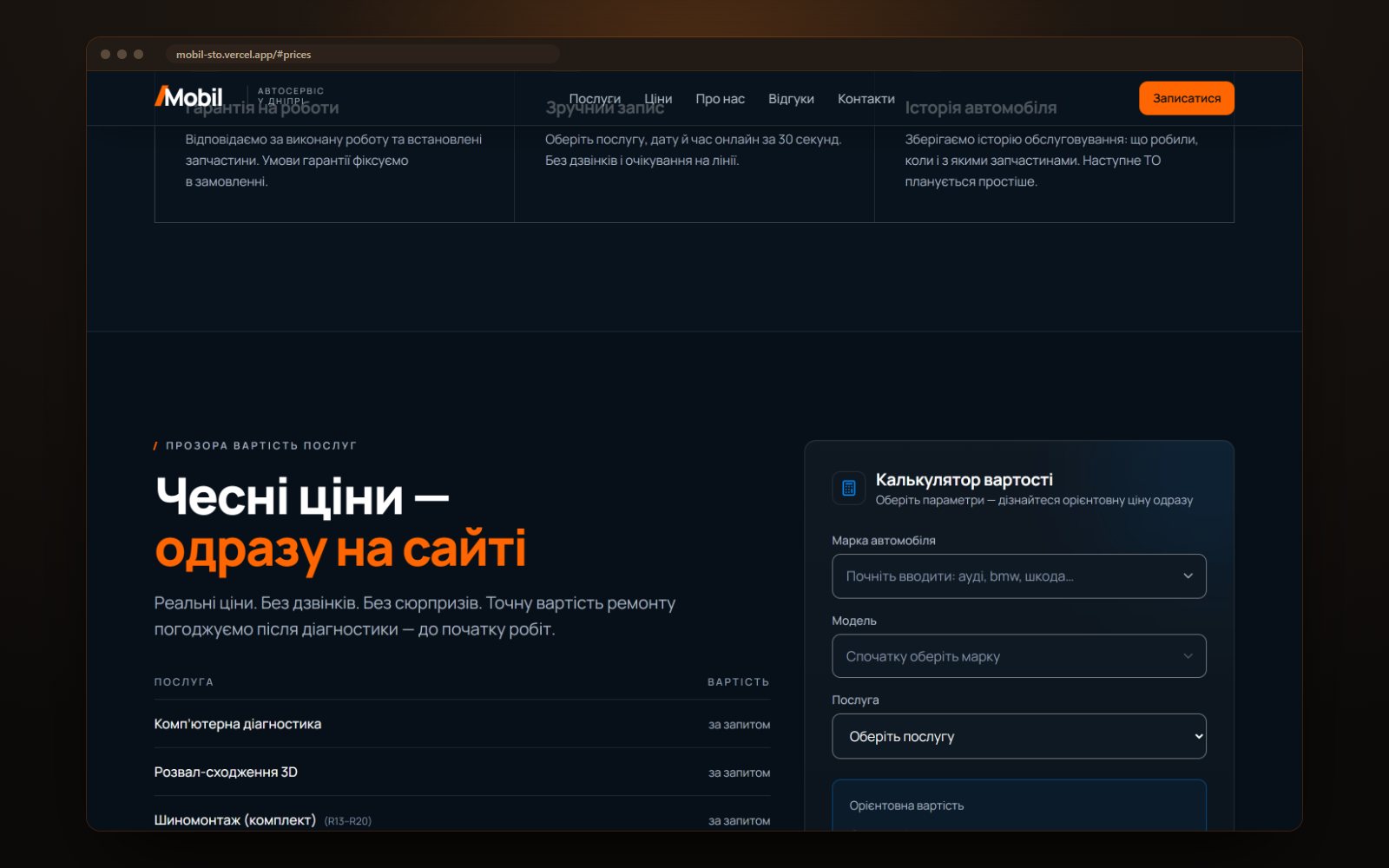
The pricing block with a service table and a cost calculator by car make and model
03 Prices right on the site, with a calculator for a specific car next to them
The “Engine repair” service page: description, list of works and a booking button
04 A service page — what is included, what it costs, and a booking button
Three phone screens: the home page, the booking form and a service page
05 The same on a phone: pick a service, a date and a time in half a minute
The reports app: requests for the day and week, upcoming reminders, latest bookings
06 The owner’s reports — the app opens right inside Telegram, with no passwords
0services, each with its own page with a description and a price
0buttons on a request: confirmed, calling back, another time, declined
0seconds to book: service, date, time — no call, no waiting on the line
0passwords for the owner — the app recognises them by their Telegram signature

What the system does

  • Booking without a call. A person picks a service, a date and a time on the site — the request goes straight to the administrator instead of sitting in an inbox.
  • A request with buttons. In Telegram the administrator taps “Confirmed”, “Calling back”, “Another time” or “Declined”. The buttons turn into a status line with a name and a time — the whole shift sees the request has been taken.
  • Service reminders. The system works out when a client is due and messages them in Telegram; anyone not on Telegram lands on a call-back list.
  • Owner’s reports. A separate app inside Telegram: requests for the day and the week, upcoming reminders, the client base. There is no password — and the page will not open in an ordinary browser.

Built by hand

  • Button taps on a request are signed with a secret — the server rejects unverified calls
  • The calculator works out the cost by make, model and service without asking for a request first
  • If no delivery channel is configured, the form honestly says the request was not sent instead of a fake “thank you”
  • Markup for search: a car repair business, a catalogue of twelve services and seven FAQ questions
  • An llms.txt file and separate rules for AI bots in robots.txt — so models read the site correctly
  • The legal pages are in place: privacy policy, cookies and terms

Where it sits in the calculator

The site together with the bot and the reports is a site + system: $3000–6000, 14–21 days. The site alone, without the bot and the app, is a “custom scenario” from $1000. Price up something similar →
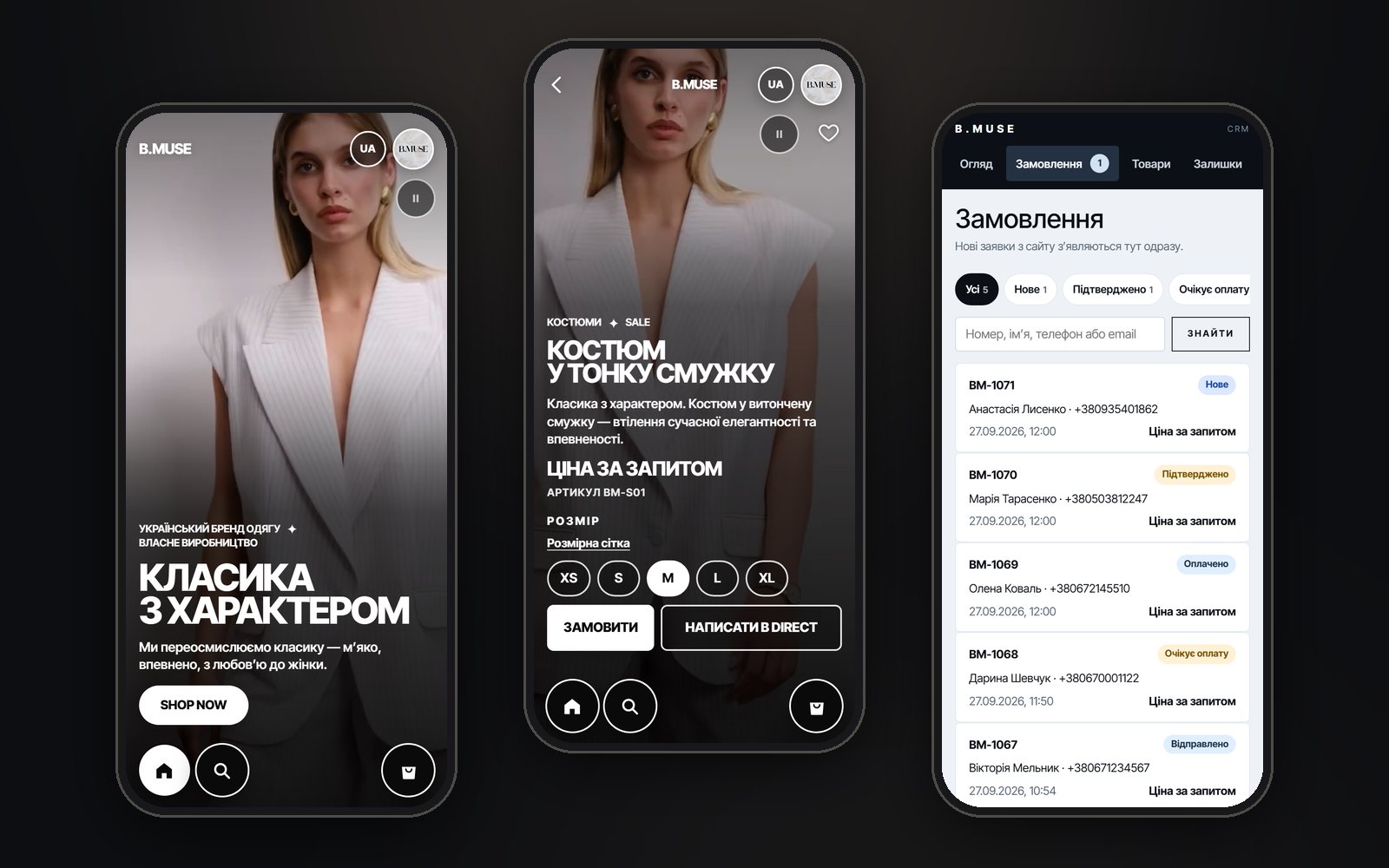
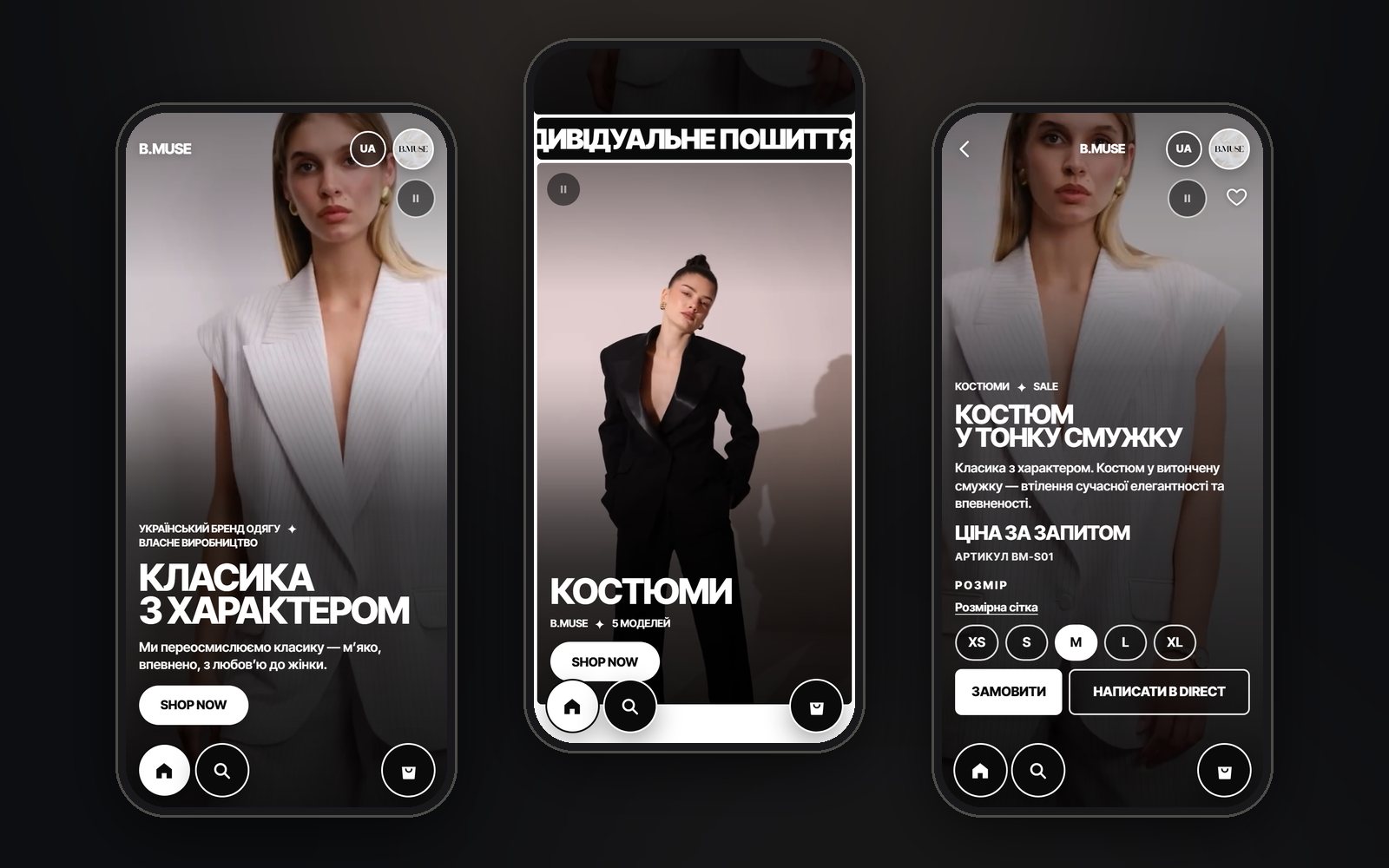
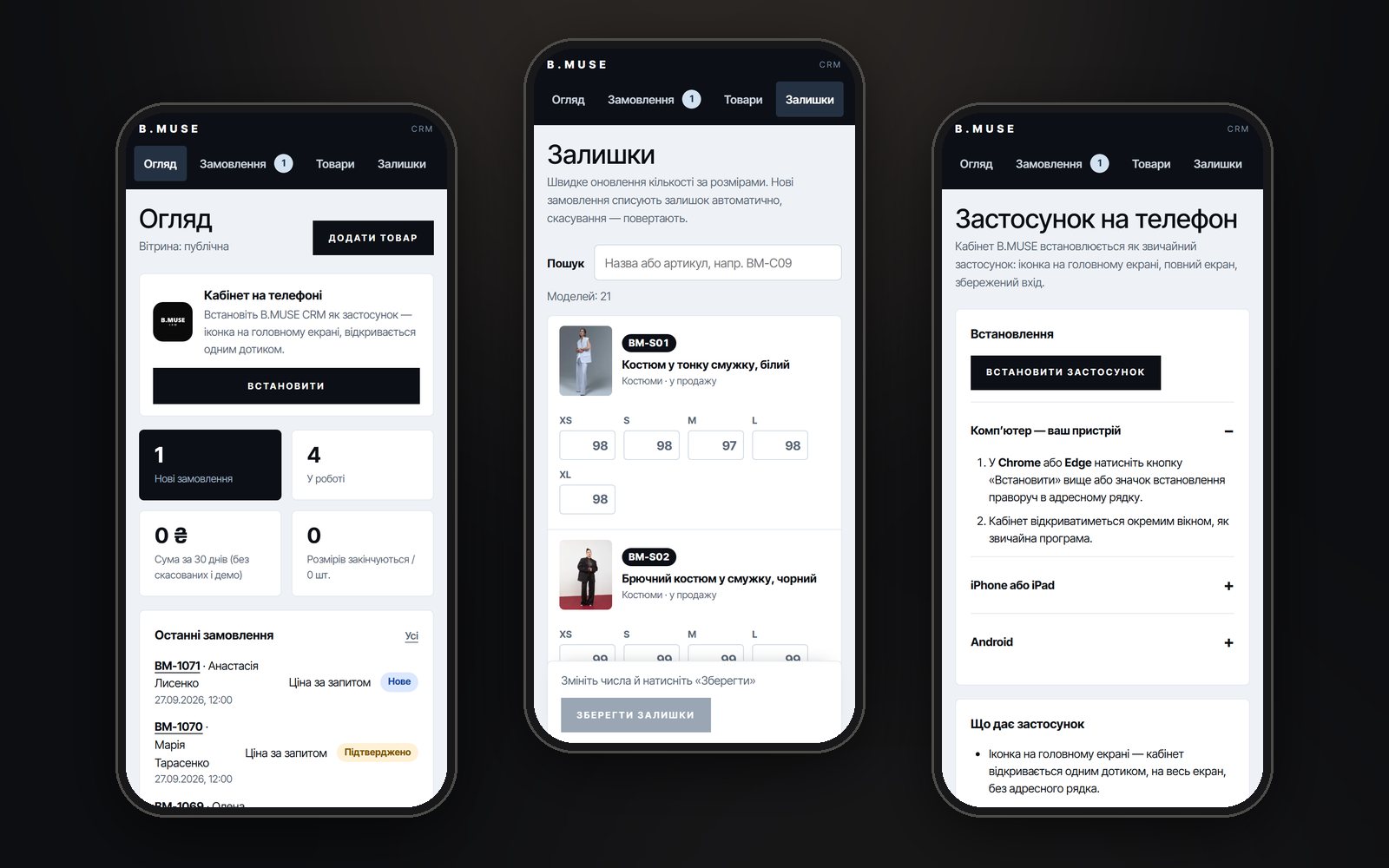
Three B.MUSE screens: the shop’s home page, a style page with size selection and orders in the back office on a phone LIVE · VERCEL
Project 09 · Clothing brand · Shop + CRM + bot

B.MUSE — a clothing brand’s shop the owner runs from her phone

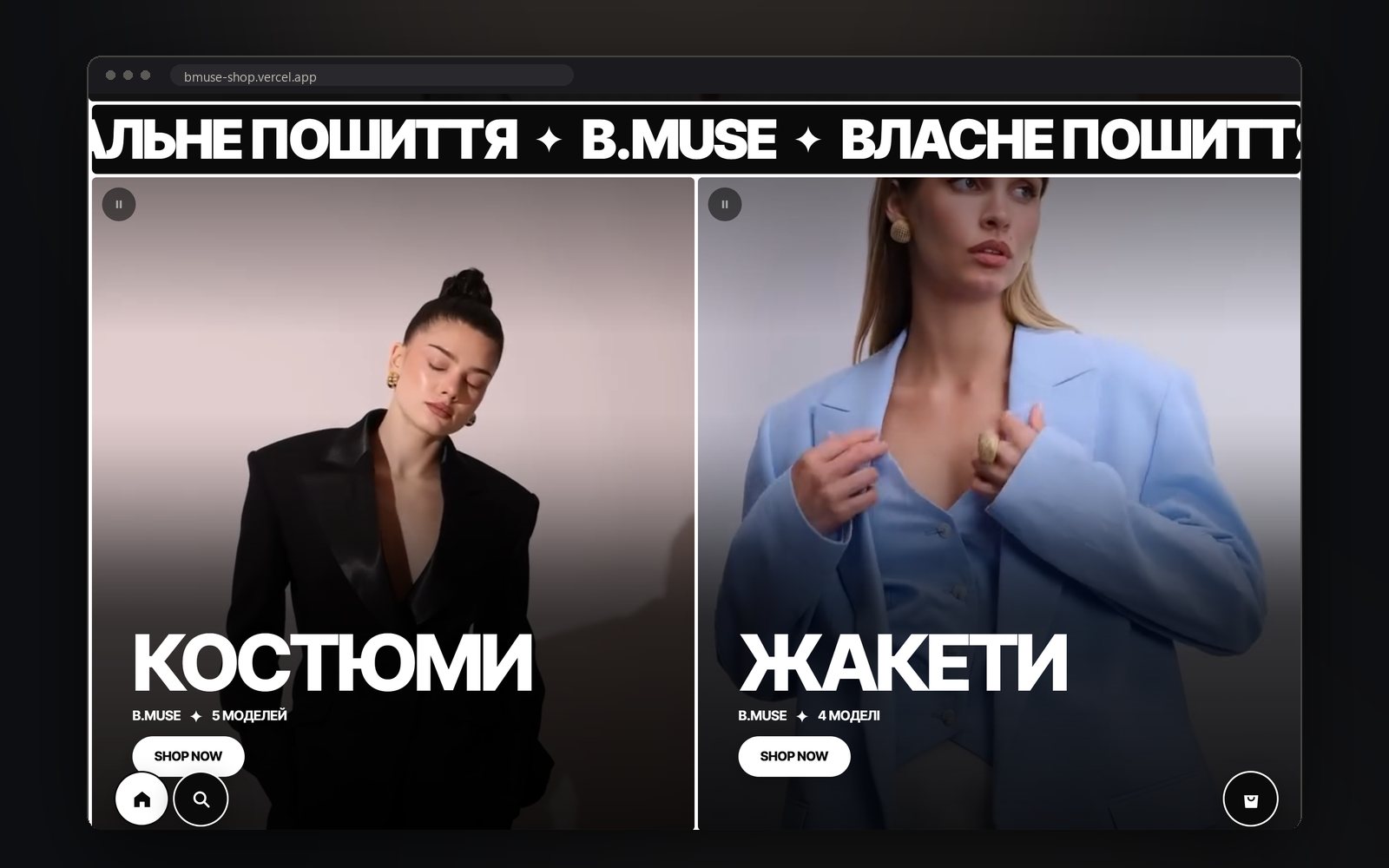
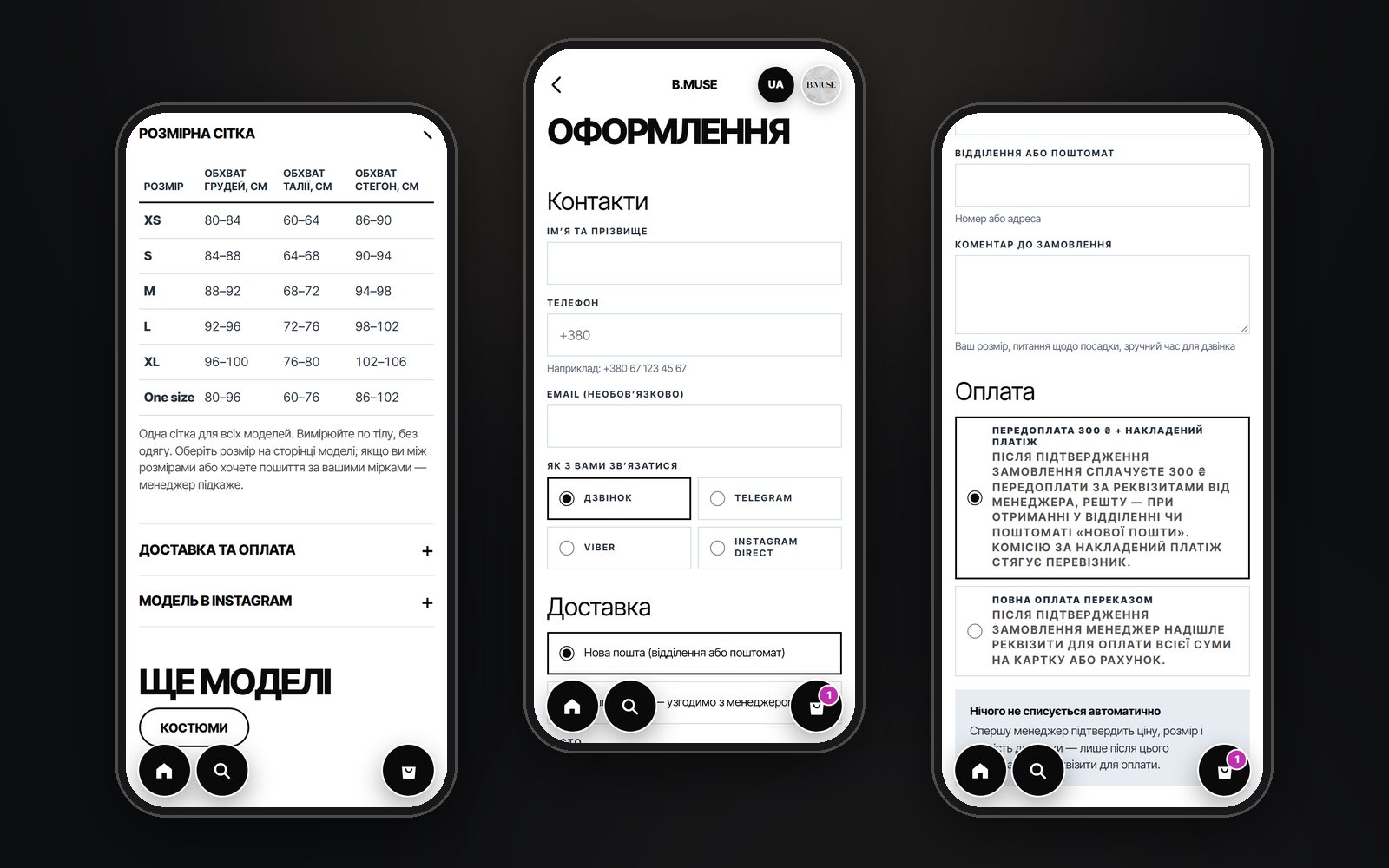
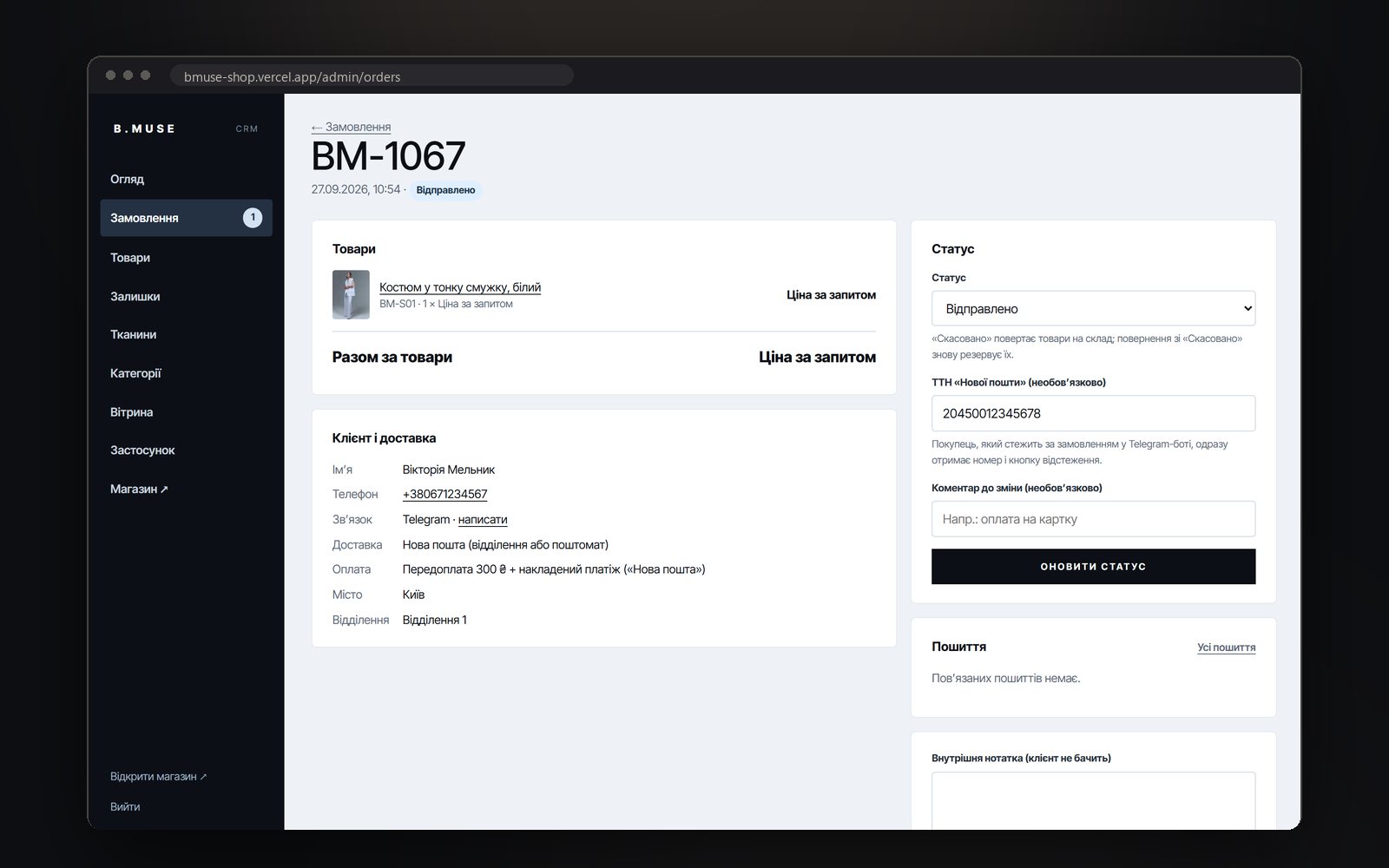
A Ukrainian womenswear brand used to sell through Instagram Direct. We built a shop in the style of a fashion marketplace: 21 styles taken straight from the brand’s Instagram — with their photos and videos, three languages, a size chart and size selection, Nova Poshta delivery with a ₴300 prepayment. The owner, who is also the designer, installed the back office on her phone: orders, stock and discounts, plus fabrics and sewing with outside seamstresses. Customers track their orders and message a manager in the Telegram bot.

Next.js 1621 styles from InstagramUA · EN · RUSize chart and size selectionCRM app on the phoneFabric and sewing trackingTelegram bot with tracking numbers
Storefront, back office and tracking · the orders and fabrics in the back-office frames are demo data · swipe through
Three phone screens: the shop’s first screen, the “Suits” section and a style page with size selection
01 The first screen, sections and a style — big frames and a bold grotesque, like a fashion marketplace
The shop’s home page on a computer: full-screen “Suits” and “Jackets” sections with photos of the styles
02 On a computer — full-screen sections, each with a video from the brand’s Instagram
The size chart with body measurements, the checkout form and the payment method choice
03 The size chart right next to the size buttons, checkout with Nova Poshta and a ₴300 prepayment
An order card in the CRM: items, customer, delivery, status and the Nova Poshta tracking number field
04 An order in the CRM: status and tracking number — the customer gets both in the Telegram bot right away
The back office on a phone: the overview, stock by size with a photo and SKU, and the app install page
05 The back office installs on a phone like an app: stock by size with a photo and SKU
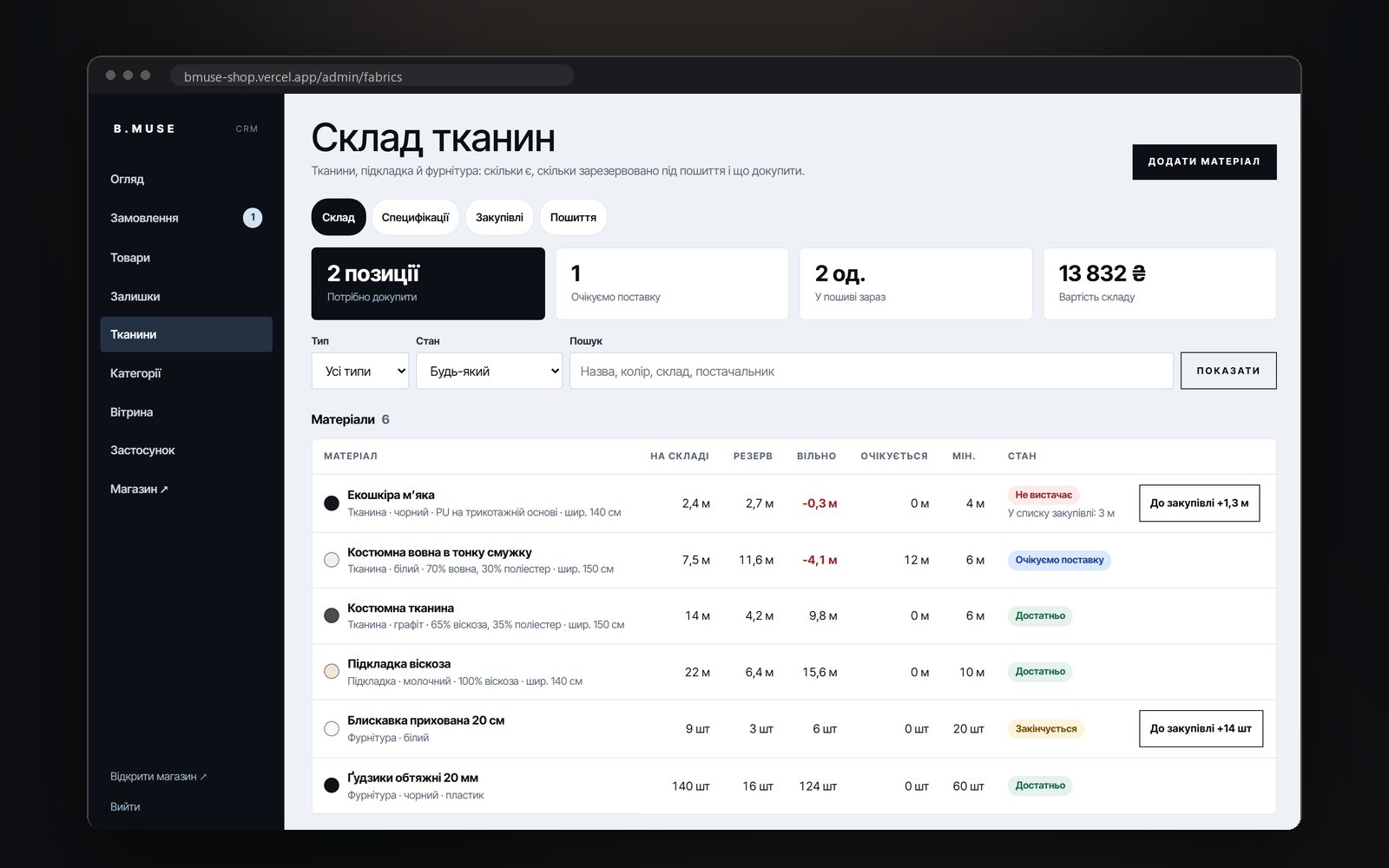
Fabric stock: in stock, reserved for sewing, free, incoming and the state of each material
06 Fabrics: how much is in stock, how much is reserved for sewing and what to buy — the system does the maths
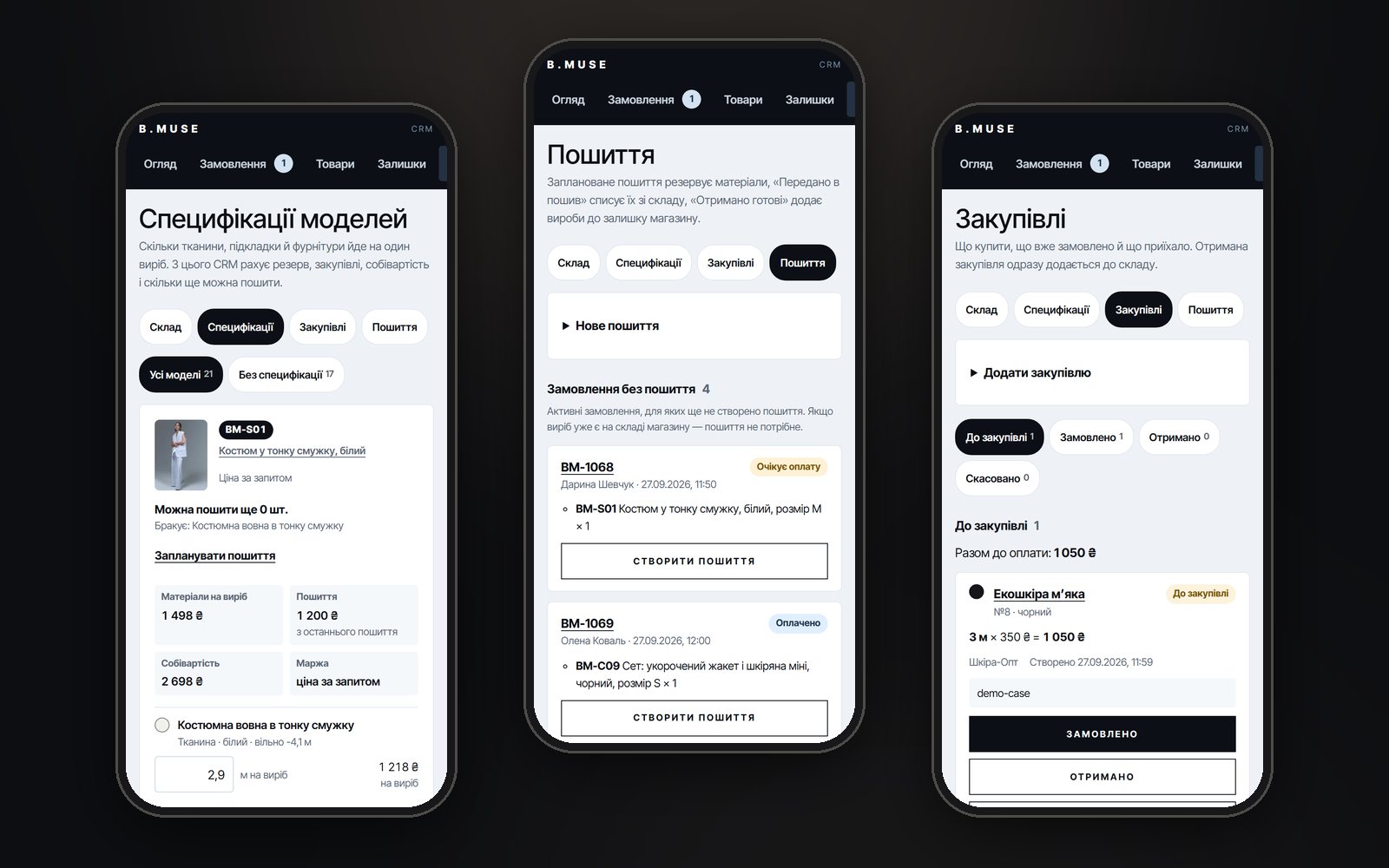
A style’s bill of materials, the list of sewing jobs with seamstresses and material purchases
07 From sketch to stock: a bill of materials per style, sewing jobs and fabric purchases
0styles moved over from the brand’s Instagram — with their photos and videos
0languages on the site and in the bot: Ukrainian, English, Russian
0order statuses — and the customer hears about every one of them in Telegram
0sewing stages — planned, handed to the seamstress, received; finished pieces go into stock on their own

What the system does

  • A catalogue from Instagram. Every style comes with the brand’s real photos and videos, a SKU and a size chart; search understands three languages, synonyms and SKUs.
  • Orders without call-backs. Size by button, Nova Poshta, a ₴300 prepayment with cash on delivery or a bank transfer — the order lands in the CRM and in the owner’s Telegram at once.
  • The back office in a pocket. The CRM installs on a phone: orders, stock by size, discounts in percent — the price recalculates itself and the home page shows “Up to N% off”.
  • Fabrics and sewing. A bill of materials per style — how much fabric and trims go into one piece; the system works out the reserve, what to buy, the cost price and how many more can be sewn. Finished pieces from the seamstress go into stock for the right size on their own.
  • A bot for customers. The catalogue as cards that lead to the site, the size chart, order status with the tracking number and a tracking button, questions to a manager — answered with a reply.

Built by hand

  • Terms of sale, exchanges and returns, privacy and cookies — under Ukrainian law
  • schema.org markup: store, products, breadcrumbs, FAQ; three languages with hreflang and llms.txt for AI assistants
  • The theme is locked to light — browsers with forced dark mode don’t repaint the brand
  • Order status in the bot only by the order number and four digits of the phone, or via the link from the order page — no more than five attempts an hour
  • The bot’s webhook checks Telegram’s secret; the back office can’t be embedded in other pages and keeps no data on the phone
  • Pages checked with the W3C validator and the keyboard, on a phone and a computer

Where it sits in the calculator

The shop together with the CRM, the bot and production tracking sits at the top of the site + system level: $3000–6000, 14–21 days. The shop alone, without the back office and the bot, is a “custom scenario” from $1000. Price up something similar →
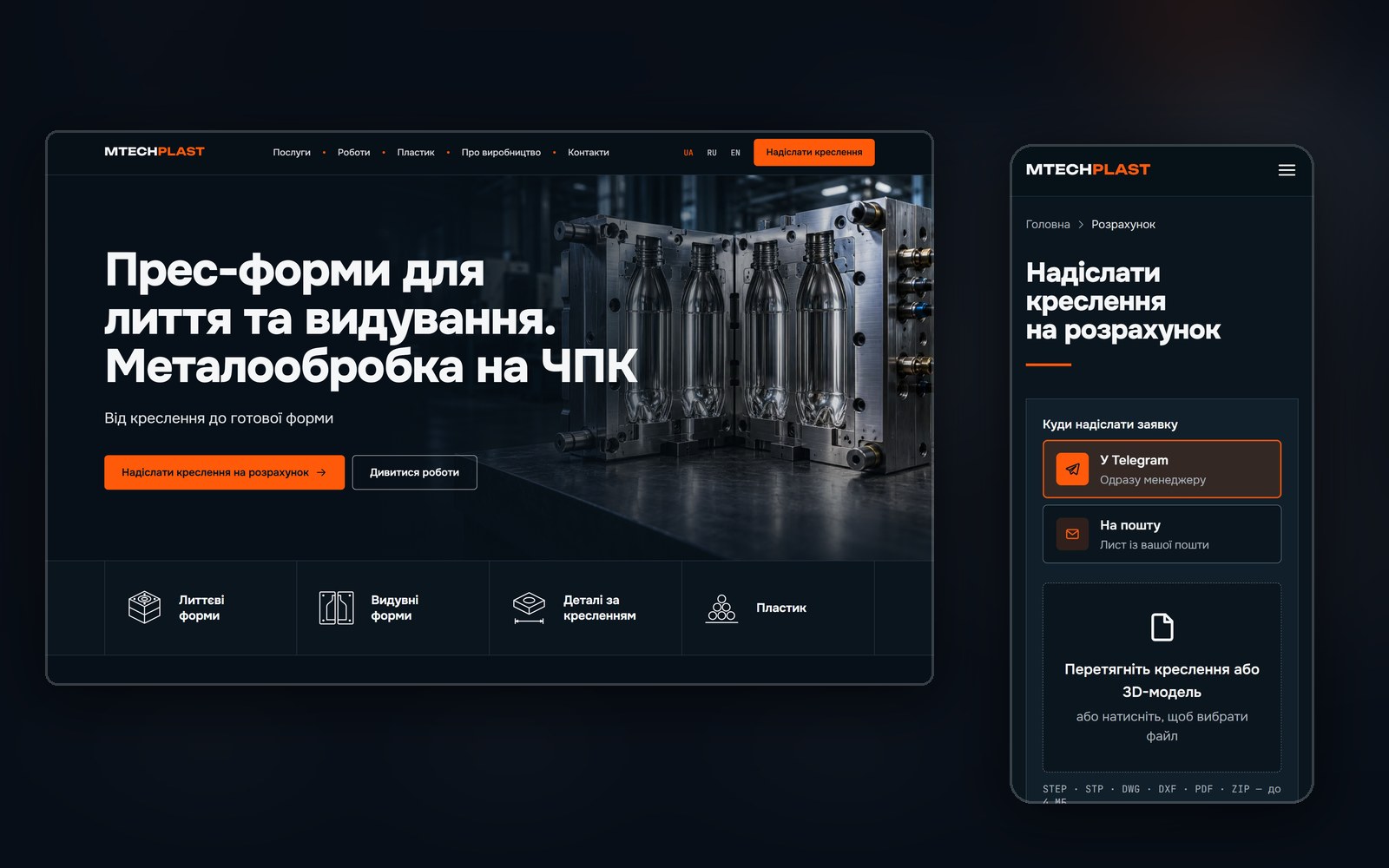
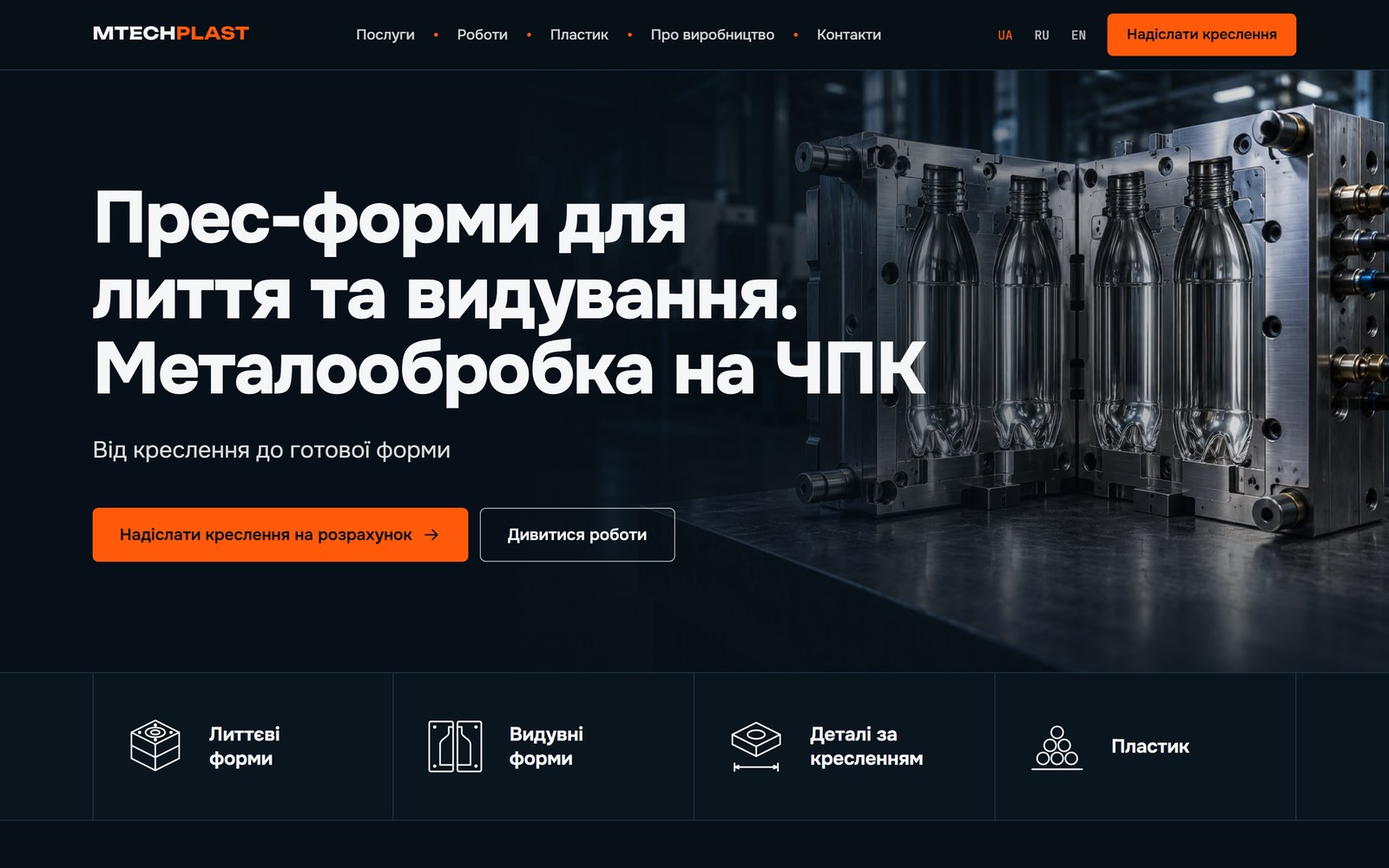
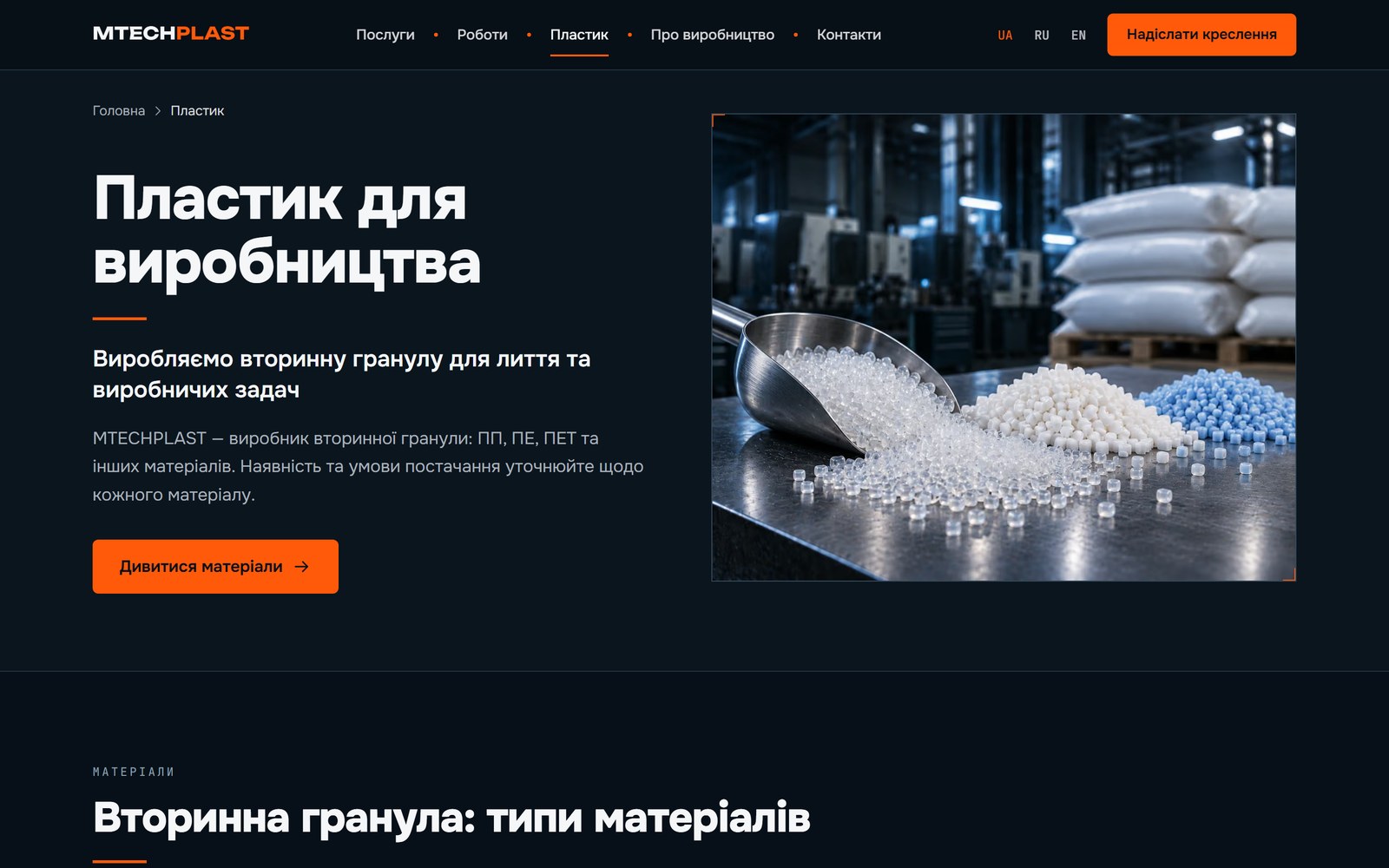
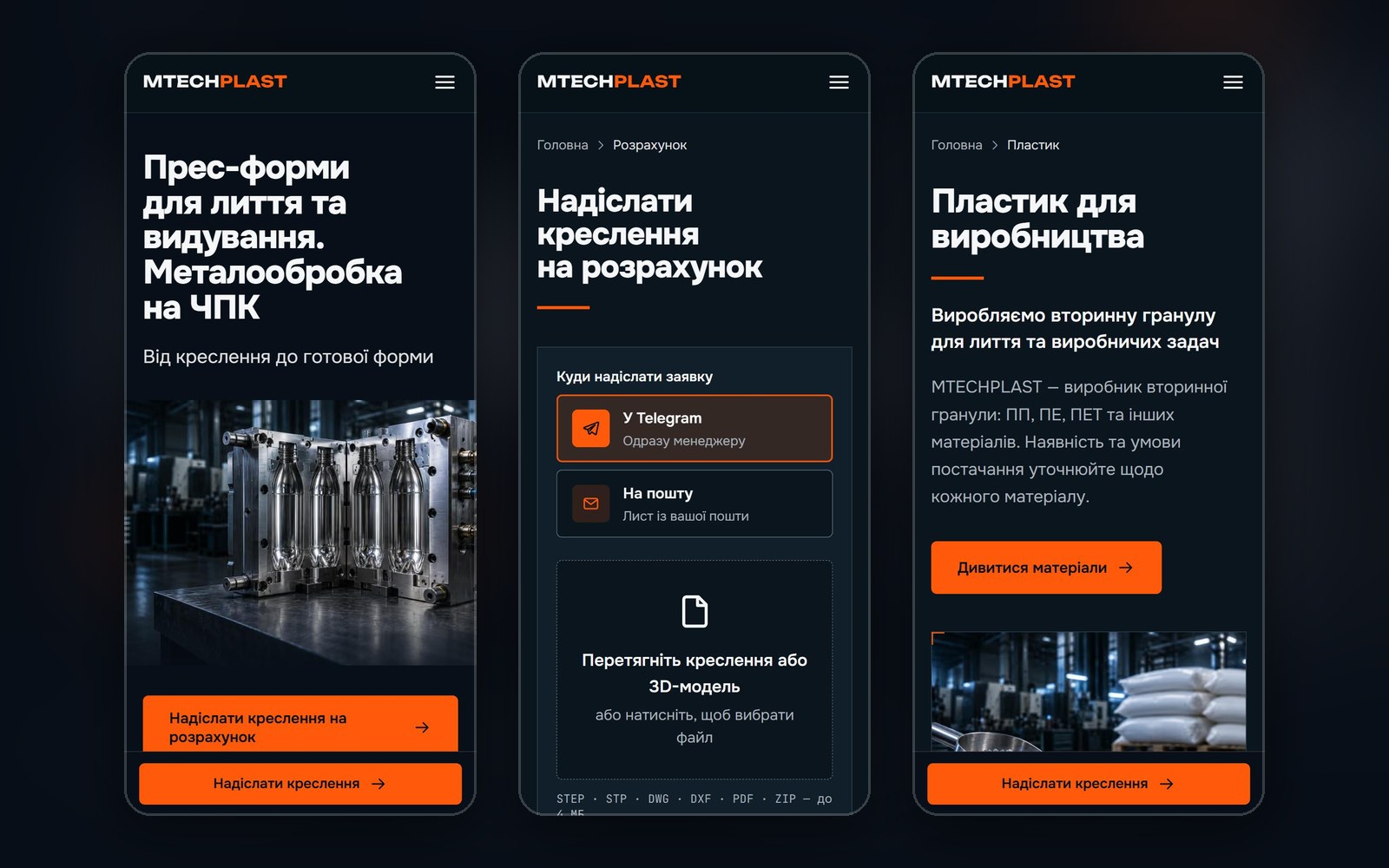
The MTECHPLAST site on a computer and a phone: the first screen with a mould and the enquiry page with drawing upload LIVE · VERCEL
Project 10 · Mould making · A site with drawing-based enquiries

MTECHPLAST — a mould maker’s site where the enquiry starts with a drawing

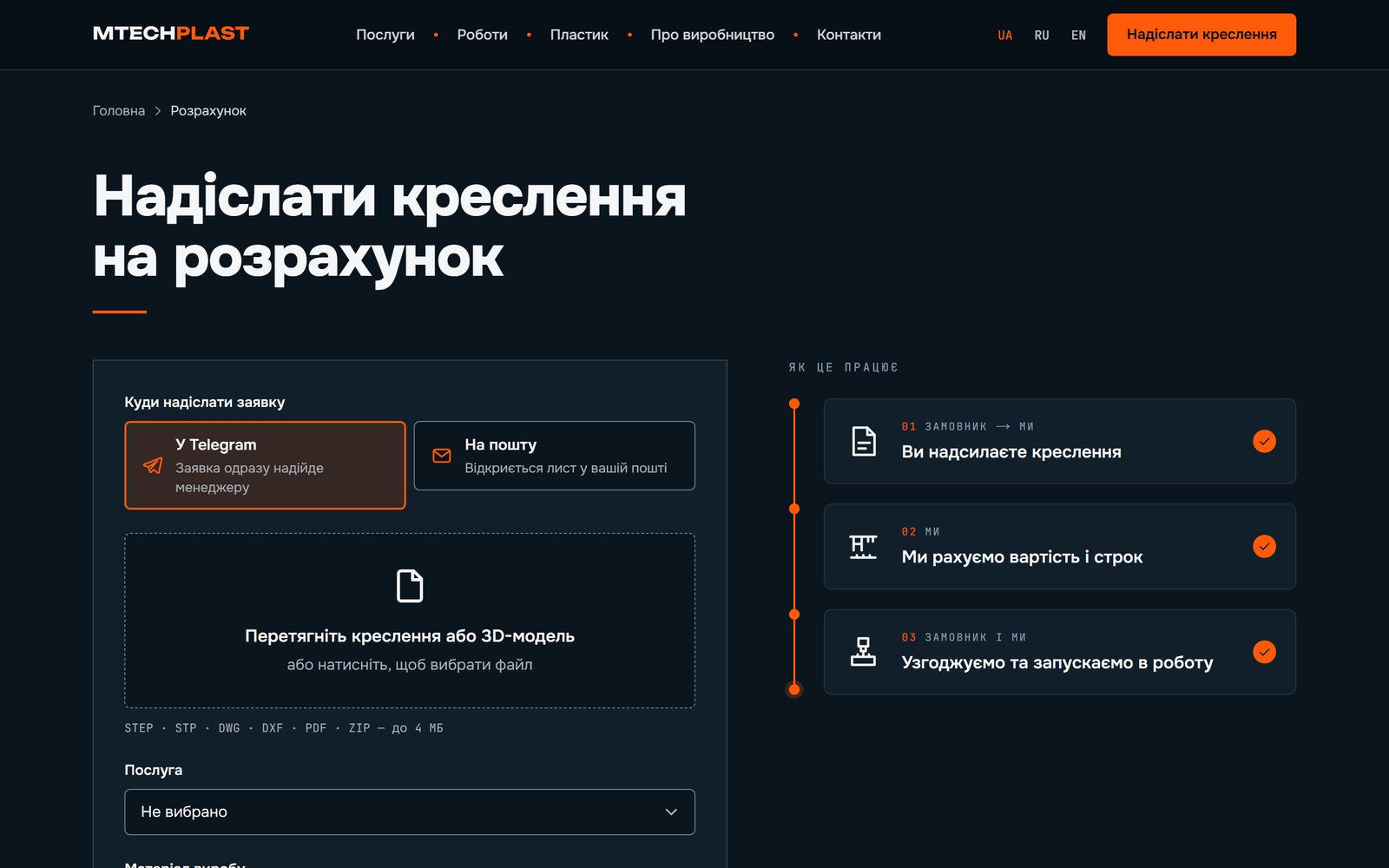
A maker of injection and blow moulds and a CNC machining shop. The point here is not a catalogue: the client drags in a drawing or a 3D model — STEP, STP, DWG, DXF, PDF or ZIP — picks where to get the answer, and the enquiry with the file goes straight to the manager in Telegram. Three languages from one build: Ukrainian with no prefix, /ru and /en, with 21 addresses each.

Next.js 16React 19UA · RU · ENDrawing-based enquiryTelegram botFour servicesA “Plastic” section
The site, the drawing-based enquiry and three languages · the client supplied no shop-floor photos, so the sections are shown with illustrations · swipe
The site’s first screen: a headline about moulds for injection and blow moulding, with four section links below it
01 The first screen says what they make, and right below it four ways in: injection, blow, parts to drawing, plastic
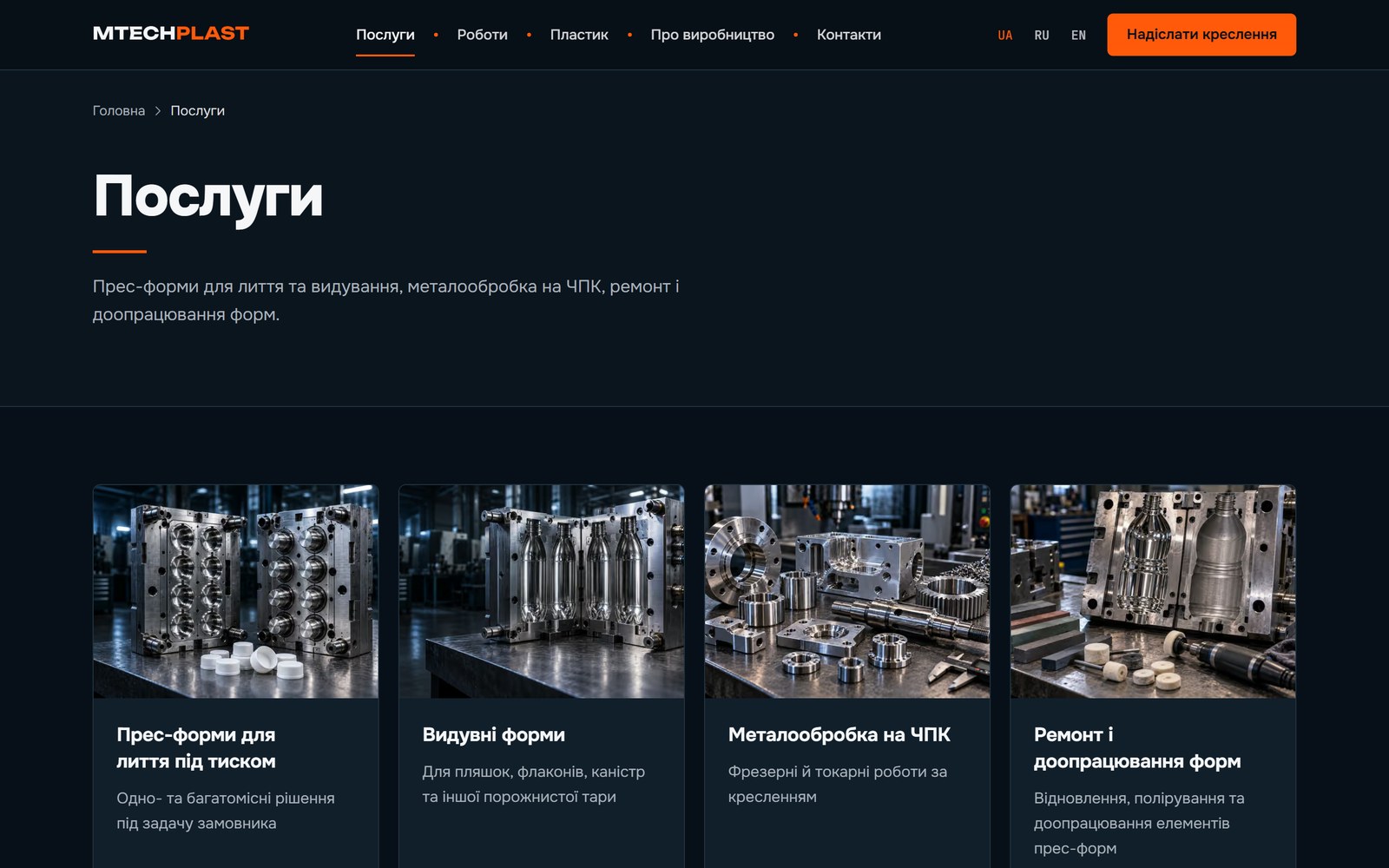
Services page: four cards — injection moulding, blow moulds, CNC machining, mould repair
02 Four services, each with its own page and its own questions and answers
Enquiry page: a choice of Telegram or email, a drop area for the drawing, and the three steps of the job beside it
03 The heart of the site: drop in a drawing, pick the reply channel — and see what happens next right beside it
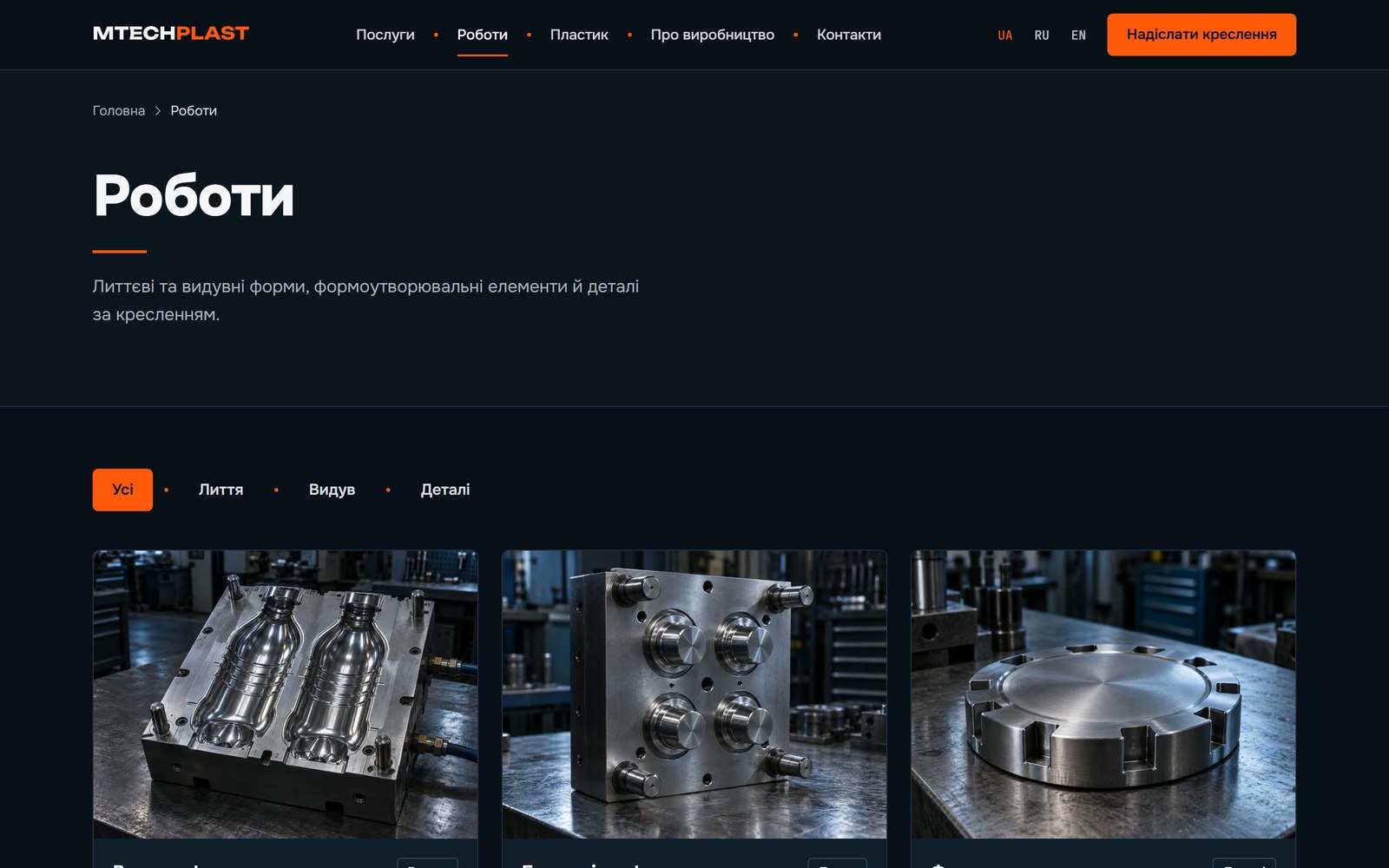
Works page with a filter by type: all, injection, blow, parts
04 Works filtered by type, so nobody has to scroll through everything
“Plastic” section: recycled PP, PE and PET granulate for moulding and production
05 “Plastic” is a line of its own: recycled PP, PE and PET granulate
Three phone screens: the home page, the enquiry with file upload, and the “Plastic” section
06 On a phone it is the same drawing-based enquiry, with the action button always under your thumb
0languages from one build: Ukrainian with no prefix, Russian and English
0addresses in the sitemap — 21 pages in each language
0drawing formats the form accepts: STEP, STP, DWG, DXF, PDF, ZIP
0services, each with its own page of questions and answers

What the site does

  • Enquiry by drawing. The file is dragged into the form or picked with a button; the accepted formats and the size limit sit right next to it, and below — three steps: you send the drawing, we work out the price and the timeline, we agree and start.
  • An answer wherever suits. The client picks Telegram or email. A channel with no contact behind it simply does not appear on the site — no empty buttons.
  • The enquiry lands in Telegram. A bot sends it to the owner together with the attached file.
  • Three languages, not three sites. Ukrainian is the main one and carries no prefix, Russian and English do; every page has its own title, description, canonical and hreflang.
  • Questions and answers. An FAQ on the home page and on every service page — and in the markup for search too.

Built by hand

  • A translation cannot be forgotten: the Ukrainian dictionary sets the structure, and if a line is missing from the Russian or English one, the build fails
  • The sitemap builds itself from the list of addresses — 63 addresses across three languages
  • schema.org markup: organisation, website, questions and answers
  • Labels on the orange buttons are dark: white text would give 3.1:1 contrast and would fail WCAG AA
  • Hover effects work on touch screens too, where there is no hover
  • At 375 px nothing runs off the edge — checked by measuring, not by eye

Where it sits in the calculator

A multi-page site in three languages with an enquiry form and a bot — the custom scenario tier: from $1000. A simpler site, one language and no file enquiry, is “a site for the business”.

Concepts · coming soon

One-page templates about to become projects.

These are not client projects but starting points for typical niches: they show the structure, palette and rhythm a “business card site” or a “site built around your business” begins from. Hover and the layout comes to life.

Telegram Mini Apps · concepts

A store or a booking — right inside Telegram. No website, nothing to install.

A person opens the bot, taps one button — and gets a real app inside Telegram: catalog, cart, time-slot booking. The order lands in the owner's chat or CRM. These are not pictures: tap the phones — everything works.

9:41
‹T
TechnoBoxbot
Hi! I'm the bot of the TechnoBox electronics store 👋
Catalog, cart and checkout — right here in Telegram. No website, no sign-up: your name and phone are already in your account.
Tap the button below 👇
mini app button · tap it
CONCEPT · INTERACTIVE

Electronics store in Telegram

Mini App + bot · from $300 · 4–6 days

9:41
‹L
Lak Studiobot
Hello! This is Lak Studio booking 💅
Pick a service, a specialist and a time — half a minute, no phone calls. I'll remind you a day before the visit.
Open booking with the button below 👇
mini app button · tap it
CONCEPT · INTERACTIVE

Nail salon booking

Mini App + bot · from $250 · 3–5 days

9:41
‹O
OSTERIA 9bot
Good evening! OSTERIA 9 — delivery and table orders 🍕
The menu with photos and prices is here in the chat. Courier in 40 minutes. At the table — scan the QR and order without a waiter.
Open the menu with the button below 👇
mini app button · tap it
CONCEPT · INTERACTIVE

Restaurant: delivery and table orders

Mini App + bot · from $350 · 4–6 days

What's included

  • Bot and app in one. The bot greets, answers questions and opens the mini app with one button — catalog, cart, booking calendar
  • Orders go to the owner. Every order or booking lands instantly in the manager's chat, a Google Sheet or your CRM, tagged with who and when
  • Payment in the chat. Card via Telegram Payments, LiqPay or Monobank — or on delivery
  • Reminders and broadcasts. “Tomorrow at 14:00 with Maryna”, “Your order has shipped”, promos — no SMS and no SMS bills

Why Telegram for a business

  • Nothing to install. Telegram is already on the customer's phone — the app opens in a second, no App Store or Play Market
  • No sign-up. Telegram passes the name and phone itself — the customer fills in no forms and invents no password
  • Messages get read. Chat reminders are opened far more often than emails that land in spam
  • Cheaper than a native app. One codebase runs on iPhone, Android and desktop — no need for two development teams

What it costs

Cheaper than a year of a builder subscription — and no monthly fee or third-party branding: salon booking — from $250 (3–5 days), a store with a cart — from $300, a restaurant with delivery and QR tables — from $350 (4–6 days). Included: the bot, the mini app, orders to your chat or a Google Sheet, hosting for a year. Card payment in Telegram — +$40, integration with your CRM — +$50–100. An owner dashboard with stock, customers and analytics is already “Site + system”, from $3000. Price up your own version →
The phones above are working concepts, not client projects: products and prices are made up, orders are not sent anywhere.

Your project could be here

First-screen mockup in one day, before payment.

Work out the cost →